Introduction
A Configuration Management Database (CMDB) is a centralized repository that stores information about an organization’s IT assets, configurations, and the relationships between them. CMDBs are critical for IT operations, enabling teams to understand dependencies, track changes, and support incident, problem, and change management processes.
In modern IT environments, especially with hybrid cloud, SaaS, and distributed systems, CMDBs provide visibility that helps prevent outages, reduce troubleshooting time, and support compliance initiatives.
Common use cases include:
- Mapping dependencies between IT assets
- Tracking configuration changes
- Supporting ITIL-based incident and change management
- Ensuring compliance and audit readiness
- Enabling impact analysis for system changes
What buyers should evaluate:
- Discovery and data accuracy
- Integration with ITSM and monitoring tools
- Visualization and relationship mapping
- Automation for change tracking
- Reporting and analytics
- Scalability across hybrid environments
- Ease of deployment and usability
- Security and compliance features
Best for: IT operations teams, service desk teams, change management professionals, and enterprises managing complex IT environments.
Not ideal for: Small organizations with minimal IT infrastructure or teams that do not require detailed configuration tracking.
Key Trends in CMDB Tools
- AI-driven discovery and relationship mapping
- Real-time updates from monitoring and ITSM systems
- Integration with cloud, SaaS, and on-prem systems
- Automation of change tracking and impact analysis
- Visual topology and dependency mapping improvements
- Continuous compliance and audit reporting
- SaaS and multi-cloud asset visibility
- API-first design for easier integrations
- Focus on scalability and multi-site deployments
- Predictive analysis for change impact and incident prevention
How We Selected These Tools (Methodology)
- Market adoption among IT operations and service management teams
- Depth of discovery and relationship mapping
- Integration with ITSM, monitoring, and automation tools
- Security, audit, and compliance features
- Usability and onboarding experience
- Flexibility for hybrid, multi-cloud, and on-prem environments
- Scalability for large enterprises
- Vendor reliability and support quality
- Reporting, analytics, and visualization capabilities
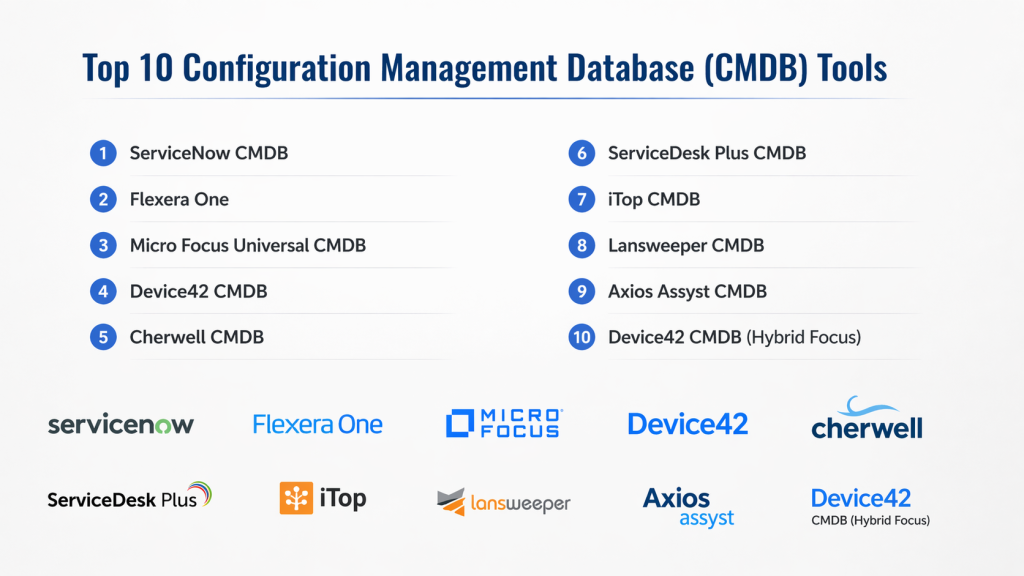
Top 10 Configuration Management Database (CMDB) Tools
#1 — ServiceNow CMDB
Short description
ServiceNow CMDB is an enterprise-grade solution designed to centralize configuration and asset data. It provides visibility into IT infrastructure and dependencies, enabling better incident, problem, and change management. Ideal for organizations already using ServiceNow ITSM, it supports automated discovery, relationship mapping, and compliance tracking.
Key Features
- Automated discovery of IT assets and relationships
- Real-time dependency mapping
- Integration with ITSM workflows
- Audit and compliance reporting
- Change and incident management support
- Visualization dashboards
- Workflow automation
Pros
- Enterprise-grade functionality
- Strong integration with ServiceNow ecosystem
- Scalable for large environments
Cons
- High cost
- Complex implementation
- Requires expertise for full utilization
Platforms / Deployment
Web
Cloud
Security & Compliance
RBAC, audit logs; certifications not publicly stated
Integrations & Ecosystem
Works seamlessly with ServiceNow ITSM, ITOM, and other ServiceNow modules.
- ITSM integration
- Monitoring tools
- Automation workflows
- APIs
Support & Community
Strong enterprise support, large professional community, extensive documentation.
#2 — BMC Helix CMDB
Short description
BMC Helix CMDB helps enterprises track assets, configurations, and relationships across hybrid environments. It focuses on intelligent discovery, mapping dependencies, and supporting ITIL processes. Useful for organizations seeking automated updates and deep analytics.
Key Features
- Automated discovery across cloud and on-prem systems
- Relationship and dependency mapping
- Compliance and audit reporting
- Integration with ITSM and monitoring
- Visualization of infrastructure topology
- Impact analysis for changes
Pros
- Scalable for large IT estates
- Strong discovery and dependency mapping
Cons
- Implementation complexity
- Learning curve for full functionality
Platforms / Deployment
Web
Cloud
Security & Compliance
RBAC, audit logs; certifications not publicly stated
Integrations & Ecosystem
Supports ITSM, monitoring, and automation integrations.
- ITSM tools
- Monitoring systems
- APIs
- Reporting dashboards
Support & Community
Enterprise-focused support with robust documentation.
#3 — Micro Focus Universal CMDB
Short description
Universal CMDB offers automated discovery and centralized configuration tracking. It is designed to give IT teams full visibility over infrastructure and software relationships. Useful for complex environments requiring accurate configuration data for ITSM processes.
Key Features
- Discovery of hardware, software, and cloud resources
- Dependency mapping
- Impact analysis and reporting
- Change and incident support
- Integration with monitoring and ITSM tools
Pros
- Strong automation and discovery
- Supports complex IT environments
Cons
- Complex setup
- Enterprise-oriented pricing
Platforms / Deployment
Web
Cloud / Self-hosted
Security & Compliance
RBAC; certifications not publicly stated
Integrations & Ecosystem
Integrates with ITSM, monitoring, and automation systems.
- ITSM tools
- Monitoring solutions
- APIs
Support & Community
Enterprise support with detailed documentation.
#4 — Device42 CMDB
Short description :
Device42 CMDB emphasizes automated discovery and dependency visualization for hybrid IT environments. It provides a comprehensive inventory of IT assets, their relationships, and topologies, helping IT operations, incident response, and compliance initiatives.
Key Features
- Automated discovery of devices and software
- Dependency mapping
- Topology visualization
- Change impact analysis
- Integration with ITSM and monitoring systems
Pros
- Excellent visualization capabilities
- Strong discovery automation
Cons
- May require technical expertise
- Pricing oriented toward mid-to-large organizations
Platforms / Deployment
Web
Cloud / Self-hosted
Security & Compliance
RBAC; certifications not publicly stated
Integrations & Ecosystem
Supports ITSM and monitoring tool integrations.
- ITSM tools
- Monitoring systems
- APIs
- Reporting dashboards
Support & Community
Support tailored for enterprise deployment; documentation available.
#5 — Cherwell CMDB
Short description :
Cherwell CMDB provides a central repository for IT configurations, supporting discovery, relationships, and change management. It integrates with Cherwell ITSM, helping teams automate workflows and visualize infrastructure dependencies.
Key Features
- Configuration tracking
- Automated discovery
- Dependency mapping
- Change and incident management
- Reporting and dashboards
Pros
- Good integration with Cherwell ITSM
- Scalable and flexible
Cons
- May need training for advanced use
- Limited adoption outside Cherwell ecosystem
Platforms / Deployment
Web
Cloud
Security & Compliance
RBAC; certifications not publicly stated
Integrations & Ecosystem
Integrates with Cherwell ITSM, monitoring tools, and automation workflows.
- ITSM tools
- Monitoring solutions
- APIs
Support & Community
Professional support and product documentation available.
#6 — ServiceDesk Plus CMDB
Short description
ServiceDesk Plus CMDB offers a lightweight, integrated CMDB solution for SMBs and mid-market organizations. It provides discovery, relationship mapping, and ITSM integration, making it suitable for teams needing an accessible CMDB without complex deployment.
Key Features
- Asset and configuration discovery
- Relationship mapping
- Integration with ServiceDesk Plus ITSM
- Change and incident management
- Reporting dashboards
Pros
- Easy to deploy
- Good for SMBs and mid-market teams
Cons
- Limited advanced analytics
- Not enterprise-scale
Platforms / Deployment
Web
Cloud
Security & Compliance
RBAC; certifications not publicly stated
Integrations & Ecosystem
Integrates with ServiceDesk Plus ITSM, monitoring tools, and basic automation.
- ITSM tools
- APIs
- Reporting
Support & Community
Accessible support and documentation; smaller community than enterprise platforms.
#7 — iTop CMDB
Short description
iTop CMDB is an open-source CMDB platform that allows organizations to track IT assets, configurations, and relationships. It provides flexibility and customization options, making it a good choice for smaller teams or technical users who prefer control over the deployment.
Key Features
- Asset and configuration tracking
- Relationship mapping
- ITIL-compliant workflows
- Reporting and dashboards
- Open-source customization
Pros
- Open-source and flexible
- Cost-effective
Cons
- Requires technical expertise
- Limited enterprise features
Platforms / Deployment
Web
Self-hosted
Security & Compliance
RBAC; certifications not publicly stated
Integrations & Ecosystem
Supports integrations via APIs and custom plugins.
- ITSM integrations
- Monitoring integrations
- Custom scripts
Support & Community
Open-source community support; documentation available online.
#8 — Lansweeper CMDB
Short description
Lansweeper CMDB focuses on asset discovery and mapping of relationships for IT operations teams. It is useful for organizations that want automated discovery with clear visualization of IT infrastructure and dependency chains.
Key Features
- Automated discovery
- Relationship mapping
- Visualization dashboards
- Integration with ITSM and monitoring tools
- Reporting and analytics
Pros
- Strong discovery automation
- Good visualization
Cons
- Not full-featured ITIL CMDB
- Limited enterprise workflow support
Platforms / Deployment
Web
Cloud / Self-hosted
Security & Compliance
RBAC; certifications not publicly stated
Integrations & Ecosystem
Supports ITSM and monitoring tool integrations.
- ITSM tools
- Monitoring systems
- APIs
Support & Community
Documentation and professional support available.
#9 — Axios Assyst CMDB
Short description
Axios Assyst CMDB provides a central repository for IT configurations, supporting discovery, relationships, and integration with Assyst ITSM. It emphasizes automated data collection and visibility for IT operations.
Key Features
- Configuration tracking
- Automated discovery
- Relationship mapping
- Change and incident integration
- Reporting
Pros
- Automated discovery and dependency mapping
- Integration with Assyst ITSM
Cons
- Best suited for Assyst ecosystem
- Enterprise pricing
Platforms / Deployment
Web
Cloud
Security & Compliance
RBAC; certifications not publicly stated
Integrations & Ecosystem
Integrates with Assyst ITSM and monitoring platforms.
- ITSM tools
- Monitoring tools
- APIs
Support & Community
Professional support and documentation.
#10 — Device42 CMDB (Hybrid Focus)
Short description
Device42 CMDB offers comprehensive discovery and dependency mapping for hybrid IT environments. It is suitable for teams that require clear visibility into infrastructure relationships, topology, and change impact for operational and compliance purposes.
Key Features
- Discovery of hardware, software, and cloud assets
- Dependency mapping and topology visualization
- Change impact analysis
- ITSM and monitoring integrations
- Reporting and dashboards
Pros
- Strong visualization and discovery
- Supports hybrid environments
Cons
- Requires technical expertise
- Higher cost for small teams
Platforms / Deployment
Web
Cloud / Self-hosted
Security & Compliance
RBAC; certifications not publicly stated
Integrations & Ecosystem
Integrates with ITSM, monitoring, and reporting systems.
- ITSM tools
- Monitoring solutions
- APIs
Support & Community
Enterprise support with documentation available.
Comparison Table (Top 10 CMDB)
| Tool Name | Best For | Platform(s) Supported | Deployment | Standout Feature | Public Rating |
|---|---|---|---|---|---|
| ServiceNow CMDB | Large enterprises | Web | Cloud | Deep ITSM integration | N/A |
| BMC Helix CMDB | Enterprise | Web | Cloud | Discovery & mapping | N/A |
| Micro Focus Universal CMDB | Enterprise | Web | Cloud/Self-hosted | Dependency mapping | N/A |
| Device42 CMDB | Hybrid environments | Web | Cloud/Self-hosted | Visualization & discovery | N/A |
| Cherwell CMDB | Mid-market & enterprise | Web | Cloud | ITSM integration | N/A |
| ServiceDesk Plus CMDB | SMB / Mid-market | Web | Cloud | Integrated ITSM CMDB | N/A |
| iTop CMDB | SMB / Technical teams | Web | Self-hosted | Open-source & customizable | N/A |
| Lansweeper CMDB | SMB / Mid-market | Web | Cloud/Self-hosted | Automated discovery | N/A |
| Axios Assyst CMDB | Enterprise | Web | Cloud | Integration with Assyst ITSM | N/A |
| Device42 CMDB (Hybrid) | Hybrid IT environments | Web | Cloud/Self-hosted | Discovery & dependency mapping | N/A |
Evaluation & Scoring of CMDB Tools
| Tool | Core | Ease | Integrations | Security | Performance | Support | Value | Weighted Total |
|---|---|---|---|---|---|---|---|---|
| ServiceNow | 9 | 6 | 9 | 8 | 9 | 9 | 6 | 8.10 |
| BMC Helix | 9 | 6 | 8 | 8 | 8 | 8 | 7 | 7.90 |
| Micro Focus | 8 | 6 | 8 | 7 | 8 | 8 | 7 | 7.60 |
| Device42 | 8 | 7 | 8 | 7 | 8 | 7 | 7 | 7.50 |
| Cherwell | 7 | 8 | 7 | 6 | 7 | 8 | 8 | 7.40 |
| ServiceDesk Plus | 7 | 8 | 7 | 6 | 7 | 7 | 8 | 7.30 |
| iTop | 6 | 7 | 6 | 6 | 7 | 7 | 8 | 6.80 |
| Lansweeper | 7 | 8 | 7 | 6 | 7 | 7 | 7 | 7.10 |
| Axios Assyst | 7 | 6 | 7 | 7 | 7 | 7 | 7 | 7.00 |
| Device42 Hybrid | 8 | 7 | 8 | 7 | 8 | 7 | 7 | 7.50 |
Which CMDB Tool Is Right for You?
SMB / Mid-Market
ServiceDesk Plus, Lansweeper, and iTop are easier to deploy, cost-effective, and sufficient for moderate environments.
Enterprise
ServiceNow, BMC Helix, Micro Focus, and Axios Assyst provide comprehensive coverage, scalability, and ITSM integration.
Hybrid / Multi-Cloud
Device42 and Device42 Hybrid are optimal for visualizing dependencies and relationships in hybrid and multi-cloud IT estates.
Budget vs Premium
Budget: iTop, ServiceDesk Plus
Premium: ServiceNow, BMC Helix, Device42
Feature Depth vs Ease of Use
- Deep features: ServiceNow, BMC Helix, Device42
- Easier adoption: ServiceDesk Plus, Lansweeper
Integrations & Scalability
Enterprises should prioritize platforms like ServiceNow or BMC Helix for multi-tool integration and large-scale visibility.
Security & Compliance
For regulated industries, platforms with audit logging, RBAC, and robust CMDB governance are recommended.
Frequently Asked Questions (FAQs)
1. What is a CMDB?
A CMDB is a database that stores IT asset and configuration information, including relationships between components.
2. Why is a CMDB important?
It supports IT operations, change management, incident resolution, and compliance tracking.
3. Can CMDBs integrate with ITSM tools?
Yes, integration is essential for effective change, incident, and problem management.
4. What is automated discovery?
Automated discovery identifies IT assets and their relationships without manual input, ensuring accurate CMDB data.
5. How does a CMDB help with compliance?
It tracks configurations and changes, providing audit-ready reports and supporting regulatory compliance.
6. Do CMDBs support hybrid environments?
Yes, modern CMDBs cover on-prem, cloud, and SaaS assets.
7. Are CMDBs only for large enterprises?
No, scaled-down CMDBs are suitable for SMBs, though complexity and cost increase with enterprise-scale needs.
8. What is dependency mapping?
It visualizes relationships between IT assets to assess impact during changes or incidents.
9. Can CMDB data improve incident management?
Yes, it helps identify root causes faster and supports better decision-making.
10. What are common mistakes in CMDB deployment?
Including incomplete data, failing to integrate with ITSM, and lack of ongoing maintenance.
Conclusion
CMDB tools are foundational for modern IT operations, providing visibility into assets, configurations, and dependencies. SMBs can leverage tools like ServiceDesk Plus, Lansweeper, or iTop for operational efficiency, while enterprises benefit from ServiceNow, BMC Helix, or Device42 for deeper integration, scalability, and governance. Choosing the right CMDB depends on organizational size, complexity, and compliance needs. Shortlisting two to three tools and piloting deployment is a practical approach before full-scale implementation.
