Introduction
Survey Tools are software platforms that help organizations design, distribute, and analyze surveys to collect structured feedback from customers, employees, or target audiences. These tools support multiple formats like forms, polls, questionnaires, and feedback templates, enabling data-driven decision-making across business functions.
In today’s data-centric environment, surveys play a key role in understanding user behavior, measuring satisfaction, and validating ideas. Modern survey tools go beyond basic questionnaires by offering automation, advanced analytics, AI-driven insights, and seamless integrations with business systems, making feedback collection faster and more actionable.
Common Use Cases
- Customer satisfaction surveys (NPS, CSAT, CES)
- Employee engagement and internal feedback
- Market research and product validation
- Event feedback collection
- Academic and research surveys
What Buyers Should Evaluate
- Survey design and customization options
- Analytics and reporting capabilities
- Multi-channel distribution (email, web, mobile)
- Integration with CRM and analytics tools
- Ease of use and scalability
- Automation and workflow features
- Security and compliance
- Pricing and flexibility
Best for: Businesses, researchers, marketers, HR teams, and organizations needing structured data collection and analysis.
Not ideal for: Teams that only need informal or occasional feedback without structured reporting.
Key Trends in Survey Tools
- AI-powered survey creation and insights
- Real-time analytics and dashboards
- Omnichannel survey distribution
- Personalization based on user behavior
- Integration with customer experience platforms
- Automated survey workflows
- Mobile-first survey experiences
- Voice and conversational surveys
- Increased focus on data privacy and compliance
How We Selected These Tools (Methodology)
- Evaluated market popularity and adoption
- Assessed feature completeness and usability
- Reviewed analytics and reporting capabilities
- Considered integration ecosystem and APIs
- Analyzed scalability across SMB and enterprise
- Evaluated customization and flexibility
- Reviewed support and onboarding experience
- Balanced ease of use with advanced capabilities
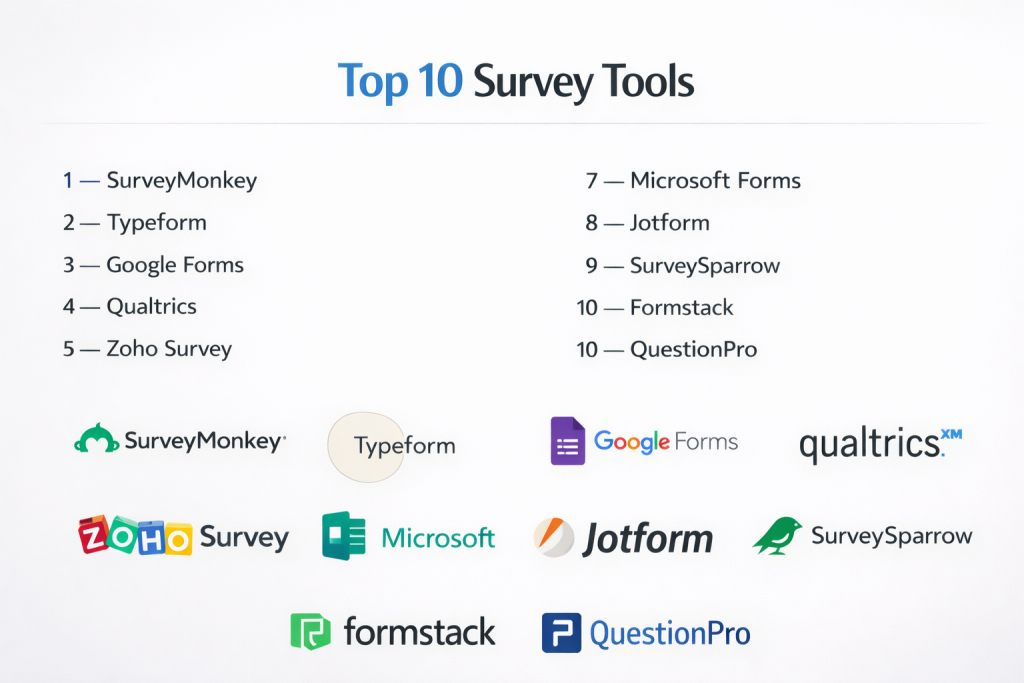
Top 10 Survey Tools
#1 — SurveyMonkey
Short description: Popular survey platform that allows users to create, distribute, and analyze surveys quickly with customizable templates and reporting tools.
Key Features
- Survey builder
- Templates
- Analytics dashboards
- Reporting tools
- Collaboration
Pros
- Easy to use
- Large template library
Cons
- Limited advanced analytics
- Pricing tiers can increase cost
Platforms / Deployment
Web / Mobile / Cloud
Security & Compliance
Not publicly stated
Integrations & Ecosystem
Supports integrations with business tools and platforms.
- CRM systems
- Marketing tools
- APIs
Support & Community
Large user base and strong documentation.
#2 — Typeform
Short description: Interactive survey tool that creates engaging, conversational forms and questionnaires designed to improve response rates and user experience.
Key Features
- Interactive forms
- Logic branching
- Custom design
- Analytics
- Templates
Pros
- Highly engaging interface
- Easy form creation
Cons
- Limited advanced reporting
- Pricing can scale quickly
Platforms / Deployment
Web / Cloud
Security & Compliance
Not publicly stated
Integrations & Ecosystem
Integrates with marketing and CRM tools.
- APIs
- Automation tools
- CRM systems
Support & Community
Strong community and support resources.
#3 — Google Forms
Short description: Free and simple survey tool that enables users to create forms and collect responses with seamless integration into the Google ecosystem.
Key Features
- Form builder
- Response collection
- Real-time collaboration
- Basic analytics
- Templates
Pros
- Free to use
- Easy setup
Cons
- Limited advanced features
- Basic reporting
Platforms / Deployment
Web
Security & Compliance
Not publicly stated
Integrations & Ecosystem
Part of the Google ecosystem.
- Google Sheets
- Workspace tools
Support & Community
Large user base and documentation.
#4 — Qualtrics
Short description: Enterprise-grade survey and experience management platform that provides advanced analytics, automation, and multi-channel feedback collection capabilities.
Key Features
- Advanced survey engine
- Sentiment analysis
- Analytics dashboards
- Automation workflows
- Multi-channel surveys
Pros
- Powerful analytics
- Enterprise scalability
Cons
- Expensive
- Complex implementation
Platforms / Deployment
Cloud
Security & Compliance
Not publicly stated
Integrations & Ecosystem
Supports enterprise integrations.
- CRM tools
- Analytics systems
- APIs
Support & Community
Enterprise-level support.
#5 — Zoho Survey
Short description: Survey tool integrated with the Zoho ecosystem, enabling businesses to create and analyze surveys with automation and reporting features.
Key Features
- Survey builder
- Templates
- Reporting dashboards
- Automation
- Multi-language support
Pros
- Affordable
- Good integration with Zoho
Cons
- Limited advanced analytics
- UI could improve
Platforms / Deployment
Web / Cloud
Security & Compliance
Not publicly stated
Integrations & Ecosystem
Integrates with Zoho and business tools.
- CRM systems
- APIs
Support & Community
Good support for SMB users.
#6 — Microsoft Forms
Short description: Simple survey and form tool integrated with Microsoft ecosystem, designed for quick feedback collection and basic analytics.
Key Features
- Form creation
- Response tracking
- Templates
- Basic analytics
- Collaboration
Pros
- Easy to use
- Integrated with Microsoft tools
Cons
- Limited advanced features
- Basic reporting
Platforms / Deployment
Web
Security & Compliance
Not publicly stated
Integrations & Ecosystem
Part of Microsoft ecosystem.
- Office tools
- Teams
Support & Community
Strong enterprise support.
#7 — Jotform
Short description: Flexible form and survey builder that offers advanced customization, templates, and automation for data collection.
Key Features
- Form builder
- Templates
- Automation
- Analytics
- Customization
Pros
- Highly customizable
- Wide template library
Cons
- Learning curve
- Pricing complexity
Platforms / Deployment
Web / Mobile / Cloud
Security & Compliance
Not publicly stated
Integrations & Ecosystem
Supports integrations with various tools.
- CRM systems
- Payment tools
- APIs
Support & Community
Large community and resources.
#8 — SurveySparrow
Short description: Conversational survey platform designed to improve engagement and response rates with chat-like surveys and automation features.
Key Features
- Conversational surveys
- Automation workflows
- Analytics dashboards
- Reporting tools
- Templates
Pros
- Engaging experience
- Good automation
Cons
- Limited enterprise features
- Pricing may increase
Platforms / Deployment
Web / Cloud
Security & Compliance
Not publicly stated
Integrations & Ecosystem
Integrates with business tools.
- CRM systems
- APIs
Support & Community
Good support and onboarding.
#9 — Formstack
Short description: Data collection platform that includes survey capabilities along with workflow automation and integration features for businesses.
Key Features
- Form creation
- Workflow automation
- Analytics
- Reporting tools
- Integration support
Pros
- Strong automation
- Good for workflows
Cons
- Expensive
- Learning curve
Platforms / Deployment
Web / Cloud
Security & Compliance
Not publicly stated
Integrations & Ecosystem
Supports integrations with business tools.
- CRM systems
- APIs
Support & Community
Reliable support.
#10 — QuestionPro
Short description: Survey platform offering advanced research tools, analytics, and multi-channel feedback collection for businesses and researchers.
Key Features
- Survey creation
- Analytics dashboards
- Reporting tools
- Multi-channel surveys
- Templates
Pros
- Strong analytics
- Flexible features
Cons
- Complex interface
- Learning curve
Platforms / Deployment
Web / Cloud
Security & Compliance
Not publicly stated
Integrations & Ecosystem
Supports integrations with analytics and business tools.
- CRM systems
- APIs
Support & Community
Good support and documentation.
Comparison Table (Top 10)
| Tool Name | Best For | Platform(s) Supported | Deployment | Standout Feature | Public Rating |
|---|---|---|---|---|---|
| SurveyMonkey | General surveys | Web, Mobile | Cloud | Templates | N/A |
| Typeform | Interactive surveys | Web | Cloud | Conversational UI | N/A |
| Google Forms | Free surveys | Web | Cloud | Simplicity | N/A |
| Qualtrics | Enterprise research | Web | Cloud | Advanced analytics | N/A |
| Zoho Survey | SMB | Web | Cloud | Zoho integration | N/A |
| Microsoft Forms | Internal surveys | Web | Cloud | Office integration | N/A |
| Jotform | Custom forms | Web, Mobile | Cloud | Flexibility | N/A |
| SurveySparrow | Engagement | Web | Cloud | Chat-like surveys | N/A |
| Formstack | Workflow surveys | Web | Cloud | Automation | N/A |
| QuestionPro | Research | Web | Cloud | Analytics | N/A |
Evaluation & Scoring of Survey Tools
| Tool Name | Core | Ease | Integrations | Security | Performance | Support | Value | Weighted Total |
|---|---|---|---|---|---|---|---|---|
| SurveyMonkey | 8 | 9 | 8 | 6 | 8 | 8 | 8 | 8.1 |
| Typeform | 8 | 9 | 7 | 6 | 8 | 8 | 7 | 7.9 |
| Google Forms | 6 | 10 | 6 | 6 | 7 | 7 | 10 | 7.9 |
| Qualtrics | 9 | 6 | 9 | 7 | 9 | 9 | 6 | 8.2 |
| Zoho Survey | 7 | 8 | 8 | 6 | 7 | 7 | 8 | 7.6 |
| Microsoft Forms | 6 | 9 | 7 | 6 | 7 | 7 | 9 | 7.6 |
| Jotform | 8 | 8 | 8 | 6 | 8 | 8 | 7 | 7.8 |
| SurveySparrow | 7 | 8 | 7 | 6 | 7 | 7 | 8 | 7.5 |
| Formstack | 8 | 7 | 8 | 6 | 8 | 8 | 6 | 7.5 |
| QuestionPro | 8 | 7 | 8 | 6 | 8 | 8 | 7 | 7.7 |
How to interpret scores:
These scores provide a comparative overview of each tool’s strengths across key criteria. Higher scores indicate well-rounded platforms, while mid-range scores highlight tools suited for specific use cases or budgets. Always align tool selection with your survey goals and data needs.
Which Survey Tool Is Right for You?
Solo / Freelancer
Google Forms and Typeform are simple and easy to use.
SMB
SurveyMonkey and Zoho Survey offer strong usability and value.
Mid-Market
Jotform and SurveySparrow provide flexibility and customization.
Enterprise
Qualtrics and QuestionPro are best for advanced analytics and scalability.
Budget vs Premium
- Budget: Google Forms, Zoho Survey
- Premium: Qualtrics, Formstack
Feature Depth vs Ease of Use
- Deep features: Qualtrics, QuestionPro
- Easy to use: Google Forms, SurveyMonkey
Integrations & Scalability
Choose tools with strong CRM and API integrations.
Security & Compliance Needs
Enterprise tools are better suited for compliance requirements.
Frequently Asked Questions (FAQs)
1. What are survey tools?
They are platforms used to collect structured feedback from users.
2. Why are survey tools important?
They help organizations make data-driven decisions.
3. Are they suitable for small businesses?
Yes, many tools offer free or affordable plans.
4. Do they support analytics?
Yes, most tools provide reporting and insights.
5. Can surveys be customized?
Yes, most tools allow customization of questions and design.
6. Do they integrate with CRM systems?
Many tools support CRM integrations.
7. How long does implementation take?
Typically a few hours to days.
8. Are survey tools secure?
Security varies; verify compliance requirements.
9. What is the cost?
Pricing varies based on features and usage.
10. What are alternatives?
Manual surveys or basic form tools.
Conclusion
Survey Tools are essential for organizations seeking structured insights into customer behavior, employee engagement, and market trends. They enable businesses to collect, analyze, and act on feedback efficiently, supporting better decision-making and continuous improvement. While enterprise platforms provide advanced analytics and scalability, simpler tools are ideal for quick and cost-effective data collection. The right choice depends on your survey complexity, audience size, and integration needs. To ensure success, shortlist a few tools, test them with real survey scenarios, and evaluate how effectively they support your feedback and analytics strategy.
