Introduction
Learning Management Systems (LMS) are platforms that help organizations deliver, manage, and track training programs efficiently. They enable companies to create courses, assign learning paths, monitor progress, and evaluate outcomes in a structured way.
With remote work and continuous skill development becoming essential, LMS platforms are now a core part of employee training strategies. Modern LMS tools combine content delivery, analytics, automation, and integrations to support scalable learning across teams and geographies.
Common Use Cases
- Employee onboarding and training
- Compliance and certification programs
- Skill development and upskilling
- Partner and customer education
- Tracking learning progress and performance
What Buyers Should Evaluate
- Course creation and management features
- User experience and accessibility
- Reporting and analytics capabilities
- Integration with HR and productivity tools
- Scalability and customization
- Security and compliance
- Mobile and remote learning support
- Pricing and ROI
Best for: HR teams, L&D professionals, enterprises, and training organizations focused on structured learning and development.
Not ideal for: Very small teams or organizations without formal training programs.
Key Trends in Learning Management Systems
- AI-driven personalized learning paths
- Microlearning and bite-sized content delivery
- Integration with performance and engagement platforms
- Mobile-first and remote learning experiences
- Gamification to improve engagement
- Real-time analytics and skill tracking
- Social and collaborative learning features
- Compliance-focused training automation
- Increased focus on data security and privacy
How We Selected These Tools (Methodology)
- Evaluated industry adoption and credibility
- Assessed feature completeness and usability
- Reviewed scalability across SMB and enterprise use cases
- Considered integration ecosystem and API capabilities
- Analyzed reporting and analytics depth
- Evaluated customization and flexibility
- Reviewed support and onboarding experience
- Balanced advanced features with ease of use
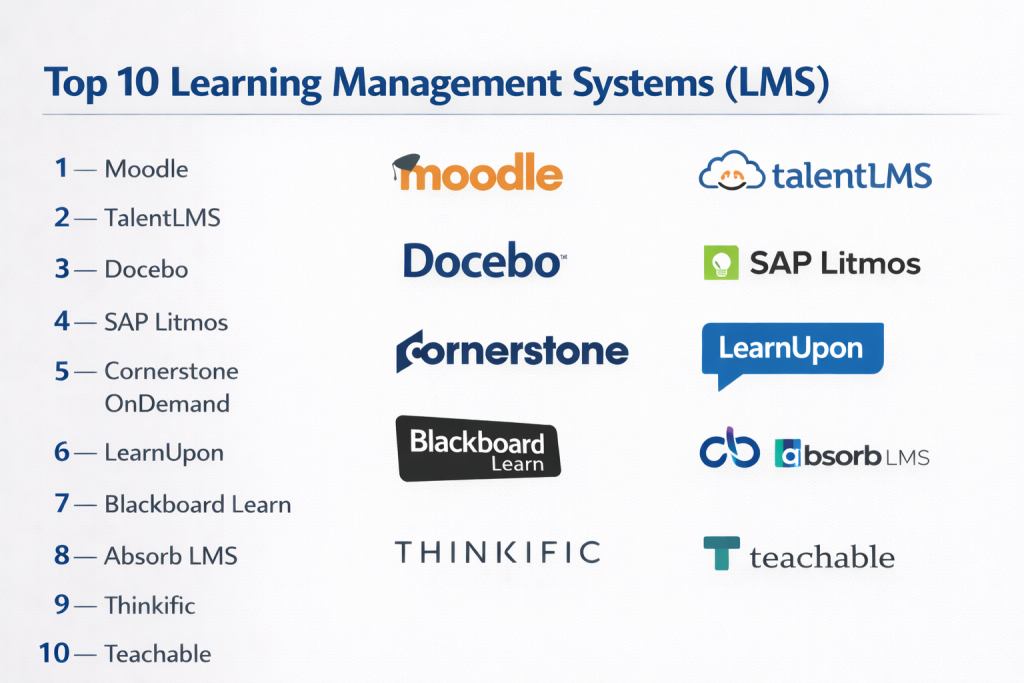
Top 10 Learning Management Systems (LMS)
#1 — Moodle
Short description: Open-source LMS designed for flexible course creation and large-scale learning environments.
Key Features
- Course management
- Customizable modules
- Assessment tools
- Reporting dashboards
- Plugin ecosystem
Pros
- Highly customizable
- Open-source flexibility
Cons
- Requires technical setup
- UI may feel outdated
Platforms / Deployment
Web / Cloud / Self-hosted
Security & Compliance
Not publicly stated
Integrations & Ecosystem
Extensive plugin and integration ecosystem.
- HR systems
- APIs
- Third-party plugins
Support & Community
Large global community and documentation.
#2 — TalentLMS
Short description: Cloud-based LMS designed for simplicity and quick deployment across organizations.
Key Features
- Course creation tools
- Learning paths
- Assessments and quizzes
- Reporting dashboards
- Mobile learning
Pros
- Easy to use
- Fast setup
Cons
- Limited advanced customization
- Basic analytics
Platforms / Deployment
Web / Mobile / Cloud
Security & Compliance
Not publicly stated
Integrations & Ecosystem
Supports integrations with business tools.
- HR systems
- APIs
- Productivity tools
Support & Community
Good support and onboarding.
#3 — Docebo
Short description: AI-powered LMS focused on enterprise learning and automation.
Key Features
- AI-based learning recommendations
- Content management
- Learning analytics
- Automation tools
- Social learning
Pros
- Strong AI features
- Enterprise scalability
Cons
- Expensive
- Complex setup
Platforms / Deployment
Cloud
Security & Compliance
Not publicly stated
Integrations & Ecosystem
Integrates with enterprise systems.
- HR platforms
- APIs
- CRM tools
Support & Community
Enterprise-level support.
#4 — SAP Litmos
Short description: Corporate LMS focused on compliance training and enterprise learning programs.
Key Features
- Compliance training
- Course management
- Reporting tools
- Mobile learning
- Content libraries
Pros
- Strong compliance features
- Easy course deployment
Cons
- Limited customization
- UI limitations
Platforms / Deployment
Cloud
Security & Compliance
Not publicly stated
Integrations & Ecosystem
Supports enterprise integrations.
- HR systems
- APIs
Support & Community
Reliable enterprise support.
#5 — Cornerstone OnDemand
Short description: Enterprise LMS platform offering learning, performance, and talent management capabilities.
Key Features
- Learning management
- Performance tracking
- Content delivery
- Analytics dashboards
- Compliance tools
Pros
- Comprehensive solution
- Strong enterprise features
Cons
- Complex implementation
- Higher cost
Platforms / Deployment
Cloud
Security & Compliance
Not publicly stated
Integrations & Ecosystem
Extensive enterprise integrations.
- HR platforms
- APIs
Support & Community
Enterprise-grade support.
#6 — LearnUpon
Short description: LMS platform focused on corporate training and user-friendly course delivery.
Key Features
- Course management
- Reporting tools
- Learning portals
- Assessments
- Automation
Pros
- Easy to use
- Good reporting
Cons
- Limited customization
- Smaller ecosystem
Platforms / Deployment
Cloud
Security & Compliance
Not publicly stated
Integrations & Ecosystem
Supports integrations with business tools.
- HR systems
- APIs
Support & Community
Strong customer support.
#7 — Blackboard Learn
Short description: LMS widely used in education institutions for structured learning delivery.
Key Features
- Course management
- Virtual classrooms
- Assessment tools
- Reporting
- Collaboration tools
Pros
- Strong education focus
- Comprehensive features
Cons
- Complex interface
- Requires training
Platforms / Deployment
Web / Cloud
Security & Compliance
Not publicly stated
Integrations & Ecosystem
Integrates with academic and enterprise systems.
- APIs
- Third-party tools
Support & Community
Large user base and support network.
#8 — Absorb LMS
Short description: Scalable LMS designed for enterprise and mid-market organizations.
Key Features
- Course creation
- Reporting dashboards
- Automation tools
- Mobile learning
- Content management
Pros
- Scalable solution
- Good user experience
Cons
- Premium pricing
- Limited customization
Platforms / Deployment
Cloud
Security & Compliance
Not publicly stated
Integrations & Ecosystem
Supports integrations with HR and business tools.
- APIs
- HR systems
Support & Community
Strong support services.
#9 — Thinkific
Short description: LMS platform designed for creating and selling online courses.
Key Features
- Course creation
- Content hosting
- Payment integration
- Analytics
- Custom branding
Pros
- Easy to use
- Great for course creators
Cons
- Limited enterprise features
- Basic reporting
Platforms / Deployment
Web / Cloud
Security & Compliance
Not publicly stated
Integrations & Ecosystem
Supports integrations for creators.
- Payment tools
- Marketing platforms
Support & Community
Active community and support.
#10 — Teachable
Short description: Online course platform focused on creators and small businesses.
Key Features
- Course creation
- Content hosting
- Payment tools
- Analytics
- Customization
Pros
- Beginner-friendly
- Quick setup
Cons
- Limited enterprise capabilities
- Basic analytics
Platforms / Deployment
Web / Cloud
Security & Compliance
Not publicly stated
Integrations & Ecosystem
Supports integrations with creator tools.
- Payment systems
- Marketing tools
Support & Community
Good support for creators.
Comparison Table (Top 10)
| Tool Name | Best For | Platform(s) Supported | Deployment | Standout Feature | Public Rating |
|---|---|---|---|---|---|
| Moodle | Custom LMS | Web | Cloud/Self-hosted | Open-source | N/A |
| TalentLMS | SMB training | Web, Mobile | Cloud | Easy setup | N/A |
| Docebo | Enterprise | Web | Cloud | AI learning | N/A |
| SAP Litmos | Compliance | Web | Cloud | Training automation | N/A |
| Cornerstone | Enterprise HR | Web | Cloud | Talent suite | N/A |
| LearnUpon | Corporate training | Web | Cloud | User-friendly | N/A |
| Blackboard | Education | Web | Cloud | Virtual classrooms | N/A |
| Absorb LMS | Mid-market | Web | Cloud | Scalability | N/A |
| Thinkific | Creators | Web | Cloud | Course selling | N/A |
| Teachable | Beginners | Web | Cloud | Easy course setup | N/A |
Evaluation & Scoring of Learning Management Systems
| Tool Name | Core | Ease | Integrations | Security | Performance | Support | Value | Weighted Total |
|---|---|---|---|---|---|---|---|---|
| Moodle | 9 | 6 | 8 | 6 | 8 | 8 | 9 | 7.9 |
| TalentLMS | 7 | 9 | 7 | 6 | 7 | 7 | 8 | 7.6 |
| Docebo | 9 | 7 | 8 | 7 | 9 | 8 | 6 | 8.1 |
| SAP Litmos | 8 | 7 | 7 | 7 | 8 | 8 | 6 | 7.6 |
| Cornerstone | 9 | 6 | 8 | 7 | 9 | 8 | 6 | 8.0 |
| LearnUpon | 8 | 8 | 7 | 6 | 8 | 8 | 7 | 7.7 |
| Blackboard | 8 | 6 | 7 | 6 | 7 | 7 | 7 | 7.2 |
| Absorb LMS | 8 | 8 | 7 | 6 | 8 | 8 | 7 | 7.7 |
| Thinkific | 7 | 9 | 6 | 6 | 7 | 7 | 8 | 7.5 |
| Teachable | 7 | 9 | 6 | 6 | 7 | 7 | 8 | 7.5 |
How to interpret scores:
Scores reflect relative strengths across LMS platforms. Higher scores indicate well-rounded solutions, while mid-range scores suggest tools suited for specific use cases. Always evaluate based on your learning goals and organizational needs.
Which Learning Management System Is Right for You?
Solo / Freelancer
Thinkific and Teachable are ideal for course creators.
SMB
TalentLMS and LearnUpon offer strong usability and value.
Mid-Market
Absorb LMS and Moodle provide scalability and flexibility.
Enterprise
Docebo, Cornerstone, and SAP Litmos are best suited for large organizations.
Budget vs Premium
- Budget: Moodle, TalentLMS
- Premium: Docebo, Cornerstone
Feature Depth vs Ease of Use
- Deep features: Docebo, Cornerstone
- Easy to use: TalentLMS, Thinkific
Integrations & Scalability
Choose LMS platforms with strong API and HR integrations.
Security & Compliance Needs
Enterprise LMS tools are better for strict compliance requirements.
Frequently Asked Questions (FAQs)
1. What is an LMS?
It is software used to manage and deliver training programs.
2. Who uses LMS platforms?
Organizations, educational institutions, and course creators.
3. Are LMS tools expensive?
Pricing varies depending on features and scale.
4. Can LMS platforms support remote learning?
Yes, most are cloud-based and remote-friendly.
5. Do LMS tools integrate with HR systems?
Many platforms support HR and business integrations.
6. How long does implementation take?
From a few days to several weeks.
7. Are LMS platforms secure?
Security varies; verify compliance requirements.
8. Can I create custom courses?
Yes, most LMS tools support course creation.
9. What are alternatives?
Manual training or basic content sharing tools.
10. Do LMS tools support certifications?
Yes, many platforms include certification features.
Conclusion
Learning Management Systems have become essential for organizations aiming to build a skilled, adaptable, and continuously learning workforce. By enabling structured training, tracking progress, and delivering scalable learning experiences, LMS platforms help businesses stay competitive in a rapidly evolving environment. The right LMS depends on your organization’s size, learning objectives, and technical requirements. While enterprise solutions offer advanced analytics and automation, smaller teams may benefit from simple and cost-effective platforms. The most effective approach is to shortlist a few options, test them with real training scenarios, and evaluate how well they integrate into your workflows before making a final decision.
