Introduction
Payroll Software helps businesses calculate wages, process salaries, manage tax deductions, handle bonuses, track compliance, and generate payslips through a centralized digital system. Instead of relying on spreadsheets, manual formulas, and disconnected finance workflows, companies use payroll platforms to automate repetitive payroll operations and reduce costly errors.
Modern payroll software matters more than ever because businesses now manage hybrid teams, contractors, multi-location employees, changing tax requirements, and growing expectations around accuracy and employee self-service. These platforms are commonly used for monthly salary processing, tax filing support, benefits deductions, reimbursement management, and payroll reporting for finance and HR teams.
Common use cases include:
- Monthly salary processing
- Tax and deduction calculations
- Payslip generation
- Contractor and employee payment workflows
- Payroll reporting and compliance support
What buyers should evaluate:
- Payroll automation depth
- Tax and compliance support
- Multi-country or multi-state readiness
- Employee self-service features
- HR and attendance integrations
- Reporting and audit visibility
- Ease of setup and use
- Security controls and permissions
- Scalability with headcount growth
- Overall pricing and value
Best for: HR teams, finance departments, operations managers, SMBs, growing startups, enterprises, and businesses with recurring payroll complexity.
Not ideal for: Very small teams with only a few contractors and simple manual payouts may not need a full payroll suite.
Key Trends in Payroll Software Top 10 Payroll Software: Features, Pros, Cons & Comparison
Introduction
Payroll Software helps businesses calculate wages, process salaries, manage tax deductions, handle bonuses, track compliance, and generate payslips through a centralized digital system. Instead of relying on spreadsheets, manual formulas, and disconnected finance workflows, companies use payroll platforms to automate repetitive payroll operations and reduce costly errors.
Modern payroll software matters more than ever because businesses now manage hybrid teams, contractors, multi-location employees, changing tax requirements, and growing expectations around accuracy and employee self-service. These platforms are commonly used for monthly salary processing, tax filing support, benefits deductions, reimbursement management, and payroll reporting for finance and HR teams.
Common use cases include:
- Monthly salary processing
- Tax and deduction calculations
- Payslip generation
- Contractor and employee payment workflows
- Payroll reporting and compliance support
What buyers should evaluate:
- Payroll automation depth
- Tax and compliance support
- Multi-country or multi-state readiness
- Employee self-service features
- HR and attendance integrations
- Reporting and audit visibility
- Ease of setup and use
- Security controls and permissions
- Scalability with headcount growth
- Overall pricing and value
Best for: HR teams, finance departments, operations managers, SMBs, growing startups, enterprises, and businesses with recurring payroll complexity.
Not ideal for: Very small teams with only a few contractors and simple manual payouts may not need a full payroll suite.
Key Trends in Payroll Software
- AI-assisted payroll validation and anomaly detection
- Deeper integration between payroll, HR, and attendance systems
- Employee self-service portals for payslips and tax records
- Greater support for global payroll and distributed teams
- Automated compliance updates for changing tax regulations
- On-demand pay and flexible wage access features
- Mobile-first payroll visibility for employees and managers
- Stronger audit logs, permissions, and approval workflows
- Embedded analytics for labor cost and payroll forecasting
- Modular pricing based on payroll, HR, and workforce add-ons
How We Selected These Tools (Methodology)
- Market recognition and business adoption
- Payroll feature completeness across SMB and enterprise needs
- Ease of use for HR, finance, and employees
- Reliability for recurring payroll operations
- Reporting and audit capabilities
- Integration strength with HR, accounting, and time systems
- Security posture signals such as access controls and admin governance
- Support for scaling from basic payroll to broader people operations
- Vendor maturity and long-term product relevance
- Overall value compared with feature depth
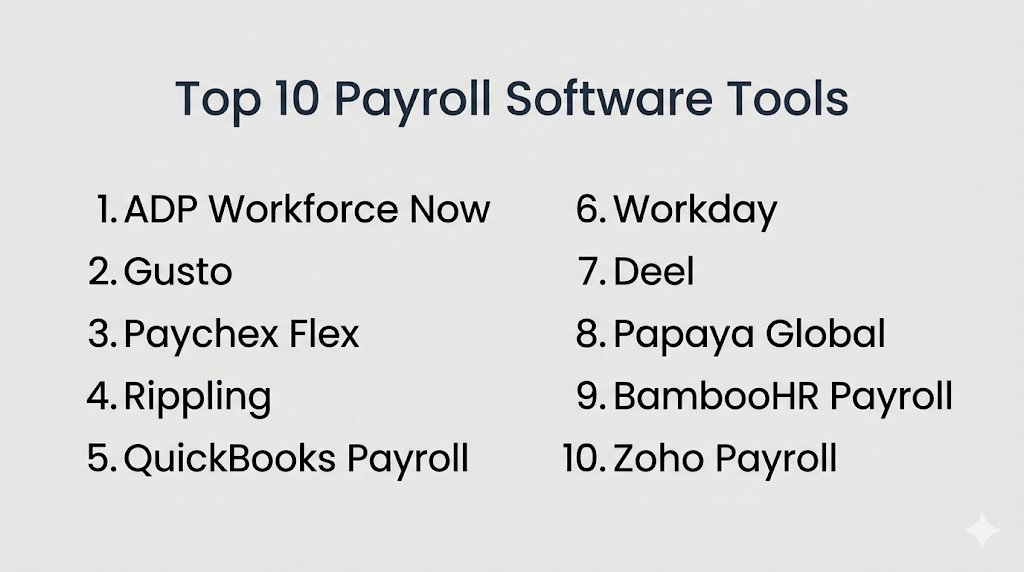
Top 10 Payroll Software Tools
Top 10 Tool Names
- ADP Workforce Now
- Gusto
- Paychex Flex
- Rippling
- QuickBooks Payroll
- Workday
- Deel
- Papaya Global
- BambooHR Payroll
- Zoho Payroll
#1 — ADP Workforce Now
Short description (2–3 lines): ADP Workforce Now is a widely adopted payroll and HR platform designed for growing businesses and enterprises. It is especially suitable for teams that need payroll, compliance support, benefits administration, and workforce management in one environment.
Key Features
- Automated payroll processing
- Tax calculation and filing support
- Employee self-service portal
- Benefits and deductions management
- Time and attendance connectivity
- Reporting and analytics
- Multi-location payroll administration
Pros
- Strong payroll reputation and long market presence
- Broad functionality beyond payroll alone
- Good fit for growing and complex organizations
Cons
- Pricing can rise as more modules are added
- Interface may feel dense for smaller teams
Platforms / Deployment
Web / Mobile
Cloud
Security & Compliance
SSO, permissions, audit controls, encryption. Additional certifications vary by plan and region.
Integrations & Ecosystem
ADP fits well into finance, HR, and workforce ecosystems, making it attractive for companies that want payroll connected with broader business operations.
- HR systems
- Accounting platforms
- Benefits providers
- Time tracking tools
- API
Support & Community
Mature support structure, onboarding resources, and large customer footprint. Support quality can vary by plan tier and account size.
#2 — Gusto
Short description (2–3 lines): Gusto is a popular payroll platform for small and mid-sized businesses that want an easy payroll experience with HR, benefits, and employee self-service features. It is especially attractive for startups and modern SMBs.
Key Features
- Full-service payroll
- Tax filing support
- Employee onboarding
- Benefits administration
- Contractor payments
- Self-service employee access
- PTO and holiday tracking
Pros
- Easy to learn and operate
- Strong fit for SMB payroll workflows
- Clean employee experience
Cons
- Less suited for very complex enterprise payroll needs
- Advanced global payroll depth is limited compared with specialist vendors
Platforms / Deployment
Web / Mobile
Cloud
Security & Compliance
Permissions, encryption, MFA, admin controls. Broader compliance details vary.
Integrations & Ecosystem
Gusto works well with small business finance and HR workflows, particularly for organizations that want payroll without heavy implementation effort.
- Accounting software
- Time tracking tools
- Benefits tools
- HR apps
- API
Support & Community
Known for approachable onboarding and SMB-friendly support. Documentation is generally easy to follow.
#3 — Paychex Flex
Short description (2–3 lines): Paychex Flex combines payroll, HR, benefits, and workforce services for SMB and mid-market organizations. It works well for companies that need payroll reliability with optional HR expansion.
Key Features
- Payroll automation
- Tax administration
- Employee self-service
- Benefits support
- Time and attendance integration
- Reporting dashboards
- Compliance assistance tools
Pros
- Broad payroll and HR capability set
- Good fit for businesses that want service-backed payroll
- Scales better than many SMB-only tools
Cons
- Costs may increase as service tiers expand
- Some users may find the platform less modern than newer competitors
Platforms / Deployment
Web / Mobile
Cloud
Security & Compliance
Permissions, encryption, admin controls. Other certifications not publicly stated in all cases.
Integrations & Ecosystem
Paychex connects payroll with HR and time workflows, helping businesses reduce manual data entry across systems.
- Time tracking tools
- Accounting platforms
- HR systems
- Benefits providers
- API
Support & Community
Strong support presence and service-based model. Helpful for buyers that value guided payroll administration.
#4 — Rippling
Short description (2–3 lines): Rippling is a modern workforce platform that combines payroll, HR, IT, and automation. It is a strong choice for businesses that want payroll tightly integrated with onboarding, device management, and broader operational workflows.
Key Features
- Payroll automation
- HR and employee records
- Benefits administration
- Workflow automation
- Time tracking connectivity
- Global workforce support options
- Reporting and approvals
Pros
- Strong automation capabilities
- Modern interface and admin experience
- Broad platform value beyond payroll
Cons
- Pricing depends heavily on selected modules
- Best value comes when multiple products are used together
Platforms / Deployment
Web / Mobile
Cloud
Security & Compliance
SSO, permissions, admin controls, encryption, audit visibility.
Integrations & Ecosystem
Rippling stands out for connecting payroll with both business software and IT operations, which can simplify employee lifecycle management.
- HR tools
- Finance apps
- Identity systems
- Time tracking tools
- API
Support & Community
Fast-growing ecosystem with strong product momentum. Better suited to teams comfortable with a modular platform model.
#5 — QuickBooks Payroll
Short description (2–3 lines): QuickBooks Payroll is designed for businesses that want payroll closely aligned with accounting. It is especially useful for SMBs already using QuickBooks for bookkeeping and financial management.
Key Features
- Payroll processing
- Tax calculations
- Direct deposit support
- Employee self-service
- Benefits and deductions
- Payroll reports
- Accounting synchronization
Pros
- Strong value for QuickBooks users
- Easy accounting alignment
- Good SMB usability
Cons
- Best fit within the QuickBooks ecosystem
- Less suited for enterprise-scale people operations
Platforms / Deployment
Web / Mobile
Cloud
Security & Compliance
Permissions, encryption, admin controls.
Integrations & Ecosystem
QuickBooks Payroll is most effective when paired with accounting workflows, helping small businesses reduce reconciliation effort.
- QuickBooks accounting
- Time tracking tools
- Benefits tools
- HR apps
Support & Community
Large SMB user base and broad knowledge resources. Especially practical for finance-led payroll operations.
#6 — Workday
Short description (2–3 lines): Workday is an enterprise-grade HCM and payroll platform built for larger organizations with complex workforce structures. It is ideal for enterprises that want payroll, HR, analytics, and planning in one strategic system.
Key Features
- Enterprise payroll management
- Global workforce administration
- Advanced reporting and analytics
- Employee self-service
- Benefits integration
- Approval workflows
- Broad HCM connectivity
Pros
- Strong enterprise depth and scalability
- Excellent analytics and workforce visibility
- Good fit for global and complex organizations
Cons
- Implementation can be lengthy and resource-intensive
- Premium pricing and higher change-management effort
Platforms / Deployment
Web / Mobile
Cloud
Security & Compliance
SSO, RBAC, audit logs, encryption, enterprise admin controls.
Integrations & Ecosystem
Workday fits best in large organizations seeking strategic payroll tied to finance, HR, and planning systems.
- ERP systems
- Finance platforms
- HR modules
- Analytics tools
- API
Support & Community
Strong enterprise support model, partner ecosystem, and training resources. Best for organizations with formal implementation governance.
#7 — Deel
Short description (2–3 lines): Deel is a leading platform for global payroll, contractor payments, and international workforce administration. It is especially useful for remote-first businesses hiring across countries.
Key Features
- Global payroll support
- Contractor payments
- Employer of record services
- Compliance workflows
- Localized payment support
- Employee and contractor onboarding
- Central workforce dashboard
Pros
- Strong international payroll positioning
- Useful for distributed and remote teams
- Simplifies contractor and cross-border workflows
Cons
- May be more than a domestic-only business needs
- Pricing can vary based on global hiring model
Platforms / Deployment
Web / Mobile
Cloud
Security & Compliance
Permissions, encryption, admin controls. Additional compliance capabilities vary by service type.
Integrations & Ecosystem
Deel is valuable for companies building international operations and needing payroll linked with contractor and workforce management systems.
- HR systems
- Accounting tools
- Workforce platforms
- API
- Payment workflows
Support & Community
Good support for international hiring workflows and onboarding. Particularly relevant for remote-first companies.
#8 — Papaya Global
Short description (2–3 lines): Papaya Global focuses on global payroll, workforce payments, and international compliance. It is a strong option for organizations managing payroll complexity across regions.
Key Features
- Global payroll processing
- Cross-border payments
- Compliance management
- Workforce analytics
- Employee and contractor support
- Centralized dashboard
- Multi-country administration
Pros
- Built for international payroll complexity
- Helpful global visibility across regions
- Strong fit for distributed organizations
Cons
- Less relevant for purely local payroll needs
- Enterprise-style deployment may be more than SMBs require
Platforms / Deployment
Web
Cloud
Security & Compliance
Permissions, encryption, admin controls. Other certifications vary by offering and region.
Integrations & Ecosystem
Papaya Global is designed for multinational payroll operations and works best when connected to HR and finance systems.
- HR software
- ERP tools
- Finance systems
- API
Support & Community
Better suited to structured payroll teams handling international operations. Support model is more enterprise-oriented.
#9 — BambooHR Payroll
Short description (2–3 lines): BambooHR Payroll extends BambooHR’s people management platform with payroll functionality for SMBs. It is best for companies that want payroll and core HR in one easy-to-use system.
Key Features
- Payroll processing
- Employee records integration
- Self-service access
- PTO and time-off connectivity
- Reporting
- Approvals
- HR workflow alignment
Pros
- Easy user experience
- Good fit for SMB HR teams
- Strong benefit when paired with BambooHR workflows
Cons
- Less depth than large enterprise payroll suites
- Best value for companies already using BambooHR
Platforms / Deployment
Web / Mobile
Cloud
Security & Compliance
Permissions, admin controls, encryption.
Integrations & Ecosystem
BambooHR Payroll is most useful for businesses that want payroll connected to employee records, leave workflows, and lightweight HR operations.
- HR tools
- Time tracking tools
- Payroll-related workflows
- API
Support & Community
Strong SMB reputation and approachable support experience. Simpler than enterprise payroll platforms.
#10 — Zoho Payroll
Short description (2–3 lines): Zoho Payroll is a lightweight payroll solution designed for businesses that want payroll inside the broader Zoho ecosystem. It fits SMBs looking for affordability and ecosystem convenience.
Key Features
- Payroll automation
- Payslip generation
- Tax and deduction support
- Employee self-service
- Leave and attendance connectivity
- Reports
- Approval workflows
Pros
- Good value pricing
- Strong fit for existing Zoho users
- Easy-to-manage interface for smaller teams
Cons
- Less enterprise depth than major payroll suites
- Best fit when other Zoho products are already in use
Platforms / Deployment
Web / Mobile
Cloud
Security & Compliance
Permissions, encryption, admin controls.
Integrations & Ecosystem
Zoho Payroll works best as part of a broader Zoho stack, where payroll, HR, and finance workflows can stay connected.
- Zoho apps
- HR tools
- Finance tools
- API
Support & Community
Large ecosystem and documentation library. Best for SMB buyers who value simplicity and suite alignment.
Comparison Table (Top 10)
| Tool Name | Best For | Platform(s) Supported | Deployment | Standout Feature | Public Rating |
|---|---|---|---|---|---|
| ADP Workforce Now | Growing and enterprise payroll teams | Web / Mobile | Cloud | Broad payroll + HR depth | N/A |
| Gusto | SMBs and startups | Web / Mobile | Cloud | Easy payroll experience | N/A |
| Paychex Flex | SMB and mid-market operations | Web / Mobile | Cloud | Service-backed payroll | N/A |
| Rippling | Modern businesses needing automation | Web / Mobile | Cloud | Payroll + HR + IT workflows | N/A |
| QuickBooks Payroll | Accounting-led SMB teams | Web / Mobile | Cloud | Tight accounting alignment | N/A |
| Workday | Large enterprises | Web / Mobile | Cloud | Strategic enterprise HCM | N/A |
| Deel | Global remote hiring | Web / Mobile | Cloud | International payroll and contractor support | N/A |
| Papaya Global | Multi-country payroll operations | Web | Cloud | Global payroll visibility | N/A |
| BambooHR Payroll | SMB HR teams | Web / Mobile | Cloud | HR + payroll simplicity | N/A |
| Zoho Payroll | Budget-conscious Zoho users | Web / Mobile | Cloud | Ecosystem value | N/A |
Evaluation & Scoring of Payroll Software
| Tool Name | Core (25%) | Ease (15%) | Integrations (15%) | Security (10%) | Performance (10%) | Support (10%) | Value (15%) | Weighted Total (0–10) |
|---|---|---|---|---|---|---|---|---|
| ADP Workforce Now | 9 | 7 | 8 | 8 | 8 | 8 | 7 | 7.95 |
| Gusto | 8 | 9 | 7 | 8 | 8 | 8 | 9 | 8.15 |
| Paychex Flex | 8 | 8 | 7 | 8 | 8 | 8 | 8 | 7.90 |
| Rippling | 8 | 8 | 9 | 8 | 8 | 8 | 7 | 8.00 |
| QuickBooks Payroll | 8 | 8 | 8 | 8 | 8 | 8 | 8 | 8.00 |
| Workday | 9 | 6 | 9 | 9 | 9 | 8 | 6 | 8.00 |
| Deel | 8 | 8 | 8 | 8 | 8 | 8 | 7 | 7.85 |
| Papaya Global | 8 | 7 | 8 | 8 | 8 | 7 | 7 | 7.65 |
| BambooHR Payroll | 7 | 9 | 7 | 8 | 8 | 8 | 8 | 7.80 |
| Zoho Payroll | 7 | 8 | 8 | 7 | 7 | 7 | 9 | 7.65 |
These scores are comparative, not absolute. A higher score usually means broader payroll capability or stronger long-term scalability, but that does not make it the best fit for every buyer. SMBs may prefer simpler, lower-cost tools over enterprise-grade depth. Enterprises may prioritize governance, integrations, and scale over ease of setup. Use the scores to build a shortlist, not to pick a universal winner.
Which Payroll Software Tool Is Right for You?
Solo / Freelancer
Most solo users do not need a full payroll suite unless they regularly pay employees. If payroll is minimal, a lightweight accounting-led option may be enough. For contractor-heavy operations, Deel can be useful if cross-border payments are involved.
SMB
Gusto, QuickBooks Payroll, BambooHR Payroll, and Zoho Payroll are strong choices for smaller teams. They are easier to adopt, more approachable for lean HR and finance teams, and generally better aligned with straightforward monthly payroll needs.
Mid-Market
Paychex Flex, ADP Workforce Now, and Rippling are good fits for mid-sized organizations. These tools provide more structure, better integrations, and stronger payroll workflows without always requiring the full complexity of large enterprise suites.
Enterprise
Workday and ADP Workforce Now are stronger choices for enterprises needing deeper controls, analytics, approvals, and scalability. Papaya Global and Deel become especially relevant when the workforce is spread across countries.
Budget vs Premium
For budget-conscious buyers, Zoho Payroll, Gusto, and QuickBooks Payroll usually offer better simplicity-to-cost value. For premium and broader operational depth, ADP, Rippling, and Workday are stronger candidates.
Feature Depth vs Ease of Use
If ease of use matters most, Gusto, BambooHR Payroll, and Zoho Payroll stand out. If payroll depth, compliance complexity, and broader workforce administration matter more, ADP, Workday, and Paychex Flex are stronger options.
Integrations & Scalability
Rippling, ADP Workforce Now, and Workday are strong for organizations that need payroll connected with HR, IT, identity, and finance systems. QuickBooks Payroll is highly practical when accounting integration is the top priority.
Security & Compliance Needs
Organizations with stronger compliance expectations should prioritize platforms with clear admin controls, permissions, audit logs, approvals, and strong governance. Enterprise buyers should focus especially on ADP, Workday, and other platforms built for structured payroll operations.
Frequently Asked Questions (FAQs)
What is payroll software?
Payroll software helps businesses calculate salaries, taxes, deductions, reimbursements, and net pay through an automated system. It reduces manual work and improves payroll accuracy.
Is payroll software only for large businesses?
No. Many payroll tools are built specifically for small businesses and startups. Larger enterprises simply need more advanced controls, integrations, and compliance depth.
Can payroll software handle tax calculations?
Yes. Most payroll platforms support tax calculations and related payroll deductions. The level of automation and filing support varies by vendor and region.
Does payroll software integrate with attendance systems?
Many platforms connect with time tracking and attendance tools so approved working hours can flow directly into payroll. This reduces manual entry and payroll mistakes.
How long does payroll software take to implement?
Small business payroll tools can often be set up relatively quickly, while enterprise systems may take much longer because of integrations, approvals, and data migration requirements.
Can payroll software support contractors?
Yes. Many modern payroll platforms support contractor payments, though the feature depth varies. Global workforce tools are especially useful when contractors are based in different countries.
What is the biggest mistake buyers make?
A common mistake is choosing software based only on price without checking compliance support, integrations, employee experience, and scalability for future payroll complexity.
Is payroll software secure?
Most reputable vendors provide encryption, permissions, and admin controls. Higher-end platforms may also offer SSO, audit logs, and stronger role-based governance.
Can payroll software work for global teams?
Some tools are designed specifically for international payroll, while others focus mainly on domestic payroll. Businesses with global teams should assess country coverage carefully.
Should payroll be part of HR software or separate?
That depends on your workflow. Integrated payroll and HR systems can reduce duplication and improve employee data consistency, while separate tools may work for simpler organizations with fewer operational needs.
Conclusion
Payroll software helps businesses improve accuracy, reduce manual effort, simplify compliance, and create a better employee payment experience. The best choice depends on your company size, payroll complexity, integration needs, and whether you operate locally or globally. Smaller businesses often do well with Gusto, QuickBooks Payroll, or Zoho Payroll, while larger organizations may need ADP, Rippling, or Workday. Shortlist two or three tools, test your real payroll workflow, and validate integrations, approvals, and reporting before making a final decision.
- AI-assisted payroll validation and anomaly detection
- Deeper integration between payroll, HR, and attendance systems
- Employee self-service portals for payslips and tax records
- Greater support for global payroll and distributed teams
- Automated compliance updates for changing tax regulations
- On-demand pay and flexible wage access features
- Mobile-first payroll visibility for employees and managers
- Stronger audit logs, permissions, and approval workflows
- Embedded analytics for labor cost and payroll forecasting
- Modular pricing based on payroll, HR, and workforce add-ons
How We Selected These Tools (Methodology)
- Market recognition and business adoption
- Payroll feature completeness across SMB and enterprise needs
- Ease of use for HR, finance, and employees
- Reliability for recurring payroll operations
- Reporting and audit capabilities
- Integration strength with HR, accounting, and time systems
- Security posture signals such as access controls and admin governance
- Support for scaling from basic payroll to broader people operations
- Vendor maturity and long-term product relevance
- Overall value compared with feature depth
Top 10 Payroll Software Tools
Top 10 Tool Names
- ADP Workforce Now
- Gusto
- Paychex Flex
- Rippling
- QuickBooks Payroll
- Workday
- Deel
- Papaya Global
- BambooHR Payroll
- Zoho Payroll
#1 — ADP Workforce Now
Short description (2–3 lines): ADP Workforce Now is a widely adopted payroll and HR platform designed for growing businesses and enterprises. It is especially suitable for teams that need payroll, compliance support, benefits administration, and workforce management in one environment.
Key Features
- Automated payroll processing
- Tax calculation and filing support
- Employee self-service portal
- Benefits and deductions management
- Time and attendance connectivity
- Reporting and analytics
- Multi-location payroll administration
Pros
- Strong payroll reputation and long market presence
- Broad functionality beyond payroll alone
- Good fit for growing and complex organizations
Cons
- Pricing can rise as more modules are added
- Interface may feel dense for smaller teams
Platforms / Deployment
Web / Mobile
Cloud
Security & Compliance
SSO, permissions, audit controls, encryption. Additional certifications vary by plan and region.
Integrations & Ecosystem
ADP fits well into finance, HR, and workforce ecosystems, making it attractive for companies that want payroll connected with broader business operations.
- HR systems
- Accounting platforms
- Benefits providers
- Time tracking tools
- API
Support & Community
Mature support structure, onboarding resources, and large customer footprint. Support quality can vary by plan tier and account size.
#2 — Gusto
Short description (2–3 lines): Gusto is a popular payroll platform for small and mid-sized businesses that want an easy payroll experience with HR, benefits, and employee self-service features. It is especially attractive for startups and modern SMBs.
Key Features
- Full-service payroll
- Tax filing support
- Employee onboarding
- Benefits administration
- Contractor payments
- Self-service employee access
- PTO and holiday tracking
Pros
- Easy to learn and operate
- Strong fit for SMB payroll workflows
- Clean employee experience
Cons
- Less suited for very complex enterprise payroll needs
- Advanced global payroll depth is limited compared with specialist vendors
Platforms / Deployment
Web / Mobile
Cloud
Security & Compliance
Permissions, encryption, MFA, admin controls. Broader compliance details vary.
Integrations & Ecosystem
Gusto works well with small business finance and HR workflows, particularly for organizations that want payroll without heavy implementation effort.
- Accounting software
- Time tracking tools
- Benefits tools
- HR apps
- API
Support & Community
Known for approachable onboarding and SMB-friendly support. Documentation is generally easy to follow.
#3 — Paychex Flex
Short description (2–3 lines): Paychex Flex combines payroll, HR, benefits, and workforce services for SMB and mid-market organizations. It works well for companies that need payroll reliability with optional HR expansion.
Key Features
- Payroll automation
- Tax administration
- Employee self-service
- Benefits support
- Time and attendance integration
- Reporting dashboards
- Compliance assistance tools
Pros
- Broad payroll and HR capability set
- Good fit for businesses that want service-backed payroll
- Scales better than many SMB-only tools
Cons
- Costs may increase as service tiers expand
- Some users may find the platform less modern than newer competitors
Platforms / Deployment
Web / Mobile
Cloud
Security & Compliance
Permissions, encryption, admin controls. Other certifications not publicly stated in all cases.
Integrations & Ecosystem
Paychex connects payroll with HR and time workflows, helping businesses reduce manual data entry across systems.
- Time tracking tools
- Accounting platforms
- HR systems
- Benefits providers
- API
Support & Community
Strong support presence and service-based model. Helpful for buyers that value guided payroll administration.
#4 — Rippling
Short description (2–3 lines): Rippling is a modern workforce platform that combines payroll, HR, IT, and automation. It is a strong choice for businesses that want payroll tightly integrated with onboarding, device management, and broader operational workflows.
Key Features
- Payroll automation
- HR and employee records
- Benefits administration
- Workflow automation
- Time tracking connectivity
- Global workforce support options
- Reporting and approvals
Pros
- Strong automation capabilities
- Modern interface and admin experience
- Broad platform value beyond payroll
Cons
- Pricing depends heavily on selected modules
- Best value comes when multiple products are used together
Platforms / Deployment
Web / Mobile
Cloud
Security & Compliance
SSO, permissions, admin controls, encryption, audit visibility.
Integrations & Ecosystem
Rippling stands out for connecting payroll with both business software and IT operations, which can simplify employee lifecycle management.
- HR tools
- Finance apps
- Identity systems
- Time tracking tools
- API
Support & Community
Fast-growing ecosystem with strong product momentum. Better suited to teams comfortable with a modular platform model.
#5 — QuickBooks Payroll
Short description (2–3 lines): QuickBooks Payroll is designed for businesses that want payroll closely aligned with accounting. It is especially useful for SMBs already using QuickBooks for bookkeeping and financial management.
Key Features
- Payroll processing
- Tax calculations
- Direct deposit support
- Employee self-service
- Benefits and deductions
- Payroll reports
- Accounting synchronization
Pros
- Strong value for QuickBooks users
- Easy accounting alignment
- Good SMB usability
Cons
- Best fit within the QuickBooks ecosystem
- Less suited for enterprise-scale people operations
Platforms / Deployment
Web / Mobile
Cloud
Security & Compliance
Permissions, encryption, admin controls.
Integrations & Ecosystem
QuickBooks Payroll is most effective when paired with accounting workflows, helping small businesses reduce reconciliation effort.
- QuickBooks accounting
- Time tracking tools
- Benefits tools
- HR apps
Support & Community
Large SMB user base and broad knowledge resources. Especially practical for finance-led payroll operations.
#6 — Workday
Short description (2–3 lines): Workday is an enterprise-grade HCM and payroll platform built for larger organizations with complex workforce structures. It is ideal for enterprises that want payroll, HR, analytics, and planning in one strategic system.
Key Features
- Enterprise payroll management
- Global workforce administration
- Advanced reporting and analytics
- Employee self-service
- Benefits integration
- Approval workflows
- Broad HCM connectivity
Pros
- Strong enterprise depth and scalability
- Excellent analytics and workforce visibility
- Good fit for global and complex organizations
Cons
- Implementation can be lengthy and resource-intensive
- Premium pricing and higher change-management effort
Platforms / Deployment
Web / Mobile
Cloud
Security & Compliance
SSO, RBAC, audit logs, encryption, enterprise admin controls.
Integrations & Ecosystem
Workday fits best in large organizations seeking strategic payroll tied to finance, HR, and planning systems.
- ERP systems
- Finance platforms
- HR modules
- Analytics tools
- API
Support & Community
Strong enterprise support model, partner ecosystem, and training resources. Best for organizations with formal implementation governance.
#7 — Deel
Short description (2–3 lines): Deel is a leading platform for global payroll, contractor payments, and international workforce administration. It is especially useful for remote-first businesses hiring across countries.
Key Features
- Global payroll support
- Contractor payments
- Employer of record services
- Compliance workflows
- Localized payment support
- Employee and contractor onboarding
- Central workforce dashboard
Pros
- Strong international payroll positioning
- Useful for distributed and remote teams
- Simplifies contractor and cross-border workflows
Cons
- May be more than a domestic-only business needs
- Pricing can vary based on global hiring model
Platforms / Deployment
Web / Mobile
Cloud
Security & Compliance
Permissions, encryption, admin controls. Additional compliance capabilities vary by service type.
Integrations & Ecosystem
Deel is valuable for companies building international operations and needing payroll linked with contractor and workforce management systems.
- HR systems
- Accounting tools
- Workforce platforms
- API
- Payment workflows
Support & Community
Good support for international hiring workflows and onboarding. Particularly relevant for remote-first companies.
#8 — Papaya Global
Short description (2–3 lines): Papaya Global focuses on global payroll, workforce payments, and international compliance. It is a strong option for organizations managing payroll complexity across regions.
Key Features
- Global payroll processing
- Cross-border payments
- Compliance management
- Workforce analytics
- Employee and contractor support
- Centralized dashboard
- Multi-country administration
Pros
- Built for international payroll complexity
- Helpful global visibility across regions
- Strong fit for distributed organizations
Cons
- Less relevant for purely local payroll needs
- Enterprise-style deployment may be more than SMBs require
Platforms / Deployment
Web
Cloud
Security & Compliance
Permissions, encryption, admin controls. Other certifications vary by offering and region.
Integrations & Ecosystem
Papaya Global is designed for multinational payroll operations and works best when connected to HR and finance systems.
- HR software
- ERP tools
- Finance systems
- API
Support & Community
Better suited to structured payroll teams handling international operations. Support model is more enterprise-oriented.
#9 — BambooHR Payroll
Short description (2–3 lines): BambooHR Payroll extends BambooHR’s people management platform with payroll functionality for SMBs. It is best for companies that want payroll and core HR in one easy-to-use system.
Key Features
- Payroll processing
- Employee records integration
- Self-service access
- PTO and time-off connectivity
- Reporting
- Approvals
- HR workflow alignment
Pros
- Easy user experience
- Good fit for SMB HR teams
- Strong benefit when paired with BambooHR workflows
Cons
- Less depth than large enterprise payroll suites
- Best value for companies already using BambooHR
Platforms / Deployment
Web / Mobile
Cloud
Security & Compliance
Permissions, admin controls, encryption.
Integrations & Ecosystem
BambooHR Payroll is most useful for businesses that want payroll connected to employee records, leave workflows, and lightweight HR operations.
- HR tools
- Time tracking tools
- Payroll-related workflows
- API
Support & Community
Strong SMB reputation and approachable support experience. Simpler than enterprise payroll platforms.
#10 — Zoho Payroll
Short description (2–3 lines): Zoho Payroll is a lightweight payroll solution designed for businesses that want payroll inside the broader Zoho ecosystem. It fits SMBs looking for affordability and ecosystem convenience.
Key Features
- Payroll automation
- Payslip generation
- Tax and deduction support
- Employee self-service
- Leave and attendance connectivity
- Reports
- Approval workflows
Pros
- Good value pricing
- Strong fit for existing Zoho users
- Easy-to-manage interface for smaller teams
Cons
- Less enterprise depth than major payroll suites
- Best fit when other Zoho products are already in use
Platforms / Deployment
Web / Mobile
Cloud
Security & Compliance
Permissions, encryption, admin controls.
Integrations & Ecosystem
Zoho Payroll works best as part of a broader Zoho stack, where payroll, HR, and finance workflows can stay connected.
- Zoho apps
- HR tools
- Finance tools
- API
Support & Community
Large ecosystem and documentation library. Best for SMB buyers who value simplicity and suite alignment.
Comparison Table (Top 10)
| Tool Name | Best For | Platform(s) Supported | Deployment | Standout Feature | Public Rating |
|---|---|---|---|---|---|
| ADP Workforce Now | Growing and enterprise payroll teams | Web / Mobile | Cloud | Broad payroll + HR depth | N/A |
| Gusto | SMBs and startups | Web / Mobile | Cloud | Easy payroll experience | N/A |
| Paychex Flex | SMB and mid-market operations | Web / Mobile | Cloud | Service-backed payroll | N/A |
| Rippling | Modern businesses needing automation | Web / Mobile | Cloud | Payroll + HR + IT workflows | N/A |
| QuickBooks Payroll | Accounting-led SMB teams | Web / Mobile | Cloud | Tight accounting alignment | N/A |
| Workday | Large enterprises | Web / Mobile | Cloud | Strategic enterprise HCM | N/A |
| Deel | Global remote hiring | Web / Mobile | Cloud | International payroll and contractor support | N/A |
| Papaya Global | Multi-country payroll operations | Web | Cloud | Global payroll visibility | N/A |
| BambooHR Payroll | SMB HR teams | Web / Mobile | Cloud | HR + payroll simplicity | N/A |
| Zoho Payroll | Budget-conscious Zoho users | Web / Mobile | Cloud | Ecosystem value | N/A |
Evaluation & Scoring of Payroll Software
| Tool Name | Core (25%) | Ease (15%) | Integrations (15%) | Security (10%) | Performance (10%) | Support (10%) | Value (15%) | Weighted Total (0–10) |
|---|---|---|---|---|---|---|---|---|
| ADP Workforce Now | 9 | 7 | 8 | 8 | 8 | 8 | 7 | 7.95 |
| Gusto | 8 | 9 | 7 | 8 | 8 | 8 | 9 | 8.15 |
| Paychex Flex | 8 | 8 | 7 | 8 | 8 | 8 | 8 | 7.90 |
| Rippling | 8 | 8 | 9 | 8 | 8 | 8 | 7 | 8.00 |
| QuickBooks Payroll | 8 | 8 | 8 | 8 | 8 | 8 | 8 | 8.00 |
| Workday | 9 | 6 | 9 | 9 | 9 | 8 | 6 | 8.00 |
| Deel | 8 | 8 | 8 | 8 | 8 | 8 | 7 | 7.85 |
| Papaya Global | 8 | 7 | 8 | 8 | 8 | 7 | 7 | 7.65 |
| BambooHR Payroll | 7 | 9 | 7 | 8 | 8 | 8 | 8 | 7.80 |
| Zoho Payroll | 7 | 8 | 8 | 7 | 7 | 7 | 9 | 7.65 |
These scores are comparative, not absolute. A higher score usually means broader payroll capability or stronger long-term scalability, but that does not make it the best fit for every buyer. SMBs may prefer simpler, lower-cost tools over enterprise-grade depth. Enterprises may prioritize governance, integrations, and scale over ease of setup. Use the scores to build a shortlist, not to pick a universal winner.
Which Payroll Software Tool Is Right for You?
Solo / Freelancer
Most solo users do not need a full payroll suite unless they regularly pay employees. If payroll is minimal, a lightweight accounting-led option may be enough. For contractor-heavy operations, Deel can be useful if cross-border payments are involved.
SMB
Gusto, QuickBooks Payroll, BambooHR Payroll, and Zoho Payroll are strong choices for smaller teams. They are easier to adopt, more approachable for lean HR and finance teams, and generally better aligned with straightforward monthly payroll needs.
Mid-Market
Paychex Flex, ADP Workforce Now, and Rippling are good fits for mid-sized organizations. These tools provide more structure, better integrations, and stronger payroll workflows without always requiring the full complexity of large enterprise suites.
Enterprise
Workday and ADP Workforce Now are stronger choices for enterprises needing deeper controls, analytics, approvals, and scalability. Papaya Global and Deel become especially relevant when the workforce is spread across countries.
Budget vs Premium
For budget-conscious buyers, Zoho Payroll, Gusto, and QuickBooks Payroll usually offer better simplicity-to-cost value. For premium and broader operational depth, ADP, Rippling, and Workday are stronger candidates.
Feature Depth vs Ease of Use
If ease of use matters most, Gusto, BambooHR Payroll, and Zoho Payroll stand out. If payroll depth, compliance complexity, and broader workforce administration matter more, ADP, Workday, and Paychex Flex are stronger options.
Integrations & Scalability
Rippling, ADP Workforce Now, and Workday are strong for organizations that need payroll connected with HR, IT, identity, and finance systems. QuickBooks Payroll is highly practical when accounting integration is the top priority.
Security & Compliance Needs
Organizations with stronger compliance expectations should prioritize platforms with clear admin controls, permissions, audit logs, approvals, and strong governance. Enterprise buyers should focus especially on ADP, Workday, and other platforms built for structured payroll operations.
Frequently Asked Questions (FAQs)
What is payroll software?
Payroll software helps businesses calculate salaries, taxes, deductions, reimbursements, and net pay through an automated system. It reduces manual work and improves payroll accuracy.
Is payroll software only for large businesses?
No. Many payroll tools are built specifically for small businesses and startups. Larger enterprises simply need more advanced controls, integrations, and compliance depth.
Can payroll software handle tax calculations?
Yes. Most payroll platforms support tax calculations and related payroll deductions. The level of automation and filing support varies by vendor and region.
Does payroll software integrate with attendance systems?
Many platforms connect with time tracking and attendance tools so approved working hours can flow directly into payroll. This reduces manual entry and payroll mistakes.
How long does payroll software take to implement?
Small business payroll tools can often be set up relatively quickly, while enterprise systems may take much longer because of integrations, approvals, and data migration requirements.
Can payroll software support contractors?
Yes. Many modern payroll platforms support contractor payments, though the feature depth varies. Global workforce tools are especially useful when contractors are based in different countries.
What is the biggest mistake buyers make?
A common mistake is choosing software based only on price without checking compliance support, integrations, employee experience, and scalability for future payroll complexity.
Is payroll software secure?
Most reputable vendors provide encryption, permissions, and admin controls. Higher-end platforms may also offer SSO, audit logs, and stronger role-based governance.
Can payroll software work for global teams?
Some tools are designed specifically for international payroll, while others focus mainly on domestic payroll. Businesses with global teams should assess country coverage carefully.
Should payroll be part of HR software or separate?
That depends on your workflow. Integrated payroll and HR systems can reduce duplication and improve employee data consistency, while separate tools may work for simpler organizations with fewer operational needs.
Conclusion
Payroll software helps businesses improve accuracy, reduce manual effort, simplify compliance, and create a better employee payment experience. The best choice depends on your company size, payroll complexity, integration needs, and whether you operate locally or globally. Smaller businesses often do well with Gusto, QuickBooks Payroll, or Zoho Payroll, while larger organizations may need ADP, Rippling, or Workday. Shortlist two or three tools, test your real payroll workflow, and validate integrations, approvals, and reporting before making a final decision.
