Introduction
Project Management Software helps teams plan, organize, execute, monitor, and deliver projects efficiently. These platforms centralize tasks, timelines, budgets, resources, communication, files, and reporting so teams can stay aligned and hit deadlines.
In the business environment, project management software has become critical because organizations manage more cross-functional work, distributed teams, faster release cycles, and growing customer expectations. Modern platforms now include AI automation, forecasting, workflow orchestration, and deeper collaboration tools. Businesses use them to improve visibility, reduce delays, and scale operations.
Common Real-World Use Cases
- Marketing campaign planning and execution
- Product launch coordination
- Software sprint planning
- Client project delivery
- Construction and operations management
- Resource planning across departments
- Budget and milestone tracking
What Buyers Should Evaluate
- Ease of use and onboarding
- Task, timeline, and workload management
- Reporting and dashboards
- Automation capabilities
- Collaboration tools
- Integrations with existing software
- Mobile usability
- Security and permissions
- Scalability for larger teams
- Pricing flexibility
Best for: Startups, agencies, enterprises, IT teams, operations teams, remote teams, consultants, and growing businesses.
Not ideal for: Solo users needing only simple to-do apps, teams with extremely lightweight workflows, or businesses needing full ERP suites instead of project platforms.
Key Trends in Project Management Software
- AI project assistants for summaries, prioritization, and risk alerts
- Hybrid work collaboration tools built into PM platforms
- No-code workflow automation for faster operations
- Integrated docs, chat, and tasks in one workspace
- Portfolio-level visibility for executives
- Predictive analytics for delivery risk and timelines
- Outcome-based pricing models emerging in some vendors
- Mobile-first experiences for distributed teams
- Security-focused enterprise controls with SSO and audit logs
- Cross-platform integrations replacing disconnected tools
How We Selected These Tools (Methodology)
We selected these top tools using the following criteria:
- Market adoption and brand recognition
- Breadth of core project management features
- Usability across technical and non-technical teams
- Reporting and analytics quality
- Security and admin controls
- Integration ecosystem strength
- Performance and reliability reputation
- Support and training resources
- Suitability across SMB to enterprise buyers
- Long-term relevance in the AI era
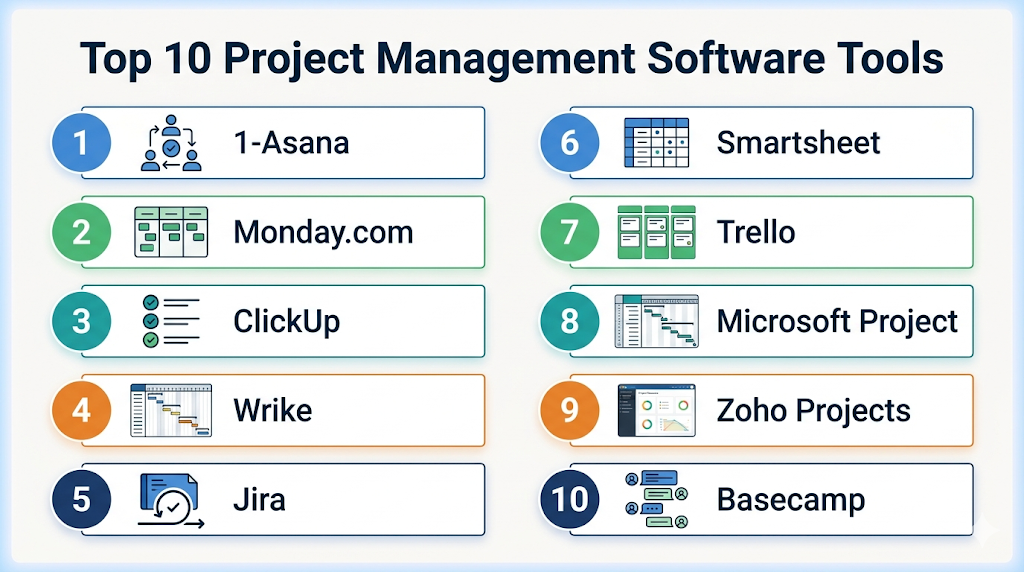
Top 10 Project Management Software Tools
Standalone Top 10 Tool Names
- Asana
- Monday.com
- ClickUp
- Wrike
- Jira
- Smartsheet
- Trello
- Microsoft Project
- Zoho Projects
- Basecamp
#1 — Asana
Short description (2–3 lines): Asana is a leading work management platform for teams needing structured project execution, collaboration, and visibility across departments.
Key Features
- Task lists, boards, timelines
- Goals and OKRs
- Workflow automation
- Reporting dashboards
- Dependencies tracking
- Templates
- AI work assistance trends
Pros
- Excellent usability
- Strong cross-functional collaboration
- Scales well for growing teams
Cons
- Premium features on higher tiers
- Can become complex with large setups
Platforms / Deployment
Web / Windows / macOS / iOS / Android
Security & Compliance
SSO/SAML, MFA, RBAC, audit controls on enterprise plans.
Integrations & Ecosystem
Strong ecosystem for business apps.
- Slack
- Google Workspace
- Microsoft 365
- Salesforce
- Zapier
Support & Community
Strong documentation, onboarding, and large user base.
#2 — Monday.com
Short description (2–3 lines): Monday.com is a flexible work management platform suited for teams needing customizable workflows and visual planning.
Key Features
- Boards and dashboards
- Automations
- Workload views
- Time tracking options
- Templates
- Forms
- Portfolio reporting
Pros
- Highly customizable
- Strong dashboards
- Works across many departments
Cons
- Pricing can rise with scale
- Initial setup takes planning
Platforms / Deployment
Web / Windows / macOS / iOS / Android
Security & Compliance
SSO, admin permissions, enterprise controls vary by plan.
Integrations & Ecosystem
- Slack
- Zoom
- Teams
- Gmail
- APIs
Support & Community
Strong commercial support and onboarding resources.
#3 — ClickUp
Short description (2–3 lines): ClickUp is an all-in-one productivity and project platform combining tasks, docs, dashboards, goals, and automation.
Key Features
- Tasks and subtasks
- Docs and wiki
- Dashboards
- Whiteboards
- Goals
- Automations
- Multiple project views
Pros
- Broad feature set
- Strong value pricing
- Can replace multiple tools
Cons
- Learning curve for new users
- Needs setup discipline
Platforms / Deployment
Web / Windows / macOS / iOS / Android
Security & Compliance
Permissions, SSO on higher tiers, enterprise controls.
Integrations & Ecosystem
- Slack
- GitHub
- Google Drive
- Zoom
- Zapier
Support & Community
Large template ecosystem and active user community.
#4 — Wrike
Short description (2–3 lines): Wrike is designed for structured enterprise project delivery, marketing operations, and resource planning.
Key Features
- Gantt charts
- Resource planning
- Proofing tools
- Custom workflows
- Request forms
- Dashboards
- Automation
Pros
- Strong for enterprise teams
- Great reporting depth
- Excellent for creative operations
Cons
- Higher-tier plans often needed
- More complex than simple tools
Platforms / Deployment
Web / Windows / macOS / iOS / Android
Security & Compliance
Enterprise controls, SSO, admin governance.
Integrations & Ecosystem
- Adobe tools
- Salesforce
- Slack
- Microsoft apps
- APIs
Support & Community
Strong enterprise onboarding and support tiers.
#5 — Jira
Short description (2–3 lines): Jira is a top project management tool for engineering and agile software development teams.
Key Features
- Scrum boards
- Kanban boards
- Sprint planning
- Backlogs
- Roadmaps
- Agile reporting
- Dev integrations
Pros
- Best-in-class for agile teams
- Deep developer ecosystem
- Strong customization
Cons
- Less ideal for non-technical teams
- Setup complexity possible
Platforms / Deployment
Web / Windows / macOS / iOS / Android
Security & Compliance
Enterprise permissions, SSO, audit controls.
Integrations & Ecosystem
- Bitbucket
- GitHub
- Confluence
- Slack
- CI/CD tools
Support & Community
Very strong ecosystem and documentation.
#6 — Smartsheet
Short description (2–3 lines): Smartsheet blends spreadsheet familiarity with project management power for operations-heavy teams.
Key Features
- Grid views
- Gantt charts
- Dashboards
- Automation
- Forms
- Reporting
- Resource management
Pros
- Great for spreadsheet users
- Strong enterprise workflows
- Useful dashboards
Cons
- UI style not for everyone
- Premium pricing tiers
Platforms / Deployment
Web / iOS / Android
Security & Compliance
Enterprise permissions, SSO support.
Integrations & Ecosystem
- Microsoft 365
- Google Workspace
- Slack
- Salesforce
Support & Community
Strong enterprise support.
#7 — Trello
Short description (2–3 lines): Trello is a Kanban-first project tool focused on visual simplicity and quick onboarding.
Key Features
- Boards and cards
- Checklists
- Automation rules
- Calendar view
- Templates
- Power-ups
- Collaboration comments
Pros
- Extremely easy to use
- Fast setup
- Great for lightweight workflows
Cons
- Less advanced reporting
- Limited depth for complex PMOs
Platforms / Deployment
Web / Windows / macOS / iOS / Android
Security & Compliance
MFA support, permissions, enterprise options.
Integrations & Ecosystem
- Slack
- Jira
- Google Drive
- Confluence
Support & Community
Large global user base.
#8 — Microsoft Project
Short description (2–3 lines): Microsoft Project is a long-standing enterprise project planning platform with scheduling and portfolio strengths.
Key Features
- Advanced scheduling
- Gantt charts
- Resource management
- Portfolio planning
- Budget tracking
- Scenario planning
- Microsoft ecosystem fit
Pros
- Powerful planning depth
- Strong enterprise credibility
- Good for PMOs
Cons
- Higher complexity
- Less lightweight collaboration feel
Platforms / Deployment
Web / Windows
Security & Compliance
Microsoft enterprise identity and security controls.
Integrations & Ecosystem
- Microsoft 365
- Teams
- Power BI
- Dynamics
Support & Community
Strong enterprise documentation and partner support.
#9 — Zoho Projects
Short description (2–3 lines): Zoho Projects is a cost-effective platform for SMBs needing planning, collaboration, and reporting.
Key Features
- Tasks and milestones
- Gantt charts
- Time tracking
- Workflow automation
- Reports
- Collaboration tools
- Issue tracking
Pros
- Strong SMB value
- Broad feature coverage
- Good Zoho ecosystem fit
Cons
- UI preferences vary
- Less enterprise depth than premium rivals
Platforms / Deployment
Web / iOS / Android
Security & Compliance
Permissions, admin controls vary by plan.
Integrations & Ecosystem
- Zoho apps
- Google Workspace
- Microsoft apps
- APIs
Support & Community
Good SMB support ecosystem.
#10 — Basecamp
Short description (2–3 lines): Basecamp focuses on simple team collaboration with projects, messaging, files, and to-dos.
Key Features
- To-do lists
- Message boards
- Team chat
- Schedules
- File storage
- Check-ins
- Notifications
Pros
- Very simple interface
- Good for client collaboration
- Fast adoption
Cons
- Limited advanced PM features
- Less customizable
Platforms / Deployment
Web / iOS / Android
Security & Compliance
Basic admin and permission controls.
Integrations & Ecosystem
- Zapier
- Calendar tools
- File storage tools
Support & Community
Known for simplicity and straightforward support.
Comparison Table (Top 10)
| Tool Name | Best For | Platform(s) Supported | Deployment | Standout Feature | Public Rating |
|---|---|---|---|---|---|
| Asana | Cross-functional teams | All major platforms | Cloud | Work coordination | N/A |
| Monday.com | Flexible workflows | All major platforms | Cloud | Custom boards | N/A |
| ClickUp | All-in-one teams | All major platforms | Cloud | Broad feature depth | N/A |
| Wrike | Enterprise operations | All major platforms | Cloud | Resource planning | N/A |
| Jira | Agile development | All major platforms | Cloud | Sprint management | N/A |
| Smartsheet | Ops & PMOs | Web/Mobile | Cloud | Spreadsheet style PM | N/A |
| Trello | Lightweight teams | All major platforms | Cloud | Kanban simplicity | N/A |
| Microsoft Project | PMOs | Web/Windows | Cloud | Advanced scheduling | N/A |
| Zoho Projects | SMBs | Web/Mobile | Cloud | Budget-friendly value | N/A |
| Basecamp | Simplicity | Web/Mobile | Cloud | Collaboration hub | N/A |
Evaluation & Scoring of Project Management Software
| Tool Name | Core (25%) | Ease (15%) | Integrations (15%) | Security (10%) | Performance (10%) | Support (10%) | Value (15%) | Weighted Total |
|---|---|---|---|---|---|---|---|---|
| Asana | 9 | 9 | 9 | 8 | 8 | 9 | 8 | 8.65 |
| Monday.com | 9 | 8 | 8 | 8 | 8 | 8 | 7 | 8.10 |
| ClickUp | 9 | 7 | 8 | 8 | 8 | 8 | 9 | 8.30 |
| Wrike | 8 | 7 | 8 | 8 | 8 | 8 | 7 | 7.75 |
| Jira | 9 | 6 | 9 | 9 | 8 | 8 | 8 | 8.15 |
| Smartsheet | 8 | 7 | 8 | 8 | 8 | 8 | 7 | 7.75 |
| Trello | 7 | 10 | 8 | 7 | 9 | 8 | 9 | 8.25 |
| Microsoft Project | 9 | 5 | 8 | 9 | 8 | 8 | 6 | 7.70 |
| Zoho Projects | 8 | 8 | 7 | 7 | 8 | 7 | 9 | 7.95 |
| Basecamp | 7 | 9 | 6 | 7 | 8 | 7 | 8 | 7.55 |
These scores are comparative, not absolute. The right tool depends on workflow complexity, team size, budget, and required integrations. Simpler tools can outperform enterprise tools when adoption is the priority.
Which Project Management Software Is Right for You?
Solo / Freelancer
Choose Trello, Basecamp, or ClickUp.
SMB
Choose Zoho Projects, Asana, or Monday.com.
Mid-Market
Choose Asana, ClickUp, Wrike.
Enterprise
Choose Wrike, Jira, Microsoft Project, Asana.
Budget vs Premium
- Budget-friendly: Trello, Zoho Projects, ClickUp
- Premium: Wrike, Microsoft Project, Asana
Feature Depth vs Ease of Use
- Deep features: Jira, Microsoft Project, Wrike
- Easy adoption: Trello, Asana, Basecamp
Integrations & Scalability
Choose Asana, Jira, Monday.com, Microsoft ecosystem tools.
Security & Compliance Needs
Choose enterprise plans from Asana, Jira, Wrike, Microsoft.
Frequently Asked Questions (FAQs)
1. What is project management software?
It helps teams plan, organize, track, and complete projects using centralized tools.
2. Is it different from task management software?
Yes. Project management software usually includes timelines, resources, budgets, and reporting.
3. Which tool is best for startups?
ClickUp, Trello, Asana, and Monday.com are common startup choices.
4. Which is best for software teams?
Jira is one of the strongest options for agile engineering teams.
5. Can I migrate from spreadsheets?
Yes. Most leading tools support imports and templates.
6. Are mobile apps available?
Yes. Most modern PM tools support iOS and Android.
7. Can these tools automate workflows?
Yes. Many include automation for assignments, notifications, and status changes.
8. Is free pricing available?
Several vendors offer free tiers with limits.
9. Are they secure for enterprises?
Most leading vendors provide SSO, permissions, and admin controls on business tiers.
10. How should I shortlist tools?
Pick 2–3 based on team size, workflow complexity, integrations, and budget.
Conclusion
Project management software has evolved from simple task tracking into a core operating system for modern teams. The best platform depends on whether you prioritize simplicity, advanced planning, agile delivery, collaboration, or enterprise governance. Trello and Basecamp suit lightweight teams, while Asana, ClickUp, Monday.com, and Jira handle broader operational needs. Enterprises often lean toward Wrike or Microsoft Project for deeper control. Shortlist a few strong candidates, run a real pilot, test adoption and integrations, then scale the platform that your team actually uses consistently.
