Introduction
Low-Code App Development Platforms enable developers and non-developers to build applications faster using visual interfaces, pre-built components, and minimal hand-coding. Unlike no-code tools, low-code platforms offer greater flexibility, allowing customization with code when needed while still accelerating development through automation and reusable modules.
In today’s fast-moving digital environment, businesses must rapidly build, test, and deploy applications. Low-code platforms bridge the gap between speed and control, making them ideal for enterprises that need scalability, integrations, and governance while reducing development time and costs.
Common use cases include:
- Enterprise application development
- Workflow automation systems
- Customer portals and dashboards
- Internal business tools
- Rapid prototyping and MVPs
What buyers should evaluate:
- Flexibility between visual development and coding
- Integration capabilities with enterprise systems
- Scalability and performance
- Security and compliance features
- Workflow automation capabilities
- Deployment options (cloud/on-premise)
- Developer collaboration tools
- Pricing and licensing
Best for: Enterprises, IT teams, developers, and organizations needing scalable applications with customization capabilities.
Not ideal for: Very simple applications that can be built with no-code tools or highly specialized systems requiring full custom development.
Key Trends in Low-Code Platforms for the Future
- AI-assisted application development
- Increased adoption in enterprise environments
- Integration with DevOps pipelines
- Expansion of hybrid low-code/no-code platforms
- Automation of workflows and processes
- Enhanced security and compliance features
- API-first development approaches
- Cross-platform deployment capabilities
- Real-time collaboration features
- Integration with cloud-native architectures
How We Selected These Tools (Methodology)
- Evaluated adoption across enterprises and developers
- Assessed flexibility and customization capabilities
- Compared integration ecosystems
- Reviewed scalability and performance
- Considered security and compliance readiness
- Analyzed ease of use and developer experience
- Checked deployment options
- Included tools for SMB to enterprise
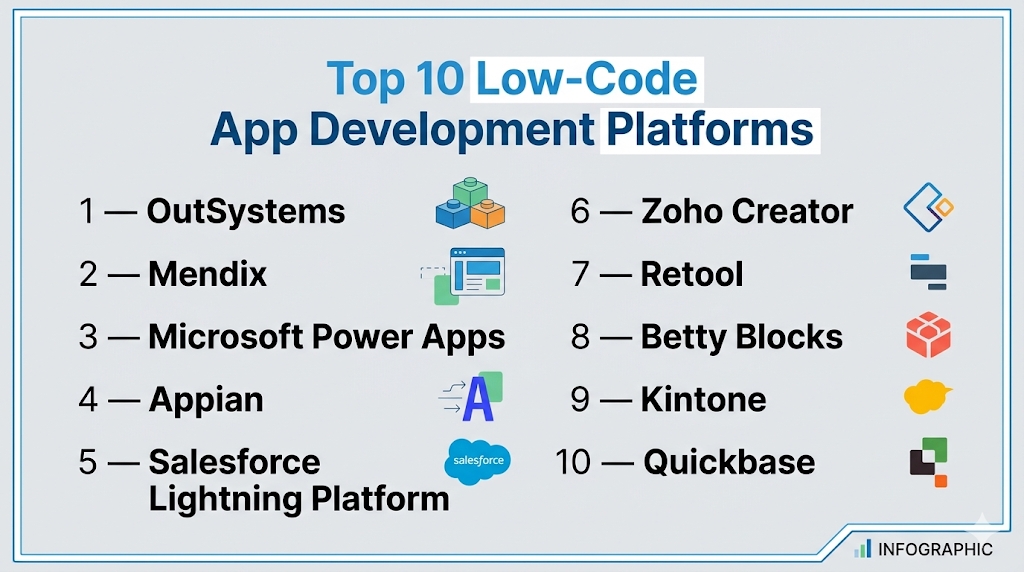
Top 10 Low-Code App Development Platforms
#1 — OutSystems
Short description: Enterprise-grade low-code platform for building scalable applications with full-stack capabilities.
Key Features
- Visual development environment
- Full-stack development
- Integration tools
- Workflow automation
- AI assistance
- DevOps support
- Scalability
Pros
- Highly scalable
- Enterprise-ready
Cons
- Expensive
- Learning curve
Platforms / Deployment
Cloud / Hybrid
Security & Compliance
Enterprise controls (details not publicly stated)
Integrations & Ecosystem
Strong enterprise integrations.
- APIs
- Enterprise systems
Support & Community
Enterprise support.
#2 — Mendix
Short description: Low-code platform for enterprise application development with strong collaboration features.
Key Features
- Visual modeling
- Collaboration tools
- Workflow automation
- Integration tools
- AI assistance
- Cloud deployment
- Analytics
Pros
- Strong collaboration
- Scalable
Cons
- Pricing
- Complexity
Platforms / Deployment
Cloud / On-premise
Security & Compliance
Enterprise controls (not publicly stated)
Integrations & Ecosystem
Enterprise integrations.
- APIs
- Business systems
Support & Community
Enterprise support.
#3 — Microsoft Power Apps
Short description: Low-code platform integrated with Microsoft ecosystem for building business apps.
Key Features
- Drag-and-drop builder
- Integration with Microsoft 365
- Workflow automation
- Data integration
- Templates
- Analytics
- AI tools
Pros
- Strong Microsoft integration
- Easy to use
Cons
- Dependency on Microsoft ecosystem
- Limited customization for complex apps
Platforms / Deployment
Web / Mobile / Cloud
Security & Compliance
Microsoft security framework
Integrations & Ecosystem
Microsoft ecosystem.
- APIs
- Azure
- Office tools
Support & Community
Strong global support.
#4 — Appian
Short description: Low-code platform focused on process automation and enterprise workflows.
Key Features
- Workflow automation
- Visual development
- Data integration
- Process modeling
- AI tools
- Analytics
- Reporting
Pros
- Strong process automation
- Enterprise-ready
Cons
- Pricing
- Learning curve
Platforms / Deployment
Cloud / On-premise
Security & Compliance
Enterprise controls (not publicly stated)
Integrations & Ecosystem
Enterprise integrations.
- APIs
- Business tools
Support & Community
Enterprise support.
#5 — Salesforce Lightning Platform
Short description: Low-code platform for building apps within Salesforce ecosystem.
Key Features
- App builder
- CRM integration
- Workflow automation
- Data modeling
- Analytics
- AI tools
- Templates
Pros
- Strong CRM integration
- Scalable
Cons
- Expensive
- Ecosystem dependency
Platforms / Deployment
Cloud
Security & Compliance
Enterprise controls (not publicly stated)
Integrations & Ecosystem
Salesforce ecosystem.
- APIs
- CRM tools
Support & Community
Large ecosystem.
#6 — Zoho Creator
Short description: Low-code platform for building business apps with automation and integrations.
Key Features
- Visual builder
- Workflow automation
- Integration tools
- Templates
- Analytics
- Reporting
- Mobile apps
Pros
- Affordable
- Easy to use
Cons
- Limited enterprise features
- Smaller ecosystem
Platforms / Deployment
Cloud
Security & Compliance
Basic controls (not publicly stated)
Integrations & Ecosystem
Zoho ecosystem.
- APIs
- Business tools
Support & Community
Good support.
#7 — Retool
Short description: Developer-focused low-code platform for building internal tools quickly.
Key Features
- Drag-and-drop UI
- Database integration
- API connectivity
- Custom scripting
- Templates
- Analytics
- Deployment tools
Pros
- Developer-friendly
- Fast development
Cons
- Limited non-technical usability
- UI customization constraints
Platforms / Deployment
Cloud / Self-hosted
Security & Compliance
Basic enterprise controls (not publicly stated)
Integrations & Ecosystem
Strong integrations.
- APIs
- Databases
Support & Community
Growing adoption.
#8 — Betty Blocks
Short description: Enterprise no-code/low-code platform focused on secure application development.
Key Features
- Visual builder
- Workflow automation
- Integration tools
- Security features
- Templates
- Analytics
- Reporting
Pros
- Strong security
- Enterprise-ready
Cons
- Pricing
- Learning curve
Platforms / Deployment
Cloud
Security & Compliance
Enterprise controls (not publicly stated)
Integrations & Ecosystem
Enterprise integrations.
- APIs
- Business tools
Support & Community
Enterprise support.
#9 — Kintone
Short description: Low-code platform for building workflow applications and business processes.
Key Features
- Visual builder
- Workflow automation
- Data management
- Templates
- Reporting
- Analytics
- Integration tools
Pros
- Easy workflow creation
- Flexible
Cons
- Limited advanced features
- UI limitations
Platforms / Deployment
Cloud
Security & Compliance
Basic controls (not publicly stated)
Integrations & Ecosystem
Moderate integrations.
- APIs
- Business tools
Support & Community
Good support.
#10 — Quickbase
Short description: Low-code platform for building custom business applications and workflows.
Key Features
- Visual builder
- Workflow automation
- Data management
- Integration tools
- Analytics
- Reporting
- Templates
Pros
- Flexible
- Scalable
Cons
- Pricing
- Learning curve
Platforms / Deployment
Cloud
Security & Compliance
Enterprise controls (not publicly stated)
Integrations & Ecosystem
Moderate integrations.
- APIs
- Business tools
Support & Community
Strong adoption.
Comparison Table (Top 10)
| Tool Name | Best For | Platform(s) Supported | Deployment | Standout Feature | Public Rating |
|---|---|---|---|---|---|
| OutSystems | Enterprise | Web | Cloud/Hybrid | Full-stack low-code | N/A |
| Mendix | Enterprise | Web | Cloud/On-premise | Collaboration | N/A |
| Power Apps | SMB/Enterprise | Web/Mobile | Cloud | Microsoft integration | N/A |
| Appian | Enterprise | Web | Cloud/On-premise | Process automation | N/A |
| Salesforce | Enterprise | Web | Cloud | CRM integration | N/A |
| Zoho Creator | SMB | Web | Cloud | Affordability | N/A |
| Retool | Developers | Web | Cloud/Self-hosted | Internal tools | N/A |
| Betty Blocks | Enterprise | Web | Cloud | Security | N/A |
| Kintone | SMB | Web | Cloud | Workflow apps | N/A |
| Quickbase | Enterprise | Web | Cloud | Custom apps | N/A |
Evaluation & Scoring of Low-Code Platforms
| Tool Name | Core (25%) | Ease (15%) | Integrations (15%) | Security (10%) | Performance (10%) | Support (10%) | Value (15%) | Weighted Total |
|---|---|---|---|---|---|---|---|---|
| OutSystems | 10 | 6 | 10 | 9 | 9 | 9 | 6 | 8.9 |
| Mendix | 10 | 6 | 9 | 9 | 9 | 9 | 6 | 8.8 |
| Power Apps | 9 | 9 | 10 | 9 | 8 | 9 | 8 | 9.0 |
| Appian | 9 | 7 | 9 | 9 | 9 | 9 | 7 | 8.8 |
| Salesforce | 9 | 7 | 10 | 9 | 9 | 9 | 6 | 8.7 |
| Zoho Creator | 8 | 9 | 8 | 7 | 8 | 8 | 9 | 8.4 |
| Retool | 8 | 7 | 9 | 8 | 8 | 7 | 8 | 8.0 |
| Betty Blocks | 9 | 7 | 8 | 9 | 8 | 8 | 7 | 8.2 |
| Kintone | 7 | 9 | 7 | 7 | 7 | 7 | 8 | 7.6 |
| Quickbase | 8 | 8 | 8 | 8 | 8 | 8 | 7 | 8.0 |
Interpretation:
Scores reflect comparative strengths across scalability, integrations, and usability. Enterprise platforms excel in performance and security, while SMB tools focus on affordability and ease of use.
Which Low-Code Platform Is Right for You?
Solo / Freelancer
- Best: Zoho Creator, Kintone
- Simple and affordable
SMB
- Best: Power Apps, Zoho Creator
- Balanced features
Mid-Market
- Best: Retool, Quickbase
- Flexible and scalable
Enterprise
- Best: OutSystems, Mendix, Appian
- Advanced capabilities
Budget vs Premium
- Budget: Zoho Creator
- Premium: OutSystems, Appian
Feature Depth vs Ease of Use
- Feature-heavy: OutSystems, Mendix
- Easy-to-use: Power Apps
Integrations & Scalability
- Strong: Power Apps, Salesforce
- Moderate: Kintone
Security & Compliance Needs
- Enterprise-grade: OutSystems, Appian
- Basic: Zoho Creator
Frequently Asked Questions (FAQs)
What are low-code platforms?
They enable app development with minimal coding.
How are they different from no-code tools?
They allow custom coding when needed.
Are they suitable for enterprises?
Yes, many are designed for enterprise use.
Do they support integrations?
Yes, most platforms support APIs and integrations.
Are they expensive?
Pricing varies based on features and scale.
Can developers use low-code tools?
Yes, developers can extend functionality.
Do they support mobile apps?
Yes, many platforms support cross-platform apps.
Are they secure?
Enterprise tools provide strong security features.
Can I automate workflows?
Yes, automation is a core feature.
What is the future of low-code?
AI-driven development and enterprise adoption.
Conclusion
Low-code app development platforms have become essential for organizations looking to accelerate application development while maintaining flexibility and scalability. From enterprise-grade platforms like OutSystems and Mendix to accessible tools like Zoho Creator and Power Apps, there are solutions available for every business size and complexity. While advanced platforms offer deep integrations and enterprise capabilities, simpler tools provide ease of use and faster deployment. The best approach is to define your application requirements, shortlist a few platforms, test their development workflows, and ensure they align with your integration and scalability needs before making a final decision.
