Introduction
Web Design Software refers to tools that help designers and developers create visually appealing, responsive, and user-friendly websites. These tools range from visual design platforms and prototyping tools to full-fledged web development environments that support coding, UI/UX design, and collaboration.
In today’s digital landscape, user experience and design quality play a critical role in website success. Modern web design tools now combine design, prototyping, collaboration, and even code export features—allowing teams to move from idea to production faster. With AI-assisted design, real-time collaboration, and responsive design capabilities, web design software has become essential for businesses and creative professionals.
Common use cases include:
- UI/UX design and prototyping
- Website layout and visual design
- Responsive design creation
- Collaboration between designers and developers
- Design system creation
What buyers should evaluate:
- Design and prototyping capabilities
- Collaboration features
- Ease of use and learning curve
- Integration with development tools
- Responsive design support
- Export options (code/assets)
- Performance and scalability
- Pricing and licensing
Best for: UI/UX designers, web developers, agencies, product teams, and enterprises focused on digital experience design.
Not ideal for: Users looking for simple website creation without design complexity.
Key Trends in Web Design Software for the Future
- AI-assisted design and layout generation
- Real-time collaboration and cloud-based design
- Integration with development workflows
- Design systems and component libraries
- No-code and low-code design tools
- Responsive and mobile-first design focus
- Automated accessibility checks
- Integration with prototyping and testing tools
- Cross-platform design environments
- Faster design-to-code workflows
How We Selected These Tools (Methodology)
- Evaluated adoption among designers and agencies
- Assessed design and prototyping capabilities
- Compared collaboration features
- Reviewed ease of use and learning curve
- Considered integration ecosystems
- Analyzed performance and scalability
- Checked export and development compatibility
- Included tools for beginners to professionals
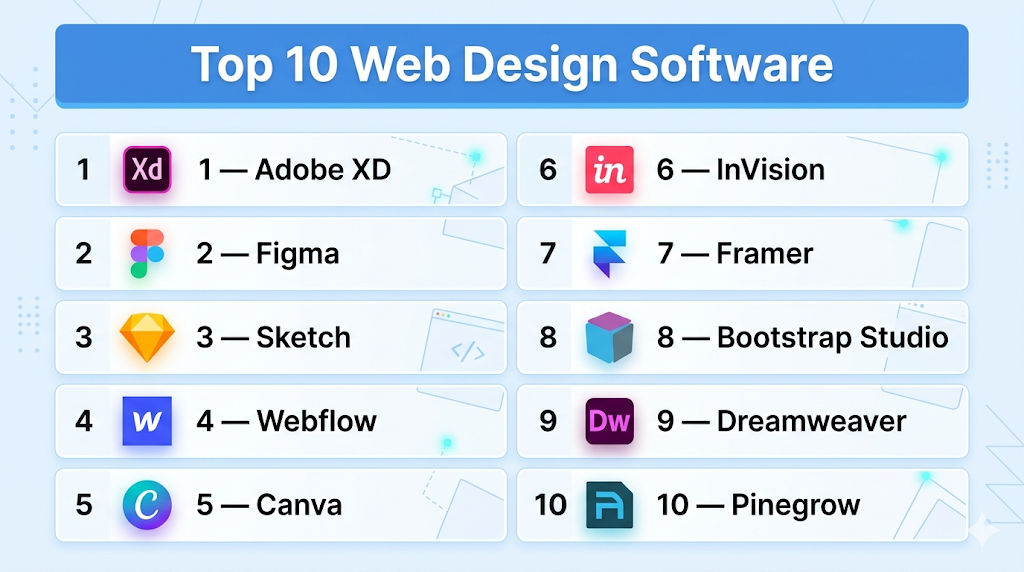
Top 10 Web Design Software
#1 — Adobe XD
Short description: UI/UX design and prototyping tool for creating interactive web and mobile designs.
Key Features
- Wireframing and prototyping
- Interactive design
- Design systems
- Collaboration tools
- Asset management
- Responsive resize
- Integration with Adobe tools
Pros
- Strong prototyping
- Adobe ecosystem
Cons
- Limited advanced features vs competitors
- Performance issues in large files
Platforms / Deployment
Web / Windows / macOS
Security & Compliance
Basic enterprise controls (details not publicly stated)
Integrations & Ecosystem
Adobe ecosystem integrations.
- Creative Cloud
- APIs
Support & Community
Strong community.
#2 — Figma
Short description: Cloud-based design and collaboration platform widely used for UI/UX design.
Key Features
- Real-time collaboration
- Prototyping
- Design systems
- Plugins
- Cloud storage
- Version control
- Responsive design
Pros
- Excellent collaboration
- Easy to use
Cons
- Internet dependency
- Limited offline support
Platforms / Deployment
Web / Windows / macOS
Security & Compliance
Basic enterprise controls (not publicly stated)
Integrations & Ecosystem
Strong plugin ecosystem.
- APIs
- Design tools
Support & Community
Large global community.
#3 — Sketch
Short description: Vector-based design tool for UI/UX design primarily on macOS.
Key Features
- Vector editing
- Design systems
- Prototyping
- Plugins
- Asset export
- Collaboration
- Responsive design
Pros
- Lightweight
- Strong plugin ecosystem
Cons
- macOS-only
- Limited collaboration compared to cloud tools
Platforms / Deployment
macOS
Security & Compliance
Basic controls (not publicly stated)
Integrations & Ecosystem
Plugin ecosystem.
- APIs
- Design tools
Support & Community
Strong design community.
#4 — Webflow
Short description: Visual web design tool that combines design with front-end development.
Key Features
- Visual editor
- CMS
- Responsive design
- Hosting
- Animations
- SEO tools
- Code export
Pros
- Design + development
- No-code capabilities
Cons
- Learning curve
- Pricing
Platforms / Deployment
Cloud
Security & Compliance
Basic controls (not publicly stated)
Integrations & Ecosystem
Moderate integrations.
- APIs
- Marketing tools
Support & Community
Strong adoption.
#5 — Canva
Short description: Beginner-friendly design tool for creating simple web graphics and layouts.
Key Features
- Drag-and-drop editor
- Templates
- Design assets
- Collaboration
- Branding tools
- Export options
- Simple UI
Pros
- Easy to use
- Affordable
Cons
- Limited advanced design features
- Not a full web design tool
Platforms / Deployment
Web / Mobile
Security & Compliance
Basic controls (not publicly stated)
Integrations & Ecosystem
Moderate integrations.
- APIs
- Design tools
Support & Community
Large user base.
#6 — InVision
Short description: Prototyping and collaboration platform for design workflows.
Key Features
- Prototyping
- Collaboration
- Design handoff
- Feedback tools
- Workflow management
- Integration tools
- Version control
Pros
- Strong collaboration
- Design workflow tools
Cons
- Limited design capabilities
- Pricing
Platforms / Deployment
Cloud
Security & Compliance
Basic controls (not publicly stated)
Integrations & Ecosystem
Moderate integrations.
- APIs
- Design tools
Support & Community
Good support.
#7 — Framer
Short description: Interactive design tool for building responsive and animated web experiences.
Key Features
- Interactive design
- Animations
- Responsive layouts
- Prototyping
- Code integration
- Templates
- Hosting
Pros
- Advanced interactions
- Modern UI
Cons
- Learning curve
- Pricing
Platforms / Deployment
Web
Security & Compliance
Basic controls (not publicly stated)
Integrations & Ecosystem
Moderate integrations.
- APIs
- Design tools
Support & Community
Growing community.
#8 — Bootstrap Studio
Short description: Desktop application for designing responsive websites using Bootstrap framework.
Key Features
- Drag-and-drop editor
- Bootstrap integration
- Responsive design
- Code export
- Components
- Templates
- Offline support
Pros
- Developer-friendly
- Offline usage
Cons
- Requires Bootstrap knowledge
- Limited flexibility outside framework
Platforms / Deployment
Windows / macOS / Linux
Security & Compliance
Local processing (not publicly stated)
Integrations & Ecosystem
Limited integrations.
- APIs
- Development tools
Support & Community
Niche community.
#9 — Dreamweaver
Short description: Adobe’s web development tool combining visual design with code editing.
Key Features
- Code editor
- Visual design
- Responsive design
- Live preview
- Integration with Adobe tools
- Templates
- FTP support
Pros
- Hybrid design + code
- Mature tool
Cons
- Outdated compared to modern tools
- Learning curve
Platforms / Deployment
Windows / macOS
Security & Compliance
Basic controls (not publicly stated)
Integrations & Ecosystem
Adobe ecosystem.
- APIs
- Creative Cloud
Support & Community
Established community.
#10 — Pinegrow
Short description: Web design tool for building responsive websites with visual editing and code control.
Key Features
- Visual editor
- Responsive design
- Code editing
- Framework support
- Templates
- CMS integration
- Offline support
Pros
- Flexible
- Developer-friendly
Cons
- Learning curve
- Smaller ecosystem
Platforms / Deployment
Windows / macOS / Linux
Security & Compliance
Local processing (not publicly stated)
Integrations & Ecosystem
Moderate integrations.
- APIs
- Development tools
Support & Community
Niche but active.
Comparison Table (Top 10)
| Tool Name | Best For | Platform(s) Supported | Deployment | Standout Feature | Public Rating |
|---|---|---|---|---|---|
| Adobe XD | Designers | Web/Desktop | Hybrid | Prototyping | N/A |
| Figma | Teams | Web/Desktop | Cloud | Collaboration | N/A |
| Sketch | Designers | macOS | Local | Vector design | N/A |
| Webflow | Designers/Dev | Web | Cloud | No-code design | N/A |
| Canva | Beginners | Web/Mobile | Cloud | Simplicity | N/A |
| InVision | Teams | Web | Cloud | Collaboration | N/A |
| Framer | Designers | Web | Cloud | Interactions | N/A |
| Bootstrap Studio | Developers | Desktop | Local | Bootstrap integration | N/A |
| Dreamweaver | Developers | Desktop | Local | Code + design | N/A |
| Pinegrow | Developers | Desktop | Local | Visual + code | N/A |
Evaluation & Scoring of Web Design Software
| Tool Name | Core (25%) | Ease (15%) | Integrations (15%) | Security (10%) | Performance (10%) | Support (10%) | Value (15%) | Weighted Total |
|---|---|---|---|---|---|---|---|---|
| Adobe XD | 8 | 8 | 8 | 7 | 8 | 8 | 8 | 8.0 |
| Figma | 10 | 9 | 9 | 8 | 9 | 9 | 8 | 9.0 |
| Sketch | 8 | 8 | 8 | 7 | 8 | 8 | 8 | 8.0 |
| Webflow | 9 | 7 | 8 | 7 | 9 | 8 | 7 | 8.1 |
| Canva | 7 | 10 | 7 | 7 | 7 | 8 | 9 | 7.9 |
| InVision | 8 | 8 | 7 | 7 | 8 | 8 | 7 | 7.9 |
| Framer | 9 | 7 | 7 | 7 | 9 | 7 | 7 | 7.9 |
| Bootstrap Studio | 8 | 7 | 6 | 7 | 8 | 7 | 8 | 7.6 |
| Dreamweaver | 7 | 6 | 7 | 7 | 7 | 7 | 7 | 7.0 |
| Pinegrow | 8 | 6 | 6 | 7 | 8 | 7 | 7 | 7.3 |
Interpretation:
Scores reflect comparative strengths across design capabilities, collaboration, and usability. Cloud-based tools excel in collaboration, while desktop tools offer greater control for developers.
Which Web Design Software Is Right for You?
Solo / Freelancer
- Best: Canva, Figma
- Easy and flexible
SMB
- Best: Figma, Webflow
- Balanced features
Mid-Market
- Best: Adobe XD, Framer
- Advanced design capabilities
Enterprise
- Best: Figma, Webflow
- Collaboration and scalability
Budget vs Premium
- Budget: Canva
- Premium: Figma, Webflow
Feature Depth vs Ease of Use
- Feature-heavy: Webflow, Framer
- Easy-to-use: Canva, Figma
Integrations & Scalability
- Strong: Figma, Adobe
- Moderate: Framer
Security & Compliance Needs
- Enterprise-grade: Adobe tools
- Basic: Canva
Frequently Asked Questions (FAQs)
What is web design software?
Tools used to design and prototype websites.
Do I need coding skills?
Not always, many tools are no-code.
Which tool is best for beginners?
Canva and Figma are beginner-friendly.
Are these tools free?
Some offer free plans.
Can I collaborate with teams?
Yes, many tools support collaboration.
Do they support responsive design?
Yes, most tools support it.
Can I export code?
Some tools like Webflow allow code export.
Are they suitable for developers?
Yes, tools like Bootstrap Studio and Pinegrow are developer-friendly.
What is the future of web design tools?
AI-driven and collaborative tools.
Can I use them for mobile design?
Yes, most tools support mobile design.
Conclusion
Web design software has evolved into powerful platforms that enable designers and developers to create visually engaging and user-friendly digital experiences. From collaborative tools like Figma to advanced design-development platforms like Webflow, there are solutions available for every skill level and use case. While modern cloud-based tools excel in collaboration and speed, desktop tools offer deeper control for developers. The best approach is to define your design needs, shortlist a few tools, test their workflows and features, and ensure they align with your team’s design and development process before making a final decision.
