Introduction
Digital Rights Management (DRM) refers to technologies used to control how digital content—such as videos, music, eBooks, software, and confidential documents—is accessed, shared, and distributed. In simple terms, DRM helps organizations protect their intellectual property and ensure that only authorized users can view or use digital assets.
In the modern digital economy, DRM has become essential due to the rise of streaming platforms, remote work, SaaS distribution, and digital publishing. As content moves across devices and geographies, protecting it from piracy, unauthorized sharing, and data leakage is more critical than ever.
Common use cases include:
- Streaming video and audio protection (OTT platforms)
- eBook and digital publishing rights control
- Secure document sharing in enterprises
- Software licensing and anti-piracy enforcement
- Training and educational content protection
Key evaluation criteria for buyers:
- Content encryption strength
- Multi-platform compatibility
- Access control and licensing flexibility
- Scalability and performance
- Integration capabilities (CDNs, CMS, LMS)
- Compliance and security features
- User experience (playback, downloads)
- Pricing and licensing model
Best for: Media companies, SaaS vendors, publishers, e-learning platforms, and enterprises handling sensitive digital content.
Not ideal for: Small teams or individuals who don’t distribute proprietary content at scale or can rely on simpler access control solutions instead of full DRM systems.
Key Trends in Digital Rights Management (DRM) for 2026 and Beyond
- AI-driven content protection: Automated detection of piracy and misuse across platforms.
- Multi-DRM standardization: Unified platforms supporting Widevine, PlayReady, and FairPlay simultaneously.
- Cloud-native DRM platforms: Fully managed services replacing on-prem deployments.
- Zero-trust access models: Strong identity-based content access control.
- Real-time analytics: Monitoring content consumption and suspicious behavior.
- Integration with CDNs and streaming pipelines: Seamless delivery and protection.
- Blockchain-based licensing experiments: Emerging use cases in digital ownership tracking.
- Offline secure playback: Controlled downloads for mobile-first audiences.
- Granular watermarking: Forensic watermarking to trace leaks.
- Flexible monetization models: Subscription, pay-per-view, and rental integrations.
How We Selected These Tools (Methodology)
- Evaluated market adoption and industry presence
- Assessed feature completeness across DRM standards
- Reviewed performance and scalability signals
- Considered security architecture and compliance readiness
- Analyzed integration ecosystem (APIs, CDNs, players)
- Evaluated ease of implementation and developer experience
- Reviewed customer fit across enterprise and SMB segments
- Considered innovation in AI, automation, and analytics
- Balanced cloud vs on-prem flexibility
- Ensured global relevance and cross-platform support
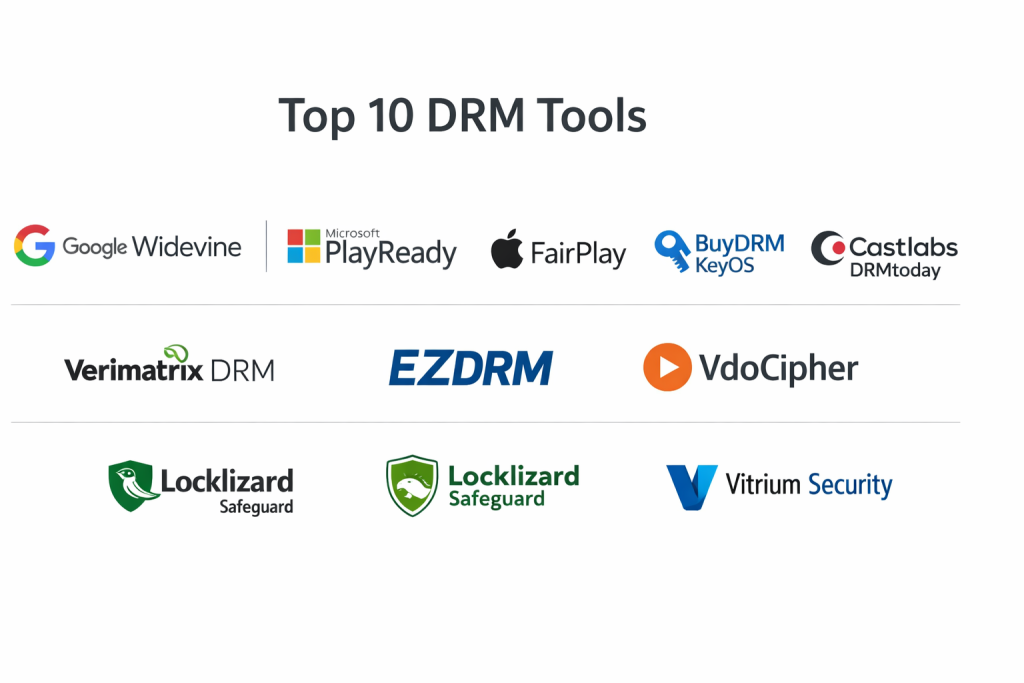
Top 10 Digital Rights Management (DRM) Tools
#1 — Google Widevine
Short description: A widely used DRM solution for protecting video and audio content, especially in streaming platforms. Ideal for OTT providers and media companies.
Key Features
- Multi-level security (L1, L2, L3)
- Browser and Android support
- Adaptive streaming compatibility
- Hardware-backed encryption
- License server integration
- Offline playback support
Pros
- Strong Android ecosystem support
- Scalable for large streaming platforms
Cons
- Limited control compared to full DRM platforms
- Requires integration with other tools
Platforms / Deployment
Web / Android
Cloud / Hybrid
Security & Compliance
Encryption, license control
Not publicly stated (SOC/ISO)
Integrations & Ecosystem
Works with streaming pipelines and CDNs.
- Video players
- Encoding tools
- Streaming services APIs
Support & Community
Strong documentation and large developer ecosystem.
#2 — Microsoft PlayReady
Short description: Enterprise-grade DRM solution widely used in OTT, IPTV, and enterprise content protection.
Key Features
- Multi-device compatibility
- Hardware DRM support
- Flexible licensing policies
- Offline playback
- Secure streaming
Pros
- Strong enterprise adoption
- Reliable cross-platform coverage
Cons
- Complex setup
- Licensing can be restrictive
Platforms / Deployment
Windows / Web / Smart TVs
Cloud / Hybrid
Security & Compliance
Encryption, secure key management
Not publicly stated
Integrations & Ecosystem
Works with Microsoft ecosystem and streaming tools.
- Azure
- Media services
- OTT platforms
Support & Community
Enterprise-grade support, solid documentation.
#3 — Apple FairPlay
Short description: DRM solution designed for Apple ecosystem, commonly used in iOS and macOS streaming apps.
Key Features
- Native Apple device support
- Hardware-level encryption
- Secure key delivery
- HLS streaming support
- Offline playback
Pros
- Seamless Apple integration
- Strong device-level security
Cons
- Limited to Apple ecosystem
- Requires multi-DRM setup for cross-platform
Platforms / Deployment
iOS / macOS / Safari
Cloud
Security & Compliance
Encryption, secure key exchange
Not publicly stated
Integrations & Ecosystem
- Apple streaming stack
- Video delivery platforms
Support & Community
Strong developer documentation from Apple.
#4 — BuyDRM KeyOS
Short description: Multi-DRM platform supporting Widevine, PlayReady, and FairPlay from a single service.
Key Features
- Unified DRM platform
- Cloud-based license delivery
- Multi-platform support
- Scalable infrastructure
- API-driven integration
Pros
- Simplifies multi-DRM deployment
- Easy integration
Cons
- Pricing varies significantly
- Requires technical setup
Platforms / Deployment
Web / Mobile / TV
Cloud
Security & Compliance
Encryption, access control
Not publicly stated
Integrations & Ecosystem
- Video platforms
- CDNs
- APIs
Support & Community
Commercial support with onboarding assistance.
#5 — Castlabs DRMtoday
Short description: Cloud-based DRM service offering unified multi-DRM capabilities for streaming businesses.
Key Features
- Multi-DRM support
- License management
- Scalable cloud delivery
- Analytics integration
- Low-latency streaming
Pros
- Easy deployment
- Strong performance
Cons
- Limited customization
- Enterprise pricing
Platforms / Deployment
Web / Mobile
Cloud
Security & Compliance
Encryption, license control
Not publicly stated
Integrations & Ecosystem
- Streaming tools
- Media pipelines
- APIs
Support & Community
Good documentation and enterprise support.
#6 — Verimatrix DRM
Short description: Security-focused DRM solution for video streaming and content distribution.
Key Features
- Multi-DRM support
- Watermarking
- Anti-piracy analytics
- Cloud-based security
- Real-time monitoring
Pros
- Strong anti-piracy features
- Enterprise-grade security
Cons
- Complex integration
- Higher cost
Platforms / Deployment
Web / Mobile / TV
Cloud / Hybrid
Security & Compliance
Encryption, watermarking
Not publicly stated
Integrations & Ecosystem
- OTT platforms
- Video delivery systems
Support & Community
Enterprise-level support.
#7 — EZDRM
Short description: Simplified DRM service for streaming providers and content distributors.
Key Features
- Multi-DRM support
- Cloud license service
- Easy API integration
- Scalable architecture
- Streaming compatibility
Pros
- Easy to implement
- Good for mid-size businesses
Cons
- Limited advanced features
- Smaller ecosystem
Platforms / Deployment
Web / Mobile
Cloud
Security & Compliance
Encryption
Not publicly stated
Integrations & Ecosystem
- Video platforms
- APIs
Support & Community
Responsive support, moderate documentation.
#8 — VdoCipher
Short description: DRM and secure video hosting platform tailored for e-learning and content creators.
Key Features
- Encrypted video hosting
- DRM playback
- Dynamic watermarking
- Secure player
- Analytics dashboard
Pros
- Easy to use
- Built-in hosting + DRM
Cons
- Limited enterprise features
- Region-specific focus
Platforms / Deployment
Web / Mobile
Cloud
Security & Compliance
Encryption, watermarking
Not publicly stated
Integrations & Ecosystem
- LMS platforms
- APIs
- CMS systems
Support & Community
Good onboarding and documentation.
#9 — Locklizard Safeguard
Short description: DRM solution focused on document protection and secure file sharing.
Key Features
- Document encryption
- Access controls
- Expiry and revocation
- Print restrictions
- Tracking
Pros
- Strong document protection
- Easy to deploy
Cons
- Limited media DRM capabilities
- UI can feel outdated
Platforms / Deployment
Windows / Web
Cloud / Desktop
Security & Compliance
Encryption, access control
Not publicly stated
Integrations & Ecosystem
- Document workflows
- APIs
Support & Community
Reliable support, niche community.
#10 — Vitrium Security
Short description: DRM platform designed for secure document distribution and data protection.
Key Features
- File encryption
- Secure sharing
- Access tracking
- Revocation controls
- Watermarking
Pros
- Strong document security
- Good analytics
Cons
- Limited video DRM
- Pricing not transparent
Platforms / Deployment
Web / Windows
Cloud
Security & Compliance
Encryption, audit logs
Not publicly stated
Integrations & Ecosystem
- Enterprise tools
- APIs
Support & Community
Commercial support available.
Comparison Table (Top 10)
| Tool Name | Best For | Platform(s) Supported | Deployment | Standout Feature | Public Rating |
|---|---|---|---|---|---|
| Google Widevine | Streaming platforms | Web, Android | Cloud/Hybrid | Multi-level security | N/A |
| Microsoft PlayReady | Enterprise streaming | Windows, Web | Cloud/Hybrid | Enterprise DRM | N/A |
| Apple FairPlay | Apple ecosystem | iOS, macOS | Cloud | Native Apple DRM | N/A |
| BuyDRM KeyOS | Multi-DRM | Web, Mobile | Cloud | Unified DRM | N/A |
| Castlabs DRMtoday | Streaming businesses | Web, Mobile | Cloud | Scalable DRM delivery | N/A |
| Verimatrix DRM | Security-focused DRM | Multi-platform | Hybrid | Anti-piracy tools | N/A |
| EZDRM | SMB streaming | Web, Mobile | Cloud | Easy API integration | N/A |
| VdoCipher | E-learning | Web, Mobile | Cloud | Video hosting + DRM | N/A |
| Locklizard Safeguard | Document DRM | Windows, Web | Hybrid | Document protection | N/A |
| Vitrium Security | Secure documents | Web, Windows | Cloud | File security | N/A |
Evaluation & Scoring of Digital Rights Management (DRM)
| Tool Name | Core | Ease | Integrations | Security | Performance | Support | Value | Weighted Total |
|---|---|---|---|---|---|---|---|---|
| Google Widevine | 9 | 7 | 8 | 8 | 9 | 7 | 8 | 8.2 |
| Microsoft PlayReady | 9 | 6 | 8 | 9 | 9 | 8 | 7 | 8.3 |
| Apple FairPlay | 8 | 8 | 7 | 9 | 9 | 8 | 7 | 8.1 |
| BuyDRM KeyOS | 8 | 8 | 9 | 8 | 8 | 8 | 8 | 8.2 |
| Castlabs DRMtoday | 8 | 8 | 8 | 8 | 8 | 8 | 7 | 8.0 |
| Verimatrix DRM | 9 | 6 | 8 | 9 | 9 | 8 | 7 | 8.3 |
| EZDRM | 7 | 9 | 7 | 7 | 7 | 7 | 8 | 7.6 |
| VdoCipher | 7 | 9 | 7 | 7 | 7 | 8 | 9 | 7.9 |
| Locklizard Safeguard | 7 | 8 | 6 | 8 | 7 | 7 | 8 | 7.6 |
| Vitrium Security | 7 | 8 | 6 | 8 | 7 | 7 | 7 | 7.5 |
How to interpret scores:
- Scores are comparative, not absolute.
- 8+ indicates strong enterprise-ready solutions.
- 7–8 range suits SMB to mid-market use.
- Weighting emphasizes core features and value.
- Choose based on your use case, not just total score.
Which Digital Rights Management (DRM) Tool Is Right for You?
Solo / Freelancer
Choose simple solutions like VdoCipher or Locklizard for ease of use and minimal setup.
SMB
EZDRM or VdoCipher provide affordable and scalable options with decent feature sets.
Mid-Market
BuyDRM KeyOS and Castlabs DRMtoday offer balanced performance and integrations.
Enterprise
Microsoft PlayReady and Verimatrix are best for large-scale deployments and security.
Budget vs Premium
- Budget: EZDRM, VdoCipher
- Premium: Verimatrix, PlayReady
Feature Depth vs Ease of Use
- Deep features: Verimatrix, BuyDRM
- Easy setup: VdoCipher, EZDRM
Integrations & Scalability
- Strong integrations: Widevine, PlayReady
- Moderate: EZDRM
Security & Compliance Needs
- High security: Verimatrix, PlayReady
- Moderate: VdoCipher
Frequently Asked Questions (FAQs)
What is DRM used for?
DRM is used to protect digital content from unauthorized access, copying, and distribution.
Is DRM only for video content?
No, DRM also applies to documents, software, eBooks, and other digital assets.
How much do DRM tools cost?
Pricing varies widely depending on scale, features, and usage models.
Can DRM prevent all piracy?
No system is foolproof, but DRM significantly reduces unauthorized access.
Is DRM difficult to implement?
Some solutions are complex, but many cloud platforms simplify deployment.
Do DRM tools support mobile devices?
Yes, most modern DRM solutions support mobile platforms.
What are common mistakes when choosing DRM?
Ignoring scalability, integrations, and user experience.
Can DRM work offline?
Yes, some tools allow secure offline playback with restrictions.
Are DRM tools compliant with regulations?
Some support compliance, but details vary and should be verified.
Can I switch DRM providers later?
Yes, but migration can be complex and requires planning.
Conclusion
Digital Rights Management (DRM) has become a critical component in today’s content-driven economy, especially as digital distribution continues to scale globally. From streaming platforms to enterprise document security, the right DRM solution ensures your content remains protected without compromising user experience. Each tool in this list serves a different purpose—some focus on video streaming, others on document protection, while a few offer full multi-DRM capabilities. The best choice depends heavily on your business size, technical requirements, and security expectations. Instead of chasing a single “best” tool, shortlist 2–3 solutions that align with your use case and test them in a real-world scenario. A pilot implementation will help validate integrations, performance, and usability before making a long-term investment.
