Introduction
Document Conversion Tools are software solutions that allow users to convert files from one format to another—such as PDF to Word, Excel to CSV, images to text (OCR), or presentations to PDFs. These tools are essential for ensuring compatibility, improving accessibility, and enabling seamless workflows across different systems and platforms.
In modern digital workflows, businesses and individuals frequently deal with multiple file formats. Without reliable conversion tools, productivity can suffer due to formatting issues, data loss, or manual rework. Document conversion tools solve this by providing fast, accurate, and scalable file transformations—often enhanced with automation and AI-powered OCR capabilities.
Common use cases include:
- Converting PDFs to editable formats (Word, Excel)
- Image-to-text conversion using OCR
- File format standardization across teams
- Preparing documents for publishing or sharing
- Data extraction from scanned documents
What buyers should evaluate:
- Supported file formats
- Conversion accuracy and formatting retention
- OCR capabilities
- Batch processing support
- Speed and performance
- Security and file privacy
- Integration with cloud storage and tools
- API availability for automation
- Ease of use
- Pricing model
Best for: Businesses, legal teams, students, content creators, and professionals handling multiple document formats.
Not ideal for: Users who only work within a single file format or require full document editing rather than conversion.
Key Trends in Document Conversion Tools
- AI-powered OCR: Improved accuracy in extracting text from images and scanned files
- Batch processing automation: Converting large volumes of files efficiently
- Cloud-based tools: Access from anywhere with real-time processing
- API-driven workflows: Integration into enterprise systems
- Data extraction capabilities: Structured data output from documents
- Multi-format support expansion: Handling newer and niche formats
- Security-first design: Encryption and file protection during conversion
- Real-time preview: Ensuring formatting accuracy before final output
- Mobile optimization: Full functionality on smartphones and tablets
How We Selected These Tools (Methodology)
- Evaluated market popularity and usage
- Assessed conversion accuracy and format support
- Reviewed OCR and automation capabilities
- Considered performance and speed
- Analyzed integration ecosystems and APIs
- Included tools for SMB and enterprise use cases
- Prioritized modern, actively maintained platforms
- Ensured coverage across different user needs
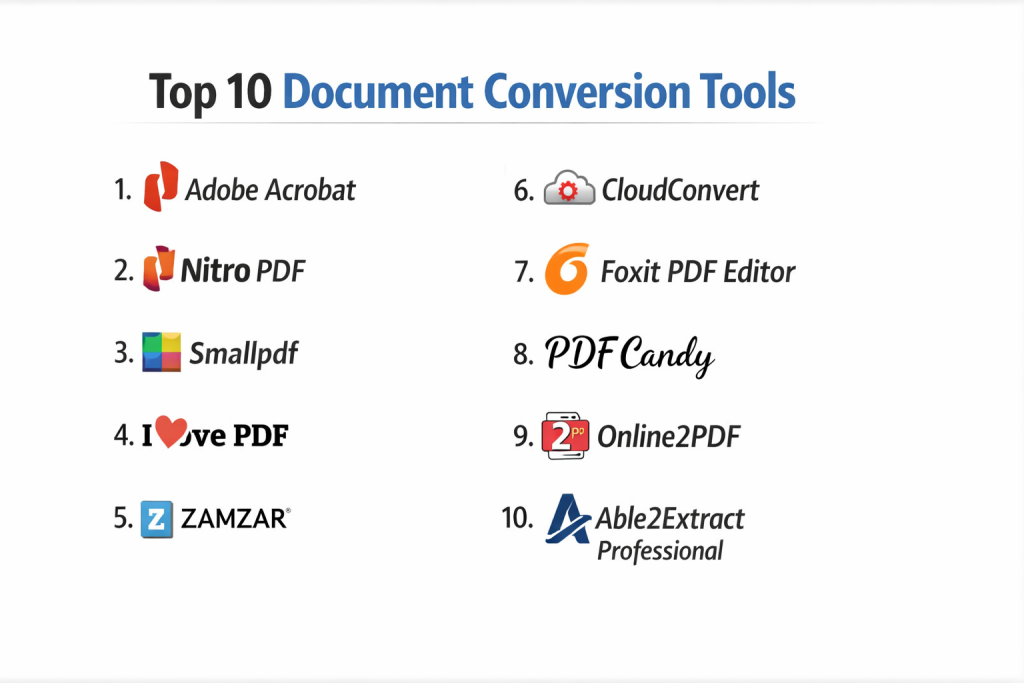
Top 10 Document Conversion Tools
#1 — Adobe Acrobat
Short description: A leading document conversion and PDF management tool with advanced features and enterprise-grade capabilities.
Key Features
- PDF to Word, Excel, and PowerPoint conversion
- OCR for scanned documents
- Batch processing
- File compression and optimization
- Secure document handling
- Cloud integration
Pros
- High conversion accuracy
- Comprehensive feature set
Cons
- Expensive
- Resource-heavy
Platforms / Deployment
Web / Windows / macOS / Mobile
Cloud / Desktop
Security & Compliance
Encryption, access control, compliance features
Integrations & Ecosystem
- Adobe ecosystem
- Cloud storage services
- APIs
Support & Community
Strong enterprise support and large user base.
#2 — Nitro PDF
Short description: A robust PDF conversion tool designed for business users.
Key Features
- PDF conversion and editing
- OCR capabilities
- Batch processing
- Collaboration tools
- Cloud storage integration
Pros
- Strong business features
- Good performance
Cons
- Limited free features
- Learning curve
Platforms / Deployment
Windows / Web
Cloud / Desktop
Security & Compliance
Encryption, compliance features
Integrations & Ecosystem
- Microsoft Office
- Cloud platforms
Support & Community
Enterprise support available.
#3 — Smallpdf
Short description: A simple, cloud-based document conversion tool focused on ease of use.
Key Features
- PDF conversions
- Compression tools
- Drag-and-drop interface
- Cloud storage integration
- Batch processing
Pros
- Easy to use
- Fast processing
Cons
- Limited advanced features
- Free version restrictions
Platforms / Deployment
Web / Mobile
Cloud
Security & Compliance
Encryption, secure processing
Integrations & Ecosystem
- Google Drive
- Dropbox
Support & Community
Good support and widespread usage.
#4 — ILovePDF
Short description: A popular online tool offering a wide range of PDF conversion and editing features.
Key Features
- PDF conversion tools
- Merge and split PDFs
- OCR functionality
- Batch processing
- Compression
Pros
- Free and easy to use
- Wide feature set
Cons
- Ads in free version
- Limited enterprise features
Platforms / Deployment
Web / Mobile
Cloud
Security & Compliance
Not publicly stated
Integrations & Ecosystem
- Cloud storage services
Support & Community
Large user base.
#5 — Zamzar
Short description: A versatile file conversion tool supporting a wide range of formats.
Key Features
- Multi-format conversion
- Email notifications
- Cloud-based processing
- Batch conversion
- API support
Pros
- Supports many formats
- Easy to use
Cons
- Slower for large files
- Limited free tier
Platforms / Deployment
Web
Cloud
Security & Compliance
Not publicly stated
Integrations & Ecosystem
- APIs
Support & Community
Moderate support.
#6 — CloudConvert
Short description: A powerful cloud-based conversion tool with extensive format support and API access.
Key Features
- Multi-format conversion
- High-quality output
- API integration
- Batch processing
- Custom settings
Pros
- Developer-friendly
- Wide format support
Cons
- Paid for heavy usage
- Requires setup for advanced features
Platforms / Deployment
Web
Cloud
Security & Compliance
Not publicly stated
Integrations & Ecosystem
- APIs
- Cloud storage
Support & Community
Good developer support.
#7 — Foxit PDF Editor
Short description: A PDF-focused tool offering document conversion along with editing capabilities.
Key Features
- PDF conversion
- OCR
- Document editing
- Collaboration tools
- Security features
Pros
- Lightweight compared to competitors
- Strong features
Cons
- Interface complexity
- Premium pricing
Platforms / Deployment
Windows / macOS / Mobile
Cloud / Desktop
Security & Compliance
Encryption, compliance features
Integrations & Ecosystem
- Microsoft Office
- Cloud services
Support & Community
Strong enterprise support.
#8 — PDF Candy
Short description: A user-friendly document conversion tool with a wide range of PDF utilities.
Key Features
- PDF conversion
- OCR
- Batch processing
- Multiple tools in one platform
- Easy interface
Pros
- Free features available
- Simple UI
Cons
- Limited enterprise capabilities
- Ads in free version
Platforms / Deployment
Web / Desktop
Cloud / Offline
Security & Compliance
Not publicly stated
Integrations & Ecosystem
Limited integrations.
Support & Community
Moderate support.
#9 — Online2PDF
Short description: A free online tool for converting and editing PDF files.
Key Features
- PDF conversion
- Batch processing
- File merging
- Compression
- Custom settings
Pros
- Free to use
- Flexible options
Cons
- Limited file size support
- Basic UI
Platforms / Deployment
Web
Cloud
Security & Compliance
Not publicly stated
Integrations & Ecosystem
Minimal.
Support & Community
Basic support.
#10 — Able2Extract Professional
Short description: A professional-grade document conversion tool focused on accurate PDF conversions.
Key Features
- PDF to Excel/Word conversion
- OCR
- Batch processing
- Custom conversion settings
- Desktop-based processing
Pros
- High accuracy
- Advanced features
Cons
- Expensive
- Desktop-focused
Platforms / Deployment
Windows / macOS / Linux
Desktop
Security & Compliance
Local processing improves privacy
Integrations & Ecosystem
Limited integrations.
Support & Community
Professional support available.
Comparison Table (Top 10)
| Tool Name | Best For | Platform(s) Supported | Deployment | Standout Feature | Public Rating |
|---|---|---|---|---|---|
| Adobe Acrobat | Enterprise | Web, Desktop, Mobile | Cloud/Desktop | Accuracy | N/A |
| Nitro PDF | Business users | Web, Desktop | Cloud/Desktop | Performance | N/A |
| Smallpdf | Beginners | Web, Mobile | Cloud | Simplicity | N/A |
| ILovePDF | Free users | Web, Mobile | Cloud | Feature variety | N/A |
| Zamzar | Multi-format | Web | Cloud | Format support | N/A |
| CloudConvert | Developers | Web | Cloud | API | N/A |
| Foxit PDF Editor | Editing + conversion | Desktop, Mobile | Cloud/Desktop | Lightweight | N/A |
| PDF Candy | Free tools | Web, Desktop | Cloud | Ease of use | N/A |
| Online2PDF | Basic use | Web | Cloud | Free batch | N/A |
| Able2Extract Professional | Accuracy | Desktop | Desktop | Precision | N/A |
Evaluation & Scoring of Document Conversion Tools
| Tool Name | Core (25%) | Ease (15%) | Integrations (15%) | Security (10%) | Performance (10%) | Support (10%) | Value (15%) | Weighted Total |
|---|---|---|---|---|---|---|---|---|
| Adobe Acrobat | 10 | 8 | 9 | 9 | 9 | 9 | 6 | 8.9 |
| Nitro PDF | 8 | 8 | 8 | 8 | 8 | 8 | 7 | 7.9 |
| Smallpdf | 7 | 10 | 7 | 7 | 8 | 7 | 9 | 8.0 |
| ILovePDF | 7 | 10 | 6 | 6 | 7 | 7 | 9 | 7.8 |
| Zamzar | 7 | 9 | 7 | 6 | 7 | 6 | 8 | 7.5 |
| CloudConvert | 8 | 8 | 9 | 7 | 8 | 7 | 7 | 7.9 |
| Foxit PDF Editor | 8 | 7 | 8 | 8 | 8 | 8 | 7 | 7.9 |
| PDF Candy | 7 | 9 | 6 | 6 | 7 | 6 | 9 | 7.6 |
| Online2PDF | 6 | 8 | 5 | 5 | 7 | 5 | 9 | 6.9 |
| Able2Extract Professional | 9 | 7 | 6 | 8 | 9 | 7 | 6 | 7.8 |
How to interpret scores:
- Higher scores indicate better conversion accuracy and performance
- Enterprise tools score higher in security and reliability
- Cloud tools score higher in ease of use
- Free tools provide value but may lack advanced features
- Choose based on your usage volume and complexity
Which Document Conversion Tool Is Right for You?
Solo / Freelancer
- Best: Smallpdf, ILovePDF
SMB
- Best: Nitro PDF, PDF Candy
Mid-Market
- Best: Foxit PDF Editor, CloudConvert
Enterprise
- Best: Adobe Acrobat
Budget vs Premium
- Budget: ILovePDF, PDF Candy
- Premium: Adobe Acrobat
Feature Depth vs Ease of Use
- Deep: Adobe Acrobat
- Easy: Smallpdf
Integrations & Scalability
- Strong: CloudConvert
Security & Compliance Needs
- Best: Adobe Acrobat
Frequently Asked Questions (FAQs)
What are document conversion tools?
They convert files from one format to another.
Why are they important?
They improve compatibility and productivity.
Are they free?
Many offer free versions with limitations.
Do they support OCR?
Yes, many tools include OCR features.
Are they secure?
Enterprise tools provide strong security features.
Can they handle batch processing?
Yes, most tools support batch conversions.
Do they work offline?
Some desktop tools support offline use.
What formats are supported?
Common formats include PDF, Word, Excel, and images.
Are they fast?
Speed depends on tool and file size.
What is the best tool?
It depends on your needs and usage scale.
Conclusion
Document Conversion Tools play a vital role in modern workflows by enabling seamless file compatibility and efficient document handling. Whether you need simple conversions or enterprise-grade accuracy and automation, there are tools available for every use case. The right choice depends on your workflow complexity, volume, and integration needs. Start by identifying your requirements, test a few tools, and choose the one that delivers the best balance of accuracy, speed, and usability.
