Introduction
Document Generation Software helps organizations automatically create documents such as contracts, invoices, reports, proposals, and forms using templates and structured data. Instead of manually drafting documents, these tools pull information from systems like CRM, ERP, or databases to generate accurate, consistent outputs at scale.
In today’s fast-moving digital environment, businesses need to generate documents quickly while maintaining compliance and consistency. Manual processes are error-prone and time-consuming, especially in high-volume workflows. Document generation software solves this by automating repetitive tasks, improving efficiency, and enabling seamless workflows across departments.
Common use cases include:
- Contract and agreement generation
- Sales proposals and quotes
- Financial reports and invoices
- HR documentation (offer letters, policies)
- Compliance and regulatory reporting
What buyers should evaluate:
- Template creation and flexibility
- Data integration capabilities
- Automation and rule-based logic
- Output formats (PDF, Word, HTML)
- Workflow and approval processes
- Security and compliance features
- Scalability and performance
- API and customization support
- Ease of use and onboarding
- Pricing model
Best for: Sales teams, legal departments, HR, finance teams, and enterprises handling large volumes of documents.
Not ideal for: Individuals or teams needing simple note-taking or basic document editing tools.
Key Trends in Document Generation Software
- AI-driven document creation: Smart drafting and auto-fill capabilities
- Dynamic templates: Templates that adapt based on data inputs
- No-code automation: Business users can create workflows without coding
- Real-time data integration: Pulling live data from multiple systems
- Embedded e-signatures: End-to-end document workflows
- Cloud-native platforms: Accessible from anywhere
- Compliance automation: Built-in audit trails and controls
- API-first architecture: Flexible integrations and custom workflows
- Multi-format output: Support for various document types
How We Selected These Tools (Methodology)
- Evaluated market adoption and reputation
- Assessed automation and template capabilities
- Reviewed integration ecosystems
- Considered ease of use and onboarding
- Analyzed security and compliance features
- Included tools for SMB and enterprise use cases
- Prioritized modern and actively maintained platforms
- Ensured coverage across industries and workflows
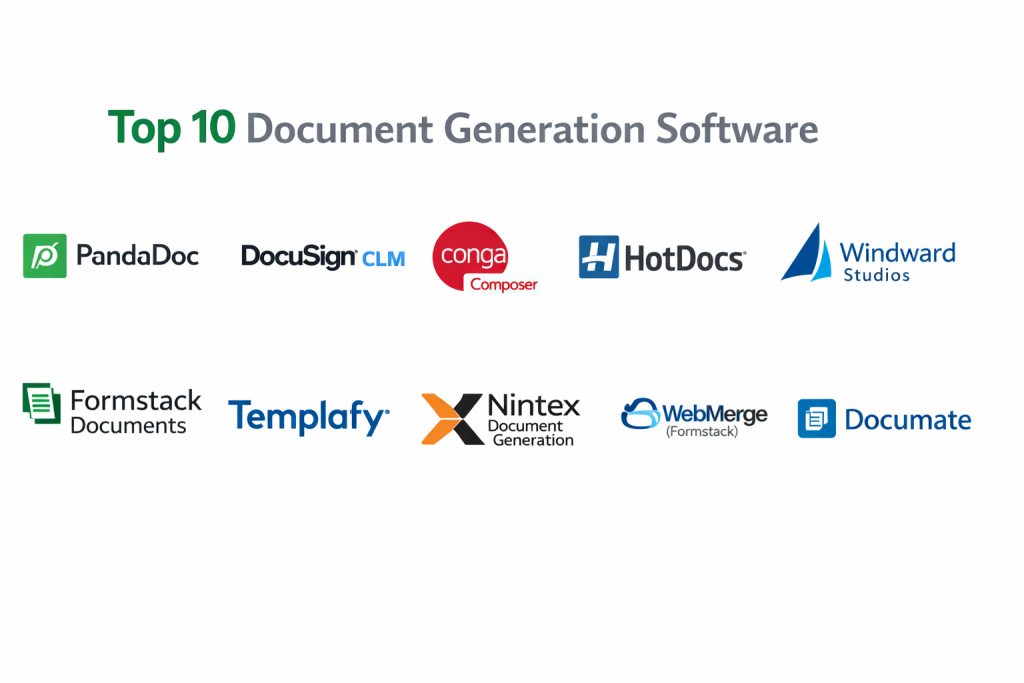
Top 10 Document Generation Software
#1 — PandaDoc
Short description: A widely used document generation platform for proposals, contracts, and sales documents with built-in e-signatures.
Key Features
- Drag-and-drop document builder
- Template library
- E-signature integration
- Workflow automation
- Analytics and tracking
- CRM integrations
Pros
- All-in-one solution
- Easy to use
Cons
- Advanced features require premium plans
- Limited customization for complex workflows
Platforms / Deployment
Web / Desktop / Mobile
Cloud
Security & Compliance
Encryption, audit logs, access controls
Integrations & Ecosystem
- Salesforce
- HubSpot
- Slack
- Google Workspace
Support & Community
Strong documentation and support.
#2 — DocuSign CLM
Short description: A contract lifecycle management solution with strong document generation and automation capabilities.
Key Features
- Contract generation
- Workflow automation
- E-signature integration
- Template management
- Compliance tracking
Pros
- Industry-leading e-signature ecosystem
- Strong compliance tools
Cons
- Expensive
- Complex implementation
Platforms / Deployment
Web
Cloud
Security & Compliance
SSO, encryption, audit logs
Integrations & Ecosystem
- Salesforce
- Microsoft 365
- SAP
Support & Community
Enterprise-grade support.
#3 — Conga Composer
Short description: A document generation tool optimized for Salesforce environments.
Key Features
- Automated document creation
- Template management
- Batch processing
- Data integration
- Reporting tools
Pros
- Deep Salesforce integration
- Scalable for enterprise use
Cons
- Requires Salesforce
- Learning curve
Platforms / Deployment
Web
Cloud
Security & Compliance
Varies by deployment
Integrations & Ecosystem
- Salesforce ecosystem
Support & Community
Strong Salesforce community.
#4 — HotDocs
Short description: A powerful document generation platform widely used in legal and financial industries.
Key Features
- Advanced template logic
- Document assembly
- Workflow automation
- Compliance tools
- Integration capabilities
Pros
- Highly customizable
- Trusted in regulated industries
Cons
- Complex setup
- Steep learning curve
Platforms / Deployment
Web / Desktop
Cloud / On-premise
Security & Compliance
Compliance-focused features
Integrations & Ecosystem
- APIs
- Enterprise systems
Support & Community
Strong enterprise support.
#5 — Windward Studios
Short description: A data-driven document generation platform designed for developers and enterprises.
Key Features
- Template design using Word
- Data integration
- Document automation
- API support
- Reporting capabilities
Pros
- Developer-friendly
- Flexible data integration
Cons
- Requires technical expertise
- Limited UI features
Platforms / Deployment
Web / Desktop
Cloud / On-premise
Security & Compliance
Not publicly stated
Integrations & Ecosystem
- APIs
- .NET ecosystem
Support & Community
Developer-focused support.
#6 — Formstack Documents
Short description: A no-code document generation tool designed for business users.
Key Features
- Drag-and-drop builder
- Data merging
- Workflow automation
- Template management
- Integration support
Pros
- Easy to use
- No coding required
Cons
- Limited advanced customization
- Pricing tiers
Platforms / Deployment
Web
Cloud
Security & Compliance
Encryption, compliance features
Integrations & Ecosystem
- Salesforce
- Google Workspace
- Zapier
Support & Community
Good onboarding and support.
#7 — Templafy
Short description: An enterprise document generation platform focused on brand consistency and compliance.
Key Features
- Template governance
- Document automation
- Brand compliance
- Workflow integration
- Content management
Pros
- Strong brand control
- Enterprise-ready
Cons
- Expensive
- Complex setup
Platforms / Deployment
Web
Cloud
Security & Compliance
Enterprise-grade compliance
Integrations & Ecosystem
- Microsoft Office
- CRM systems
Support & Community
Strong enterprise support.
#8 — Nintex Document Generation
Short description: A workflow automation platform with built-in document generation capabilities.
Key Features
- Document automation
- Workflow automation
- Process mapping
- Integration tools
- Templates
Pros
- Strong automation capabilities
- Scalable
Cons
- Complex interface
- Requires training
Platforms / Deployment
Web
Cloud / Hybrid
Security & Compliance
Compliance and audit features
Integrations & Ecosystem
- SharePoint
- Salesforce
Support & Community
Enterprise support available.
#9 — WebMerge (Formstack)
Short description: A document generation tool focused on merging data into templates.
Key Features
- Data merging
- Template automation
- Workflow integration
- Output customization
- Automation triggers
Pros
- Easy setup
- Fast document generation
Cons
- Limited advanced features
- Smaller ecosystem
Platforms / Deployment
Web
Cloud
Security & Compliance
Not publicly stated
Integrations & Ecosystem
- CRM systems
- Cloud storage
Support & Community
Moderate support.
#10 — Documate
Short description: A no-code document generation tool designed for legal and business workflows.
Key Features
- Template builder
- Workflow automation
- Data collection forms
- API support
- Document assembly
Pros
- Easy for non-technical users
- Modern interface
Cons
- Limited enterprise features
- Smaller ecosystem
Platforms / Deployment
Web
Cloud
Security & Compliance
Not publicly stated
Integrations & Ecosystem
- APIs
- Legal tools
Support & Community
Growing community.
Comparison Table (Top 10)
| Tool Name | Best For | Platform(s) Supported | Deployment | Standout Feature | Public Rating |
|---|---|---|---|---|---|
| PandaDoc | Sales teams | Web, Mobile | Cloud | E-sign + automation | N/A |
| DocuSign CLM | Contracts | Web | Cloud | Lifecycle mgmt | N/A |
| Conga Composer | Salesforce users | Web | Cloud | Salesforce integration | N/A |
| HotDocs | Legal automation | Web, Desktop | Cloud/On-prem | Advanced logic | N/A |
| Windward Studios | Developers | Web, Desktop | Cloud/On-prem | Data-driven docs | N/A |
| Formstack Documents | SMB workflows | Web | Cloud | No-code builder | N/A |
| Templafy | Enterprises | Web | Cloud | Brand compliance | N/A |
| Nintex Document Generation | Workflow automation | Web | Cloud/Hybrid | Process automation | N/A |
| WebMerge | Data merging | Web | Cloud | Template merge | N/A |
| Documate | Legal SMB | Web | Cloud | No-code workflows | N/A |
Evaluation & Scoring of Document Generation Software
| Tool Name | Core (25%) | Ease (15%) | Integrations (15%) | Security (10%) | Performance (10%) | Support (10%) | Value (15%) | Weighted Total |
|---|---|---|---|---|---|---|---|---|
| PandaDoc | 9 | 9 | 9 | 8 | 8 | 8 | 8 | 8.6 |
| DocuSign CLM | 9 | 7 | 9 | 9 | 9 | 9 | 6 | 8.4 |
| Conga Composer | 8 | 7 | 10 | 8 | 8 | 8 | 7 | 8.2 |
| HotDocs | 9 | 6 | 8 | 9 | 8 | 8 | 6 | 8.0 |
| Windward Studios | 8 | 7 | 8 | 7 | 8 | 7 | 7 | 7.6 |
| Formstack Documents | 8 | 9 | 8 | 7 | 8 | 7 | 8 | 8.0 |
| Templafy | 9 | 7 | 8 | 9 | 8 | 9 | 6 | 8.2 |
| Nintex Document Generation | 8 | 7 | 9 | 8 | 8 | 8 | 7 | 8.0 |
| WebMerge | 7 | 9 | 7 | 6 | 7 | 7 | 8 | 7.5 |
| Documate | 7 | 9 | 6 | 6 | 7 | 7 | 8 | 7.4 |
How to interpret scores:
- Higher scores indicate stronger document generation capabilities
- Enterprise tools score higher in integrations and security
- No-code tools score higher in ease of use
- Developer-focused tools offer flexibility but require setup
- Choose based on your workflow complexity
Which Document Generation Software Is Right for You?
Solo / Freelancer
- Best: Documate, WebMerge
SMB
- Best: Formstack Documents, PandaDoc
Mid-Market
- Best: PandaDoc, Conga Composer
Enterprise
- Best: DocuSign CLM, Templafy, Nintex Document Generation
Budget vs Premium
- Budget: Documate, WebMerge
- Premium: DocuSign CLM, Templafy
Feature Depth vs Ease of Use
- Deep: HotDocs
- Easy: Formstack Documents
Integrations & Scalability
- Strong: Conga Composer, PandaDoc
Security & Compliance Needs
- Best: DocuSign CLM, Templafy
Frequently Asked Questions (FAQs)
What is document generation software?
It automates the creation of documents using templates and data inputs.
How is it different from document automation?
Document generation focuses on creating documents, while automation includes workflows and approvals.
Are these tools cloud-based?
Most are cloud-based, with some offering hybrid or on-premise options.
Do they support e-signatures?
Many tools integrate with e-signature platforms.
Can they integrate with CRM systems?
Yes, most tools support CRM and ERP integrations.
Are they secure?
Enterprise tools provide encryption and compliance features.
What industries use them?
Legal, finance, HR, sales, and operations.
Are they expensive?
Pricing varies based on features and scale.
Can non-technical users use them?
Yes, many tools offer no-code interfaces.
What is the best tool?
It depends on your business needs and workflow complexity.
Conclusion
Document Generation Software is a critical component for organizations looking to streamline document creation, reduce manual effort, and improve accuracy. From no-code solutions for small teams to enterprise-grade platforms with deep integrations, the options vary widely. The best choice depends on your workflow complexity, integration needs, and team size. Start by identifying your document processes, shortlist a few tools, and run pilot tests to evaluate usability, automation capabilities, and scalability before making a final decision.
