Introduction
Enterprise Content Management (ECM) refers to a set of tools and strategies used by organizations to capture, store, manage, and deliver content across the entire enterprise. This includes documents, emails, media files, contracts, and other structured or unstructured data—all managed in a centralized system.
In today’s data-driven and compliance-heavy environment, ECM tools are critical. Organizations are dealing with massive volumes of content spread across multiple systems, leading to inefficiencies, duplication, and security risks. ECM platforms solve this by providing a single source of truth, improving collaboration, and automating workflows.
Common use cases include:
- Document and records management
- Contract lifecycle management
- Compliance and regulatory tracking
- Workflow automation (approvals, invoices)
- Digital asset management and collaboration
What buyers should evaluate:
- Content storage and organization capabilities
- Metadata and search functionality
- Workflow automation
- Security and compliance features
- Integration with enterprise systems (ERP, CRM)
- Scalability and performance
- Deployment model (cloud vs on-premise)
- User access controls and permissions
- AI and automation features
Best for: Enterprises, large organizations, regulated industries (finance, healthcare), legal teams, and operations teams managing high volumes of content.
Not ideal for: Small teams with minimal documentation needs—simple cloud storage or note-taking tools may be sufficient.
Key Trends in Enterprise Content Management (ECM)
- AI-powered content classification: Automatic tagging, indexing, and summarization
- Cloud-first ECM platforms: Reduced infrastructure cost and improved scalability
- Content services platforms (CSP): Modular ECM replacing monolithic systems
- Workflow automation: AI-driven approvals and document routing
- Compliance-first design: Built-in governance and audit trails
- Metadata-driven search: Faster retrieval without knowing file location
- Integration ecosystems: Deep connections with CRM, ERP, and collaboration tools
- Hybrid deployment models: Combining cloud flexibility with on-prem control
- Low-code customization: Faster implementation and workflow design
How We Selected These Tools (Methodology)
- Evaluated enterprise adoption and market presence
- Assessed core ECM capabilities (storage, workflow, search)
- Reviewed security and compliance readiness
- Considered integration ecosystem strength
- Analyzed performance and scalability signals
- Included cloud, hybrid, and on-prem solutions
- Ensured coverage across industries and use cases
- Focused on modern, actively evolving platforms
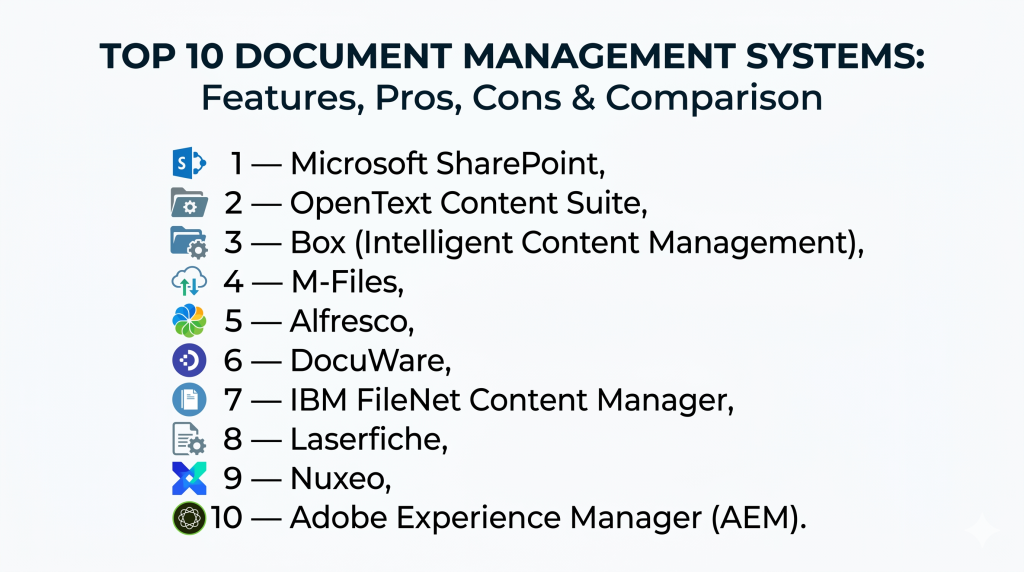
Top 10 Enterprise Content Management (ECM) Tools
#1 — Microsoft SharePoint
Short description: A widely used enterprise content management platform integrated with Microsoft 365 for collaboration and document management.
Key Features
- Document libraries and version control
- Workflow automation with Power Automate
- Integration with Microsoft ecosystem
- Permissions and access control
- Metadata and search capabilities
- Collaboration and co-authoring
Pros
- Deep integration with Microsoft tools
- Strong enterprise adoption
Cons
- Complex setup and customization
- Can require IT expertise
Platforms / Deployment
Web / Windows / macOS / Mobile
Cloud / Hybrid
Security & Compliance
SSO, RBAC, encryption, audit logs
Enterprise compliance standards (varies by tenant)
Integrations & Ecosystem
- Microsoft Teams
- OneDrive
- Power Platform
- Outlook
Support & Community
Extensive enterprise support and large global community.
#2 — OpenText Content Suite
Short description: A comprehensive ECM platform designed for large enterprises with strong compliance and governance capabilities.
Key Features
- Document and records management
- Workflow automation
- Compliance tools
- Content lifecycle management
- Integration with enterprise systems
Pros
- Enterprise-grade capabilities
- Strong compliance features
Cons
- Complex implementation
- High cost
Platforms / Deployment
Web / Windows
Cloud / On-premise
Security & Compliance
Advanced compliance and governance features
Integrations & Ecosystem
- SAP
- Microsoft tools
- ERP systems
Support & Community
Strong enterprise support.
#3 — Box (Intelligent Content Management)
Short description: A cloud-native ECM platform focused on secure content sharing and collaboration.
Key Features
- Cloud content storage
- AI-powered content workflows
- Secure sharing and collaboration
- Metadata and search
- Workflow automation
Pros
- Easy to use
- Strong cloud performance
Cons
- Limited offline capabilities
- Advanced features require higher tiers
Platforms / Deployment
Web / Desktop / Mobile
Cloud
Security & Compliance
Encryption, SSO, compliance certifications
Integrations & Ecosystem
- Google Workspace
- Microsoft 365
- Salesforce
Support & Community
Strong support and enterprise adoption.
#4 — M-Files
Short description: A metadata-driven ECM platform that organizes content based on what it is, not where it’s stored.
Key Features
- Metadata-based search
- Workflow automation
- Integration with existing systems
- Document versioning
- Compliance tools
Pros
- Eliminates content silos
- Powerful search capabilities
Cons
- Learning curve
- Requires configuration
Platforms / Deployment
Web / Windows / Mobile
Cloud / Hybrid
Security & Compliance
Encryption, access control, audit trails
Integrations & Ecosystem
- Salesforce
- Microsoft Teams
- Google Workspace
Support & Community
Strong enterprise support.
#5 — Alfresco
Short description: An open-source ECM platform with strong customization and integration capabilities.
Key Features
- Open-source flexibility
- Document management
- Workflow automation
- Records management
- API-first architecture
Pros
- Highly customizable
- Strong developer ecosystem
Cons
- Requires technical expertise
- Setup complexity
Platforms / Deployment
Web / Linux / Windows
Cloud / On-premise
Security & Compliance
Role-based access, compliance features
Integrations & Ecosystem
- REST APIs
- Enterprise systems
Support & Community
Strong open-source community.
#6 — DocuWare
Short description: A cloud-based ECM platform focused on document management and workflow automation.
Key Features
- Document capture and storage
- Workflow automation
- OCR and indexing
- Secure access
- Compliance tools
Pros
- Easy to deploy
- Strong automation
Cons
- Limited customization
- Pricing tiers
Platforms / Deployment
Web / Mobile
Cloud
Security & Compliance
Encryption, compliance support
Integrations & Ecosystem
- ERP systems
- Accounting tools
Support & Community
Good documentation and support.
#7 — IBM FileNet Content Manager
Short description: A robust ECM solution for large enterprises with advanced content lifecycle management.
Key Features
- Content lifecycle management
- Workflow automation
- AI integration
- Records management
- Scalability
Pros
- Highly scalable
- Strong enterprise features
Cons
- Expensive
- Complex deployment
Platforms / Deployment
Web / Enterprise systems
Cloud / On-premise
Security & Compliance
Enterprise-grade security and compliance
Integrations & Ecosystem
- IBM ecosystem
- Enterprise apps
Support & Community
Enterprise-level support.
#8 — Laserfiche
Short description: A leading ECM platform known for automation and process optimization.
Key Features
- Document management
- Workflow automation
- Records management
- Analytics
- Digital forms
Pros
- Strong automation
- User-friendly interface
Cons
- Limited customization
- Mid-tier scalability
Platforms / Deployment
Web / Desktop
Cloud / On-premise
Security & Compliance
Compliance tools and audit trails
Integrations & Ecosystem
- CRM systems
- ERP systems
Support & Community
Strong support and recognition in ECM space.
#9 — Nuxeo
Short description: A flexible ECM platform designed for managing large volumes of digital assets and content.
Key Features
- Content services platform
- AI-powered automation
- Digital asset management
- Workflow automation
- API-first design
Pros
- Scalable and flexible
- Strong API capabilities
Cons
- Requires technical expertise
- Smaller ecosystem
Platforms / Deployment
Web
Cloud / Hybrid
Security & Compliance
Not publicly stated
Integrations & Ecosystem
- APIs
- Enterprise systems
Support & Community
Moderate community.
#10 — Adobe Experience Manager (AEM)
Short description: A powerful ECM and digital experience platform for managing content and customer experiences.
Key Features
- Content management
- Digital asset management
- Personalization tools
- Workflow automation
- Integration with Adobe ecosystem
Pros
- Strong for marketing teams
- Enterprise-grade capabilities
Cons
- Expensive
- Complex implementation
Platforms / Deployment
Web
Cloud / Hybrid
Security & Compliance
Enterprise-level security
Integrations & Ecosystem
- Adobe Creative Cloud
- Marketing tools
Support & Community
Strong enterprise support.
Comparison Table (Top 10)
| Tool Name | Best For | Platform(s) Supported | Deployment | Standout Feature | Public Rating |
|---|---|---|---|---|---|
| SharePoint | Microsoft ecosystem | Web, Desktop | Cloud/Hybrid | Integration | N/A |
| OpenText | Large enterprises | Web | Cloud/On-prem | Compliance | N/A |
| Box | Cloud collaboration | Web, Mobile | Cloud | AI content | N/A |
| M-Files | Metadata search | Web, Desktop | Cloud/Hybrid | Metadata engine | N/A |
| Alfresco | Developers | Web | Cloud/On-prem | Open-source | N/A |
| DocuWare | Automation | Web | Cloud | OCR workflows | N/A |
| IBM FileNet | Enterprise scale | Web | Cloud/On-prem | Lifecycle mgmt | N/A |
| Laserfiche | Automation | Web | Cloud/On-prem | Process automation | N/A |
| Nuxeo | APIs | Web | Cloud/Hybrid | Content services | N/A |
| AEM | Marketing | Web | Cloud/Hybrid | DAM + CMS | N/A |
Evaluation & Scoring of Enterprise Content Management (ECM)
| Tool Name | Core | Ease | Integrations | Security | Performance | Support | Value | Weighted Total |
|---|---|---|---|---|---|---|---|---|
| SharePoint | 9 | 7 | 10 | 9 | 8 | 9 | 8 | 8.7 |
| OpenText | 9 | 6 | 8 | 10 | 8 | 9 | 6 | 8.2 |
| Box | 8 | 9 | 9 | 9 | 9 | 8 | 7 | 8.6 |
| M-Files | 9 | 7 | 8 | 9 | 8 | 8 | 7 | 8.3 |
| Alfresco | 8 | 6 | 9 | 8 | 8 | 7 | 8 | 7.9 |
| DocuWare | 8 | 8 | 7 | 8 | 8 | 7 | 7 | 7.8 |
| IBM FileNet | 9 | 5 | 8 | 10 | 9 | 9 | 5 | 8.1 |
| Laserfiche | 8 | 8 | 7 | 8 | 8 | 8 | 7 | 7.9 |
| Nuxeo | 8 | 6 | 9 | 7 | 8 | 7 | 7 | 7.7 |
| AEM | 9 | 6 | 9 | 9 | 8 | 9 | 5 | 8.0 |
How to interpret scores:
- Higher scores indicate stronger enterprise capability
- Security-heavy tools rank higher in regulated environments
- Cloud tools score higher in ease of use
- Open-source tools offer better value but require expertise
- Choose based on organizational complexity
Which Enterprise Content Management (ECM) Tool Is Right for You?
Solo / Freelancer
- Not typically needed; use document tools instead
SMB
- Best: Box, DocuWare
Mid-Market
- Best: M-Files, Alfresco
Enterprise
- Best: SharePoint, OpenText, IBM FileNet
Budget vs Premium
- Budget: Alfresco (open-source)
- Premium: OpenText, AEM
Feature Depth vs Ease of Use
- Deep: IBM FileNet
- Easy: Box
Integrations & Scalability
- Strong: SharePoint, AEM
Security & Compliance Needs
- Best: OpenText, IBM FileNet
Frequently Asked Questions (FAQs)
What is ECM software?
ECM software helps organizations store, manage, and retrieve content across the enterprise.
How is ECM different from document management?
ECM covers the entire content lifecycle, not just document storage.
Is ECM cloud-based?
It can be cloud, on-premise, or hybrid depending on the platform.
What industries use ECM?
Finance, healthcare, legal, manufacturing, and government sectors.
Does ECM support automation?
Yes, workflow automation is a core feature.
Is ECM secure?
Most platforms include encryption, access control, and compliance tools.
What are key ECM features?
Search, metadata, versioning, workflow automation, and collaboration.
Can ECM integrate with other systems?
Yes, modern ECM tools integrate with ERP, CRM, and productivity tools.
Is ECM expensive?
Enterprise solutions can be costly depending on scale and features.
What is the best ECM tool?
It depends on your organization’s size, needs, and ecosystem.
Conclusion
Enterprise Content Management tools are essential for organizations dealing with large volumes of content and complex workflows. They provide structure, security, and efficiency by centralizing information and automating processes. However, the “best” ECM solution depends heavily on your organization’s size, compliance needs, and existing systems. Start by identifying your core requirements, shortlist a few platforms, and run pilot implementations to validate integration, usability, and performance before making a final decision.
