Introduction
Audio editing software allows users to record, edit, enhance, and produce sound for a wide range of applications—from podcasts and music production to film post-production and voiceovers. At a basic level, it helps trim clips and adjust volume. At a professional level, it enables multi-track mixing, sound design, mastering, and advanced audio processing.
audio editing software has become essential due to the rise of podcasting, video content, remote collaboration, and AI-driven production workflows. Whether you’re a solo creator or part of a production team, efficient audio editing is now a competitive advantage.
Common use cases include:
- Podcast production and editing
- Music recording, mixing, and mastering
- Film and video post-production
- Voiceover and narration work
- Audio restoration and cleanup
Buyers should evaluate:
- Ease of use vs professional depth
- Multi-track editing capabilities
- AI-powered features (noise removal, transcription)
- Plugin and integration support
- Platform compatibility
- Performance and latency handling
- Export formats and audio quality
- Collaboration features
- Pricing model (subscription vs one-time)
Best for: Podcasters, musicians, audio engineers, video editors, marketers, educators, and production teams.
Not ideal for: Users who only need basic trimming or casual recording—simple mobile apps or built-in tools may be sufficient.
Key Trends in Audio Editing Software
- AI-driven audio cleanup: Automatic noise reduction, voice isolation, and audio enhancement tools are becoming standard.
- Text-based audio editing: Editing audio through transcripts rather than waveforms is gaining traction.
- Cloud collaboration: Teams can edit and review audio projects remotely in real time.
- Voice synthesis and cloning: Integrated tools for generating voiceovers using AI.
- Cross-platform workflows: Seamless switching between desktop, web, and mobile editing environments.
- Real-time processing: Reduced latency for recording and live editing.
- Podcast-first features: Built-in tools for publishing, distribution, and monetization.
- Subscription models: Increasing shift to SaaS pricing, though some legacy tools still offer perpetual licenses.
- Integration with video workflows: Audio tools increasingly connect directly with video editing platforms.
- Security awareness: Enterprise users demand better access controls and data protection.
How We Selected These Tools (Methodology)
- Considered market adoption and industry recognition across creators and professionals.
- Evaluated core feature sets, including editing, mixing, mastering, and effects.
- Assessed AI capabilities and automation features relevant to modern workflows.
- Reviewed performance and reliability, especially for large projects.
- Examined integration ecosystems, including plugins and third-party tools.
- Considered platform availability across desktop and cloud environments.
- Evaluated ease of use for beginners vs professionals.
- Reviewed community size and support resources.
- Included tools suitable for different segments (beginner, SMB, enterprise).
- Ensured a mix of free, open-source, and premium tools.
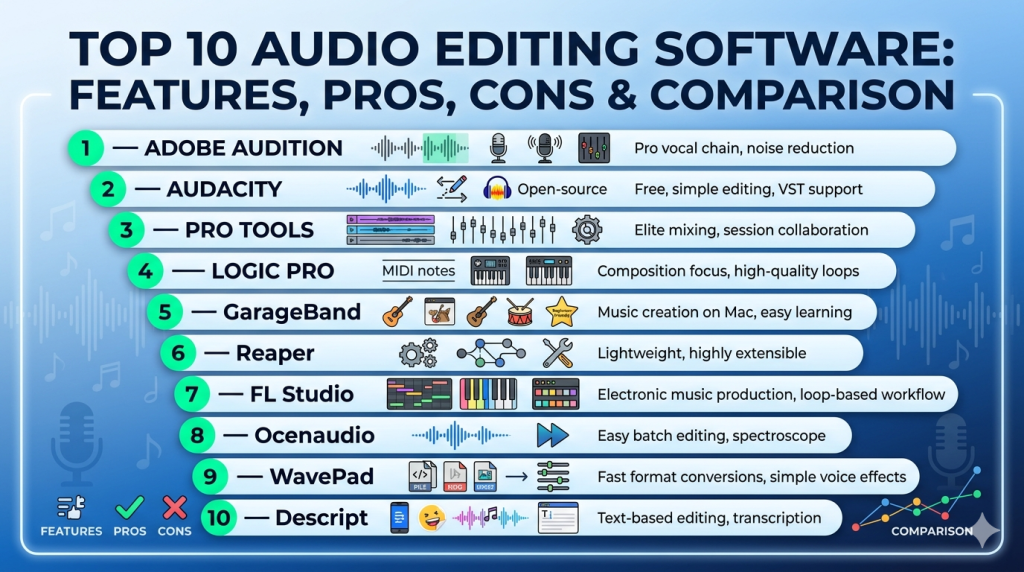
Top 10 Audio Editing Software
#1 — Adobe Audition
Short description: Professional-grade audio editing software widely used in media production, especially for video and podcast workflows.
Key Features
- Multi-track editing and mixing
- Spectral frequency display and editing
- AI-powered noise reduction and audio cleanup
- Seamless integration with video editing workflows
- Advanced audio restoration tools
- Batch processing capabilities
- Real-time effects processing
Pros
- Industry-standard for audio post-production
- Strong integration with video editing tools
Cons
- Subscription-based pricing
- Can be complex for beginners
Platforms / Deployment
Windows / macOS
Security & Compliance
Not publicly stated
Integrations & Ecosystem
Part of a broader creative ecosystem.
- Video editing software integration
- Plugin support (VST, AU)
- Cloud storage workflows
- Asset management tools
Support & Community
Extensive documentation and a large professional community.
#2 — Audacity
Short description: Popular open-source audio editor suitable for beginners and basic editing needs.
Key Features
- Multi-track editing
- Basic effects and filters
- Open-source and customizable
- Cross-platform support
- Plugin compatibility
- Audio recording capabilities
Pros
- Free and open-source
- Lightweight and accessible
Cons
- Limited advanced features
- UI feels outdated
Platforms / Deployment
Windows / macOS / Linux
Security & Compliance
Not publicly stated
Integrations & Ecosystem
Open-source ecosystem.
- Plugin support
- Community-developed extensions
- Export tools
Support & Community
Large global community; documentation varies.
#3 — Pro Tools
Short description: Industry-standard digital audio workstation (DAW) for music production and professional audio engineering.
Key Features
- Advanced multi-track recording and editing
- High-end mixing and mastering tools
- Collaboration features for teams
- Extensive plugin ecosystem
- MIDI support
- Real-time audio processing
Pros
- Widely used in professional studios
- High-quality audio processing
Cons
- Expensive pricing tiers
- Steep learning curve
Platforms / Deployment
Windows / macOS
Security & Compliance
Not publicly stated
Integrations & Ecosystem
Robust ecosystem for professionals.
- Hardware integration
- Plugin marketplace
- Studio workflows
Support & Community
Strong professional support and training resources.
#4 — Logic Pro
Short description: Advanced audio production software designed for macOS users, popular among musicians and producers.
Key Features
- Multi-track editing and mixing
- MIDI composition tools
- Large library of sounds and loops
- Advanced effects and plugins
- AI-assisted music tools
- Recording capabilities
Pros
- One-time purchase
- Excellent for music production
Cons
- macOS-only
- Less focused on non-music workflows
Platforms / Deployment
macOS
Security & Compliance
Not publicly stated
Integrations & Ecosystem
Apple ecosystem integration.
- Instrument libraries
- Plugin support
- Hardware optimization
Support & Community
Strong user base among musicians.
#5 — GarageBand
Short description: Beginner-friendly audio editing and music creation tool for Apple users.
Key Features
- Simple recording and editing tools
- Built-in loops and instruments
- Easy interface
- Multi-track editing
- Mobile support
- Basic effects
Pros
- Free for Apple users
- Easy to learn
Cons
- Limited advanced features
- Not suitable for professional mastering
Platforms / Deployment
macOS / iOS
Security & Compliance
Not publicly stated
Integrations & Ecosystem
Apple ecosystem integration.
- Device syncing
- Sound libraries
- Export tools
Support & Community
Beginner-friendly community and tutorials.
#6 — Reaper
Short description: Lightweight and highly customizable audio editing and production software.
Key Features
- Multi-track editing
- Extensive customization
- Plugin support
- Low system requirements
- MIDI and audio editing
- Automation tools
Pros
- Affordable licensing
- Highly flexible
Cons
- Interface may feel complex
- Requires setup for optimal use
Platforms / Deployment
Windows / macOS / Linux
Security & Compliance
Not publicly stated
Integrations & Ecosystem
Flexible ecosystem.
- Plugin support
- Scripting capabilities
- Custom workflows
Support & Community
Strong community support.
#7 — FL Studio
Short description: Popular DAW for music production, especially in electronic and hip-hop genres.
Key Features
- Pattern-based workflow
- MIDI sequencing
- Built-in instruments
- Effects and automation
- Lifetime updates
- Audio recording and editing
Pros
- Great for music production
- Lifetime updates
Cons
- Less suited for podcast editing
- Learning curve for beginners
Platforms / Deployment
Windows / macOS
Security & Compliance
Not publicly stated
Integrations & Ecosystem
Music-focused ecosystem.
- Plugin support
- Sound libraries
- MIDI integration
Support & Community
Large global community.
#8 — Ocenaudio
Short description: Simple and fast audio editor focused on ease of use and real-time previews.
Key Features
- Real-time effects preview
- Multi-platform support
- Lightweight design
- Basic editing tools
- Plugin support
- Spectral editing
Pros
- Easy to use
- Fast performance
Cons
- Limited advanced features
- Not ideal for large projects
Platforms / Deployment
Windows / macOS / Linux
Security & Compliance
Not publicly stated
Integrations & Ecosystem
Basic integration support.
- Plugin compatibility
- Export tools
Support & Community
Moderate community support.
#9 — WavePad
Short description: Accessible audio editor for basic to intermediate users.
Key Features
- Multi-track editing
- Audio effects and filters
- Batch processing
- Noise reduction tools
- Voice recording
- File format support
Pros
- Easy to use
- Broad format support
Cons
- Limited advanced features
- Interface not modern
Platforms / Deployment
Windows / macOS / Mobile
Security & Compliance
Not publicly stated
Integrations & Ecosystem
Basic ecosystem.
- Export tools
- Plugin support
Support & Community
Moderate support resources.
#10 — Descript
Short description: Modern audio and video editing tool focused on text-based editing and AI workflows.
Key Features
- Text-based audio editing
- AI voice generation
- Automatic transcription
- Screen recording
- Multi-track editing
- Collaboration features
Pros
- Innovative editing workflow
- Strong AI capabilities
Cons
- Cloud dependency
- Advanced features behind subscriptions
Platforms / Deployment
Web / Windows / macOS / Cloud
Security & Compliance
Not publicly stated
Integrations & Ecosystem
Modern SaaS ecosystem.
- Collaboration tools
- Cloud storage
- Export integrations
Support & Community
Growing community and documentation.
Comparison Table (Top 10)
| Tool Name | Best For | Platform(s) Supported | Deployment | Standout Feature | Public Rating |
|---|---|---|---|---|---|
| Adobe Audition | Professionals | Windows/macOS | Desktop | Audio restoration | N/A |
| Audacity | Beginners | Windows/macOS/Linux | Desktop | Open-source | N/A |
| Pro Tools | Studios | Windows/macOS | Desktop | Industry standard DAW | N/A |
| Logic Pro | Musicians | macOS | Desktop | Music production tools | N/A |
| GarageBand | Beginners | macOS/iOS | Desktop/Mobile | Simplicity | N/A |
| Reaper | Advanced users | Windows/macOS/Linux | Desktop | Customization | N/A |
| FL Studio | Music producers | Windows/macOS | Desktop | Pattern workflow | N/A |
| Ocenaudio | Simple editing | Windows/macOS/Linux | Desktop | Real-time preview | N/A |
| WavePad | Casual users | Windows/macOS/Mobile | Desktop/Mobile | Ease of use | N/A |
| Descript | AI editing | Web/Desktop | Cloud/Hybrid | Text-based editing | N/A |
Evaluation & Scoring of Audio Editing Software
| Tool Name | Core (25%) | Ease (15%) | Integrations (15%) | Security (10%) | Performance (10%) | Support (10%) | Value (15%) | Weighted Total |
|---|---|---|---|---|---|---|---|---|
| Adobe Audition | 9 | 7 | 9 | 6 | 9 | 9 | 7 | 8.3 |
| Audacity | 6 | 8 | 6 | 5 | 7 | 7 | 10 | 7.2 |
| Pro Tools | 10 | 6 | 9 | 6 | 9 | 9 | 6 | 8.4 |
| Logic Pro | 9 | 8 | 7 | 6 | 9 | 8 | 8 | 8.2 |
| GarageBand | 6 | 10 | 5 | 5 | 7 | 6 | 9 | 7.3 |
| Reaper | 8 | 6 | 8 | 5 | 8 | 7 | 9 | 7.8 |
| FL Studio | 8 | 7 | 7 | 5 | 8 | 8 | 8 | 7.8 |
| Ocenaudio | 5 | 8 | 5 | 5 | 7 | 6 | 9 | 6.8 |
| WavePad | 6 | 8 | 5 | 5 | 7 | 6 | 8 | 6.9 |
| Descript | 7 | 9 | 7 | 5 | 7 | 7 | 8 | 7.5 |
How to interpret the scores:
- Scores are comparative, not absolute performance indicators.
- Higher scores reflect stronger balance across features, usability, and value.
- Professional tools rank higher on core capabilities and integrations.
- Beginner tools score higher on ease of use and affordability.
- Choose based on your specific workflow priorities.
Which Audio Editing Software Tool Is Right for You?
Solo / Freelancer
- Best: Audacity, Descript, Reaper
- Focus on affordability, ease of use, and flexibility.
SMB
- Best: Adobe Audition, FL Studio
- Look for scalability and integration with other tools.
Mid-Market
- Best: Adobe Audition, Logic Pro
- Balance between professional features and usability.
Enterprise
- Best: Pro Tools, Adobe Audition
- Require high-end features and integration with production workflows.
Budget vs Premium
- Budget: Audacity, Ocenaudio, GarageBand
- Premium: Pro Tools, Adobe Audition, Logic Pro
Feature Depth vs Ease of Use
- Deep features: Pro Tools, Logic Pro
- Easy to use: GarageBand, Descript
Integrations & Scalability
- Strong integrations: Adobe Audition, Pro Tools
- Moderate: Reaper, FL Studio
- Limited: Ocenaudio, WavePad
Security & Compliance Needs
- Most tools: Not publicly stated
- Enterprises should validate vendor security independently.
Frequently Asked Questions (FAQs)
What is the best audio editing software for beginners?
Audacity, GarageBand, and Ocenaudio are good starting points due to simplicity and accessibility.
Which audio editing software is free?
Audacity, GarageBand, and Ocenaudio offer free usage options.
What is a DAW?
A Digital Audio Workstation is software used for recording, editing, and producing audio.
Do I need plugins?
Plugins enhance functionality but are optional for basic editing.
Can I edit podcasts with these tools?
Yes, most tools support podcast editing workflows.
What hardware is required?
A decent CPU, 8–16 GB RAM, and good audio interface are recommended.
Are AI features important?
AI can significantly speed up editing tasks like noise removal and transcription.
Can I switch tools easily?
Switching is possible but may require learning new workflows.
What are common mistakes?
Choosing overly complex tools or ignoring system requirements.
Are cloud tools better?
Cloud tools enable collaboration, but desktop tools offer better performance.
Conclusion
Audio editing software in 2026 is more powerful and accessible than ever, offering solutions for everyone—from beginners to professional studios. Tools like Pro Tools and Adobe Audition lead in professional environments, while Audacity and Descript provide accessible entry points.
There is no one-size-fits-all solution. Your choice depends on your goals, budget, and workflow requirements
