Introduction
Video editing software enables creators, businesses, and teams to cut, enhance, and produce video content—from simple social media clips to full-scale cinematic productions. At its core, it provides tools for trimming footage, adding effects, adjusting color, integrating audio, and exporting polished videos.
video editing software matters more than ever due to the explosion of short-form video, AI-assisted content creation, remote collaboration, and high-resolution formats like 4K and 8K. Businesses, marketers, educators, and creators are increasingly dependent on efficient, scalable editing workflows.
Common use cases include:
- Social media content creation (YouTube, Instagram, TikTok)
- Marketing and brand storytelling videos
- Film and television post-production
- Corporate training and e-learning content
- Live streaming and content repurposing
Buyers should evaluate:
- Ease of use and learning curve
- Performance and rendering speed
- AI-powered features (auto-editing, captions, effects)
- Platform compatibility (Windows, macOS, mobile)
- Collaboration and cloud workflows
- Integration with other tools (audio, VFX, storage)
- Export formats and quality (HDR, 4K/8K support)
- Pricing model and licensing flexibility
- Hardware optimization (GPU acceleration)
Best for: Content creators, video editors, marketing teams, production studios, educators, and enterprises producing high volumes of video content.
Not ideal for: Users needing only basic trimming or slideshow creation—simpler tools or mobile apps may suffice. Also not ideal for users without capable hardware, as many tools require strong CPU/GPU performance.
Key Trends in Video Editing Software for 2026 and Beyond
- AI-assisted editing workflows: Automated scene detection, smart cuts, and AI-generated captions are becoming standard.
- Text-based editing: Editing video by modifying transcripts instead of timelines is gaining adoption.
- Cloud-based collaboration: Teams can edit simultaneously with shared assets and real-time feedback.
- Mobile-first editing: Increasing parity between desktop and mobile editing capabilities.
- Generative AI integration: Tools can create B-roll, transitions, or visual effects automatically.
- Real-time rendering and previews: GPU advancements reduce waiting times significantly.
- Cross-platform ecosystems: Seamless workflows across desktop, web, and mobile environments.
- Subscription pricing dominance: Most vendors now use SaaS models, though some one-time licenses remain.
- Content repurposing tools: Automated resizing and formatting for multiple platforms.
- Security awareness: Enterprise buyers increasingly demand encryption, access controls, and compliance assurances.
How We Selected These Tools (Methodology)
- Evaluated market adoption and brand recognition across professionals and creators.
- Assessed feature completeness, including editing, effects, audio, and export capabilities.
- Considered performance benchmarks, including rendering speed and stability.
- Reviewed AI and automation capabilities relevant to 2026 workflows.
- Analyzed integration ecosystems with tools like motion graphics, audio editing, and cloud storage.
- Considered platform flexibility (desktop, web, mobile).
- Reviewed user experience and learning curve across skill levels.
- Evaluated community and support ecosystems.
- Considered fit across segments: freelancers, SMBs, enterprises.
- Included a mix of premium, budget, and open-source tools.
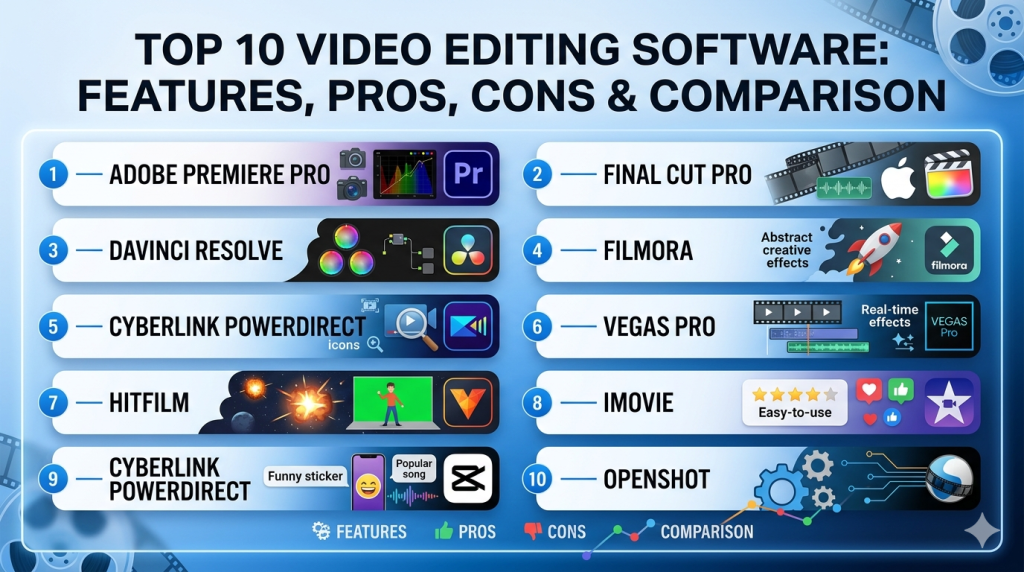
Top 10 Video Editing Software Tools
#1 — Adobe Premiere Pro
Short description: Industry-standard video editing software used by professionals, filmmakers, and enterprises. Part of a broader creative ecosystem.
Key Features
- Advanced timeline editing with multi-track support
- AI-powered tools (auto reframing, speech-to-text)
- Seamless integration with motion graphics and audio tools
- Extensive plugin ecosystem
- Multi-format support (including 8K and VR)
- Collaborative editing features
- GPU-accelerated rendering
Pros
- Widely adopted industry standard
- Deep feature set for professional workflows
Cons
- Subscription-based pricing
- Steep learning curve for beginners
Platforms / Deployment
Windows / macOS
Security & Compliance
Not publicly stated
Integrations & Ecosystem
Part of a large creative suite with strong interoperability.
- Motion graphics tools
- Audio editing software
- Cloud asset libraries
- Third-party plugins
- Team collaboration tools
Support & Community
Extensive documentation, tutorials, and a large global community.
#2 — Final Cut Pro
Short description: High-performance video editing software optimized for macOS, popular among professionals and creators.
Key Features
- Magnetic timeline for fast editing
- Optimized for Apple hardware
- Advanced color grading tools
- 360° video editing support
- High-performance rendering
- Built-in effects and transitions
Pros
- Excellent performance on Mac systems
- One-time purchase model
Cons
- macOS-only
- Smaller plugin ecosystem compared to competitors
Platforms / Deployment
macOS
Security & Compliance
Not publicly stated
Integrations & Ecosystem
Works within Apple ecosystem.
- Motion graphics tools
- Audio editing tools
- Apple hardware optimization
- Plugin marketplace
Support & Community
Strong community among Mac users; solid documentation.
#3 — DaVinci Resolve
Short description: Professional-grade editing and color grading software known for its powerful free version.
Key Features
- Advanced color grading tools
- Integrated editing, audio, and VFX modules
- AI tools (object tracking, facial recognition)
- Multi-user collaboration
- Node-based workflows
- HDR support
Pros
- Free version with robust features
- Industry-leading color grading
Cons
- Requires powerful hardware
- Complex interface for beginners
Platforms / Deployment
Windows / macOS / Linux
Security & Compliance
Not publicly stated
Integrations & Ecosystem
Comprehensive post-production suite.
- Audio tools
- VFX modules
- Collaboration tools
- Plugin support
Support & Community
Large professional community; strong documentation.
#4 — Filmora
Short description: Beginner-friendly video editor with modern UI and AI tools for content creators.
Key Features
- Drag-and-drop interface
- AI editing tools (auto cut, captions)
- Built-in templates and effects
- Screen recording
- Audio editing tools
- Social media export presets
Pros
- Easy to learn
- Affordable pricing
Cons
- Limited advanced features
- Not ideal for high-end production
Platforms / Deployment
Windows / macOS / Mobile
Security & Compliance
Not publicly stated
Integrations & Ecosystem
Focused on simplicity.
- Stock media libraries
- Export integrations
- Template ecosystem
Support & Community
Good tutorials; strong beginner community.
#5 — CyberLink PowerDirector
Short description: Feature-rich editing software balancing performance and usability.
Key Features
- AI-powered editing tools
- Motion tracking
- Multi-cam editing
- 4K/8K support
- Fast rendering engine
- Built-in effects
Pros
- Fast performance
- Good value for features
Cons
- Interface can feel cluttered
- Some features locked behind subscriptions
Platforms / Deployment
Windows / macOS
Security & Compliance
Not publicly stated
Integrations & Ecosystem
Moderate ecosystem.
- Stock media libraries
- Plugin support
- Export integrations
Support & Community
Active community and documentation.
#6 — VEGAS Pro
Short description: Professional editing software known for flexibility and customization.
Key Features
- Advanced timeline editing
- AI tools for audio and video
- HDR support
- Motion tracking
- Multi-camera editing
- Plugin compatibility
Pros
- Highly customizable
- Strong audio editing capabilities
Cons
- Windows-only
- Interface may feel dated
Platforms / Deployment
Windows
Security & Compliance
Not publicly stated
Integrations & Ecosystem
Flexible integration support.
- Audio tools
- Plugins
- Export formats
Support & Community
Moderate community; good documentation.
#7 — HitFilm
Short description: Combines video editing and VFX compositing in a single platform.
Key Features
- Built-in VFX tools
- 3D compositing
- Particle simulations
- Editing timeline
- Presets and effects
- GPU acceleration
Pros
- Strong VFX capabilities
- Good for YouTube creators
Cons
- Can be resource-intensive
- Learning curve for advanced features
Platforms / Deployment
Windows / macOS
Security & Compliance
Not publicly stated
Integrations & Ecosystem
VFX-focused ecosystem.
- Plugin support
- Asset libraries
- Export tools
Support & Community
Active creator community.
#8 — iMovie
Short description: Simple, beginner-friendly editor designed for Apple users.
Key Features
- Drag-and-drop editing
- Pre-built templates
- Basic color correction
- Audio tools
- Mobile editing support
- Easy export
Pros
- Free for Apple users
- Very easy to use
Cons
- Limited advanced features
- macOS/iOS only
Platforms / Deployment
macOS / iOS
Security & Compliance
Not publicly stated
Integrations & Ecosystem
Apple ecosystem integration.
- Device syncing
- Media libraries
- Export tools
Support & Community
Basic support; beginner-focused community.
#9 — CapCut
Short description: Modern, AI-powered video editor popular for social media content.
Key Features
- AI captions and effects
- Templates for social media
- Mobile and desktop editing
- Cloud-based features
- Music and sound effects library
- Auto-edit tools
Pros
- Strong AI features
- Free and accessible
Cons
- Limited advanced editing controls
- Privacy concerns not publicly detailed
Platforms / Deployment
Web / Windows / macOS / Mobile / Cloud
Security & Compliance
Not publicly stated
Integrations & Ecosystem
Social media-focused.
- Content platforms
- Music libraries
- Templates
Support & Community
Large creator community.
#10 — OpenShot
Short description: Open-source video editor suitable for beginners and lightweight editing.
Key Features
- Simple interface
- Basic timeline editing
- Cross-platform support
- Animation tools
- Open-source flexibility
- Basic effects
Pros
- Free and open-source
- Lightweight
Cons
- Limited advanced features
- Performance issues on large projects
Platforms / Deployment
Windows / macOS / Linux
Security & Compliance
Not publicly stated
Integrations & Ecosystem
Limited ecosystem.
- Open-source plugins
- Basic export tools
Support & Community
Community-driven support.
Comparison Table (Top 10)
| Tool Name | Best For | Platform(s) Supported | Deployment | Standout Feature | Public Rating |
|---|---|---|---|---|---|
| Adobe Premiere Pro | Professionals | Windows/macOS | Desktop | Industry-standard editing | N/A |
| Final Cut Pro | Mac users | macOS | Desktop | Optimized performance | N/A |
| DaVinci Resolve | Color grading pros | Windows/macOS/Linux | Desktop | Advanced color tools | N/A |
| Filmora | Beginners | Windows/macOS/Mobile | Desktop/Mobile | Ease of use | N/A |
| PowerDirector | SMB creators | Windows/macOS | Desktop | Fast rendering | N/A |
| VEGAS Pro | Advanced editors | Windows | Desktop | Customization | N/A |
| HitFilm | VFX creators | Windows/macOS | Desktop | Built-in VFX | N/A |
| iMovie | Beginners | macOS/iOS | Desktop/Mobile | Simplicity | N/A |
| CapCut | Social media creators | Web/Desktop/Mobile | Cloud/Hybrid | AI templates | N/A |
| OpenShot | Open-source users | Windows/macOS/Linux | Desktop | Free editing | N/A |
Evaluation & Scoring of Video Editing Software
| Tool Name | Core (25%) | Ease (15%) | Integrations (15%) | Security (10%) | Performance (10%) | Support (10%) | Value (15%) | Weighted Total |
|---|---|---|---|---|---|---|---|---|
| Premiere Pro | 9 | 7 | 9 | 6 | 9 | 9 | 7 | 8.3 |
| Final Cut Pro | 8 | 8 | 7 | 6 | 9 | 8 | 8 | 8.1 |
| DaVinci Resolve | 10 | 6 | 8 | 6 | 9 | 8 | 9 | 8.5 |
| Filmora | 7 | 9 | 6 | 5 | 7 | 7 | 8 | 7.5 |
| PowerDirector | 8 | 8 | 6 | 5 | 8 | 7 | 8 | 7.7 |
| VEGAS Pro | 8 | 6 | 7 | 5 | 8 | 7 | 7 | 7.4 |
| HitFilm | 7 | 6 | 6 | 5 | 7 | 7 | 7 | 6.8 |
| iMovie | 6 | 10 | 5 | 5 | 7 | 6 | 9 | 7.2 |
| CapCut | 7 | 9 | 6 | 5 | 7 | 7 | 9 | 7.6 |
| OpenShot | 5 | 7 | 4 | 5 | 6 | 6 | 10 | 6.5 |
How to interpret the scores:
- Scores are relative comparisons, not absolute ratings.
- Higher scores indicate stronger overall performance across weighted criteria.
- Enterprise tools score higher on features and integrations, while simpler tools score higher on ease of use.
- Value reflects affordability relative to features.
- Choose based on your priorities rather than the highest score.
Which Video Editing Software Tool Is Right for You?
Solo / Freelancer
- Best choices: Filmora, CapCut, DaVinci Resolve (free version)
- Focus on ease of use, affordability, and quick turnaround workflows.
SMB
- Best choices: PowerDirector, Premiere Pro
- Look for scalability, integrations, and team collaboration features.
Mid-Market
- Best choices: Premiere Pro, DaVinci Resolve
- Prioritize performance, advanced features, and workflow efficiency.
Enterprise
- Best choices: Premiere Pro, DaVinci Resolve
- Require collaboration tools, ecosystem integrations, and reliability.
Budget vs Premium
- Budget: OpenShot, CapCut, Filmora
- Premium: Premiere Pro, Final Cut Pro, DaVinci Resolve Studio
Feature Depth vs Ease of Use
- Deep features: Premiere Pro, DaVinci Resolve
- Easy to use: Filmora, iMovie, CapCut
Integrations & Scalability
- Strong integrations: Premiere Pro
- Moderate: PowerDirector, VEGAS Pro
- Limited: OpenShot, iMovie
Security & Compliance Needs
- Enterprise users should validate vendor security practices manually.
- Most tools: Not publicly stated for compliance certifications.
Frequently Asked Questions (FAQs)
What is the best video editing software for beginners?
Tools like Filmora, iMovie, and CapCut are beginner-friendly due to simple interfaces and templates.
Which video editing software is free?
DaVinci Resolve (free version), OpenShot, and CapCut offer free plans.
Is cloud-based video editing better than desktop?
Cloud tools enable collaboration, but desktop tools offer better performance and control.
What hardware do I need?
A modern CPU, at least 8–16 GB RAM, and a GPU are recommended for smooth editing.
Are AI features important?
Yes, AI significantly speeds up editing tasks like captions, cuts, and effects.
Can I switch between tools easily?
Switching is possible but may require learning new workflows and reformatting projects.
What are common mistakes when choosing software?
Choosing overly complex tools or ignoring hardware requirements.
Do these tools support 4K and 8K?
Most professional tools support high-resolution formats.
Are subscriptions worth it?
They provide continuous updates but may be costly long-term.
What alternatives exist?
Mobile apps and browser-based editors can be alternatives for simpler needs.
Conclusion
Video editing software in 2026 spans a wide spectrum—from beginner-friendly tools to enterprise-grade production platforms. While tools like Premiere Pro and DaVinci Resolve dominate professional workflows, options like Filmora and CapCut make video creation accessible to everyone.
There is no single “best” tool—your ideal choice depends on your workflow, budget, skill level, and integration needs.
