Introduction
3D CAD (Computer-Aided Design) software allows engineers, designers, and architects to create precise digital models of physical objects in three dimensions. These tools are essential for designing everything from mechanical parts and buildings to consumer products and industrial systems.
Modern 3D CAD tools go beyond simple modeling—they support simulation, rendering, manufacturing workflows, and collaboration. Many platforms now combine parametric modeling, cloud-based collaboration, and AI-assisted design, enabling teams to move from concept to production faster and with greater accuracy.
Common use cases:
- Mechanical engineering and product design
- Architecture and construction (BIM workflows)
- Manufacturing and CNC machining
- 3D printing and prototyping
- Industrial and automotive design
What buyers should evaluate:
- Parametric vs direct modeling capabilities
- Ease of use and learning curve
- Simulation and analysis tools
- File compatibility (STEP, IGES, DWG, etc.)
- Integration with CAM/CAE tools
- Cloud collaboration features
- Performance with large assemblies
- Pricing and licensing model
- Community and support ecosystem
- Security and access control
Best for: Engineers, product designers, architects, manufacturers, and technical teams working on precise, production-ready designs.
Not ideal for: Users focused on artistic or animation workflows—3D modeling or animation tools may be better suited.
Key Trends in 3D CAD Software
- Cloud-native CAD platforms: Browser-based CAD enables real-time collaboration without local installs.
- AI-driven design (Generative Design): Automated optimization based on constraints and materials.
- Integrated CAD/CAM/CAE: Unified platforms streamline design-to-manufacturing workflows.
- Real-time collaboration: Teams can edit and review designs simultaneously.
- Digital twin technology: Simulation of real-world performance before manufacturing.
- AR/VR integration: Visualization of designs in real-world environments.
- Subscription and SaaS pricing: Flexible access replacing perpetual licenses.
- Interoperability improvements: Better compatibility across file formats and systems.
- Automation and scripting: Custom workflows through APIs and scripting.
- Security awareness: Increased focus on IP protection and controlled access.
How We Selected These Tools (Methodology)
- Evaluated industry adoption and reputation
- Assessed feature completeness (modeling, simulation, collaboration)
- Reviewed performance with complex assemblies
- Considered integration with manufacturing tools (CAM/CAE)
- Analyzed cloud capabilities and collaboration features
- Evaluated ease of learning and onboarding
- Considered community support and documentation
- Included tools for different user segments (beginner to enterprise)
- Reviewed pricing accessibility and flexibility
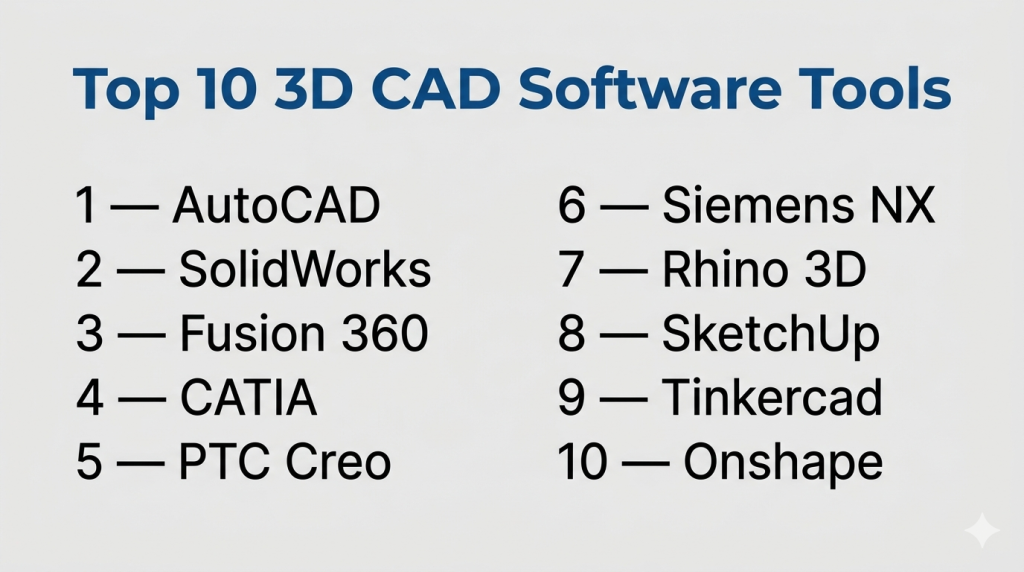
Top 10 3D CAD Software Tools
#1 — AutoCAD
Short description: A widely used CAD platform for 2D drafting and 3D modeling across architecture, engineering, and construction.
Key Features
- 2D and 3D design tools
- DWG file compatibility (industry standard)
- Cloud collaboration features
- Customization with APIs and scripts
- Specialized industry toolsets
- Mobile and web access
Pros
- Highly versatile across industries
- Strong ecosystem and support
Cons
- Expensive subscription
- Steep learning curve
Platforms / Deployment
Windows / macOS / Web / Cloud
Security & Compliance
Not publicly stated
Integrations & Ecosystem
AutoCAD integrates widely with design and construction tools.
- BIM tools
- Autodesk ecosystem
- Cloud storage
- APIs
Support & Community
Extensive documentation and large global user base.
#2 — SolidWorks
Short description: A leading 3D CAD tool for mechanical design and product engineering.
Key Features
- Parametric modeling
- Assembly design tools
- Simulation and analysis
- Sheet metal and weldments
- Product lifecycle integration
Pros
- Excellent for mechanical design
- Strong simulation tools
Cons
- Windows-only
- High cost
Platforms / Deployment
Windows
Security & Compliance
Not publicly stated
Integrations & Ecosystem
- PLM tools
- Simulation software
- APIs
- Third-party plugins
Support & Community
Strong engineering community and enterprise support.
#3 — Fusion 360
Short description: An all-in-one CAD/CAM/CAE platform for product design and manufacturing.
Key Features
- Integrated CAD, CAM, and CAE
- Cloud collaboration
- Parametric and direct modeling
- Simulation tools
- Generative design
- Version control
Pros
- Affordable for startups
- All-in-one solution
Cons
- Requires internet for full functionality
- Performance depends on hardware/cloud
Platforms / Deployment
Windows / macOS / Cloud
Security & Compliance
Not publicly stated
Integrations & Ecosystem
- Autodesk ecosystem
- APIs
- Cloud storage
- Manufacturing tools
Support & Community
Strong community and learning resources.
#4 — CATIA
Short description: Enterprise-grade CAD software used in aerospace and automotive industries.
Key Features
- Advanced surface modeling
- Product lifecycle management (PLM)
- Simulation and analysis
- Complex assembly handling
- Collaborative workflows
Pros
- Ideal for complex engineering
- Industry-standard in aerospace
Cons
- Expensive
- Complex to learn
Platforms / Deployment
Windows
Security & Compliance
Not publicly stated
Integrations & Ecosystem
- PLM systems
- Simulation tools
- Enterprise systems
Support & Community
Enterprise-level support with specialized training.
#5 — PTC Creo
Short description: A powerful CAD solution for product design and engineering with advanced simulation tools.
Key Features
- Parametric modeling
- Simulation and analysis
- AR design capabilities
- Generative design
- Additive manufacturing tools
Pros
- Strong engineering capabilities
- Advanced simulation
Cons
- Complex interface
- Expensive
Platforms / Deployment
Windows
Security & Compliance
Not publicly stated
Integrations & Ecosystem
- PLM tools
- IoT integrations
- APIs
Support & Community
Professional support and enterprise adoption.
#6 — Siemens NX
Short description: A high-end CAD/CAM/CAE platform used for large-scale engineering and manufacturing.
Key Features
- Integrated CAD/CAM/CAE
- Digital twin capabilities
- Advanced simulation
- High-performance modeling
- Product lifecycle management
Pros
- Extremely powerful
- Enterprise scalability
Cons
- High cost
- Requires training
Platforms / Deployment
Windows
Security & Compliance
Not publicly stated
Integrations & Ecosystem
- PLM systems
- Manufacturing tools
- APIs
Support & Community
Enterprise-grade support.
#7 — Rhino 3D
Short description: A flexible CAD tool known for freeform and NURBS-based modeling.
Key Features
- NURBS modeling
- Plugin ecosystem
- Rendering tools
- 3D printing support
- Scripting support
Pros
- Great for organic shapes
- One-time purchase
Cons
- Limited parametric tools
- UI not beginner-friendly
Platforms / Deployment
Windows / macOS
Security & Compliance
Not publicly stated
Integrations & Ecosystem
- Grasshopper
- Plugins
- Rendering tools
Support & Community
Strong design community.
#8 — SketchUp
Short description: A user-friendly CAD tool widely used in architecture and interior design.
Key Features
- Easy-to-use interface
- 3D asset library
- Web-based version
- Rendering extensions
- Collaboration tools
Pros
- Beginner-friendly
- Fast modeling
Cons
- Limited advanced features
- Not ideal for complex engineering
Platforms / Deployment
Windows / macOS / Web
Security & Compliance
Not publicly stated
Integrations & Ecosystem
- Plugin marketplace
- Rendering tools
- Cloud collaboration
Support & Community
Large user base and tutorials.
#9 — Tinkercad
Short description: A simple, browser-based CAD tool designed for beginners and education.
Key Features
- Drag-and-drop interface
- Browser-based access
- Basic 3D modeling
- 3D printing export
- Electronics simulation
Pros
- Very easy to learn
- Free to use
Cons
- Limited capabilities
- Not suitable for professionals
Platforms / Deployment
Web / Cloud
Security & Compliance
Not publicly stated
Integrations & Ecosystem
- 3D printing tools
- Educational platforms
Support & Community
Beginner-focused resources.
#10 — Onshape
Short description: A fully cloud-native CAD platform designed for collaborative product development.
Key Features
- Real-time collaboration
- Version control
- Cloud-based access
- Parametric modeling
- Built-in PDM
Pros
- No installation required
- Excellent for teams
Cons
- Subscription pricing
- Requires internet
Platforms / Deployment
Web / Cloud / Mobile
Security & Compliance
Not publicly stated
Integrations & Ecosystem
- APIs
- Cloud integrations
- PLM tools
Support & Community
Growing community and enterprise support.
Conclusion
3D CAD software is a critical foundation for modern design, engineering, and manufacturing workflows. From beginner-friendly tools like Tinkercad to enterprise platforms like CATIA and Siemens NX, the right choice depends on your complexity, budget, and collaboration needs.
There is no one-size-fits-all solution.
